OpenFullPage - Capture Screen, Annotate, Save icon

OpenFullPage Chrome Extension Analysis

Automation & Workflow Efficiency

Store listing title: OpenFullPage - Capture Screen, Annotate, Save

Chrome extension ID: aaahblekcomojemgepgpenjppgimeapb

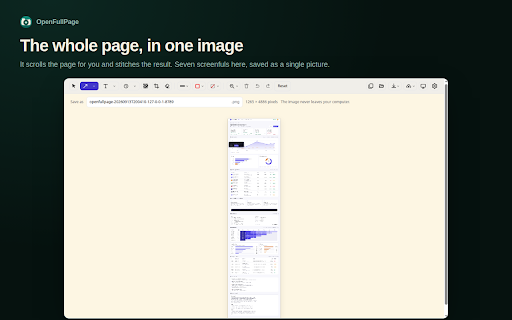
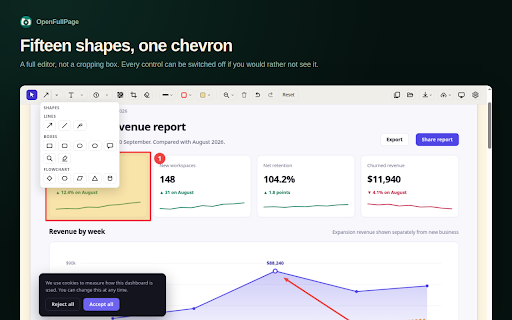
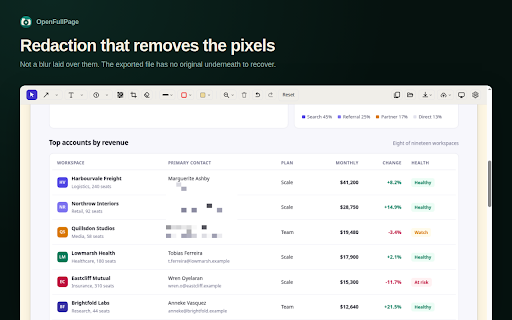
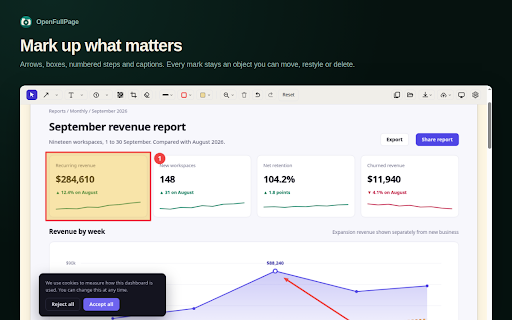
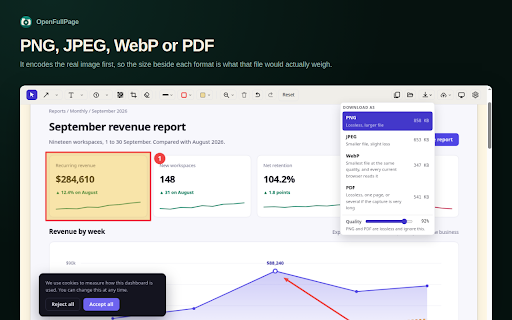
OpenFullPage is a utility for capturing entire scrolling web pages as single images or PDFs. It includes a built-in editor for local annotation, redaction, and cropping without sending data to any external servers.

Developer:palworks.ai
Version:1.10.1
Size:187KiB
Last updated:

Overview

Installs

19

Rating

★ 5.0

1 reviews

Languages

1 locales

Includes English

Market analysis

Review-backed positioning, friction, and market signals for this Chrome extension.

No review samples found

Macro category

Automation & Workflow Efficiency

Pricing friction

Low review signal

Complaint intensity

Low review signal

Listing & review signals
Observed signals from store listing text and review samples.

Listing positioning

The extension positions itself as a privacy-first, open-source alternative to GoFullPage. It emphasizes a total lack of network access and zero requirement for accounts or tracking, marketing itself through technical transparency.

Inferred product pattern

A privacy-centric, local-only utility tool for high-fidelity web captures and on-device editing.

Review-backed pain points

Review-backed data is not available.

Observed feature gaps

The tool lacks cloud history and share links by design due to its zero-network policy; it also cannot capture chrome:// pages or the Chrome Web Store.

Tags
Full Page CaptureScreen AnnotationPrivacy FocusedOpen SourceScreenshot Tool
Target users

- Content Creators

- QA Testers

- Privacy-Conscious Users

- Developers

Primary use cases

- Capturing long-form web content

- Annotating screenshots for documentation

- Redacting sensitive information locally

- Saving web pages as PDF or image files

Positive themes

- Review-backed data is not available.

Negative themes

- Review-backed data is not available.

Observed friction

- No pricing friction observed; the product is marketed as entirely free and open source.

Evidence boundary: Data extracted from the Chrome Web Store listing description and technical manifest claims. No user reviews were available to provide sentiment or verify performance claims.
Complaint summaries
Review-backed complaint signals grouped by operational area.

Support

No support complaints observed.

Reliability

No reliability complaints observed.

Privacy

No privacy complaints observed; privacy is the core value proposition.

Access & pricing

- Free usage observed

- No account requirement observed

- Free plan or free usage claimed

Store listing facts

Listing assets

- Screenshots: 5

- Videos: 0

- Languages: 1

Trust signals

- Privacy policy

- Developer contact

- Official website

- Support link

Store metadata

- Version: 1.10.1

- Size: 187KiB

- Last updated:

Listing SEO keywords

Search intent keywords
Keyword signals for evaluating how users may discover, compare, or search for this extension category.

Core discovery

full page screenshotweb page captureannotate screenshotopen source screenshotprivacy screenshot tool

Comparison

GoFullPage alternativeprivacy focused screenshot

Problem

capture long webpageredact screenshotsave scrolling page as pdf

Alternative

GoFullPageAwesome ScreenshotNimbus Capture

Similar extensions

Jump to related discovery paths:

Screenshots

OpenFullPage - Capture Screen, Annotate, Save screenshot

Links

Recommended Chrome extensions

Related listings from the same category, trending peers, and the same publisher portfolio.

Browse workflow