Quick JIRA icon

Quick JIRA Chrome Extension Analysis

Automation & Workflow Efficiency

Chrome extension ID: acdnmaeifljongleeegkkfnfcopblokj

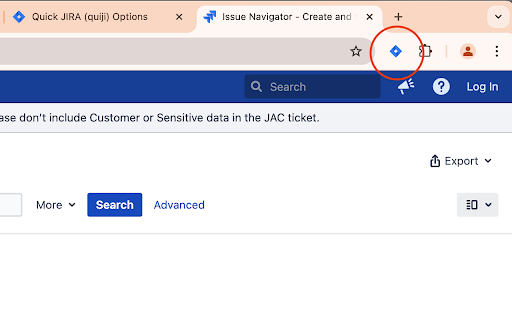
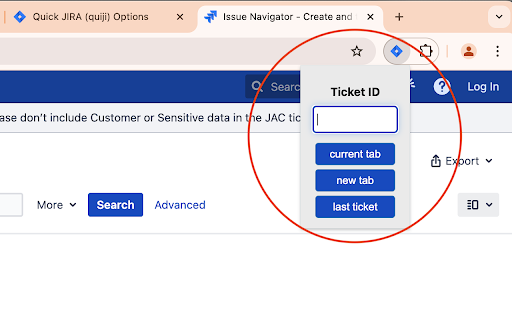
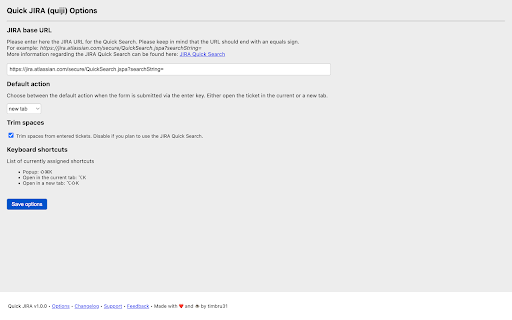
Quick JIRA is a browser extension that allows users to quickly jump to JIRA tickets by entering the ticket ID via a dedicated popup or the browser's omnibox. It supports configurable JIRA base URLs and offers multiple ways to trigger ticket navigation, including hotkeys and right-click menus.

Version:1.0.0
Size:44.15KiB
Last updated:

Overview

Installs

20K+

Rating

4.6

43 reviews

Languages

3 locales

Includes Deutsch, English, español

Market analysis

Review-backed positioning, friction, and market signals for this Chrome extension.

Backed by review samples

Macro category

Automation & Workflow Efficiency

Pricing friction

Low review signal

Complaint intensity

Moderate review signal

Listing & review signals
Observed signals from store listing text and review samples.

Listing positioning

Quick JIRA (quiji) is positioned as a lightweight productivity utility designed to eliminate manual navigation steps in JIRA. It offers hotkeys, context menu integration, and an omnibox command to instantly redirect users to specific ticket pages.

Inferred product pattern

Single-purpose productivity utility focused on deep-linking to enterprise SaaS platforms.

Review-backed pain points

The most frequent pain point is the forced omnibox behavior, which interferes with users trying to perform Google searches starting with the word 'jira'. Users also desire support for multiple JIRA server configurations.

Observed feature gaps

Lack of a toggle setting for the omnibox keyword trigger and absence of multi-instance/multi-URL support for teams working across different JIRA environments.

Tags
JiraProductivityWorkflowOmniboxDeveloper Tool
Target users

- Software Developers

- Project Managers

- Quality Assurance Engineers

Primary use cases

- Directly navigating to JIRA tickets by ID

- Quickly searching for issues via browser address bar

- Opening JIRA tickets from selected text on any webpage

Positive themes

- Significant time-saving tool

- Efficient shortcut for daily Jira workflows

- Handy for quick ticket lookup

Negative themes

- Inability to disable the 'jira' omnibox keyword trigger

- Lack of support for multiple JIRA instances or URLs

Observed friction

- None. The product is free and open-source.

Evidence boundary: Evidence is derived from 10 representative user reviews focusing on usability, workflow impact, and feature requests for greater configuration control. Review data is highly consistent, focusing on specific UI behaviors, which limits the scope of evaluation to user experience preferences rather than technical stability.
Complaint summaries
Review-backed complaint signals grouped by operational area.

Support

Users are generally satisfied with the functionality but express consistent frustration regarding the lack of customization options for the omnibox feature.

Reliability

The extension is reported as reliable and functional; complaints are focused on UX design choices rather than technical bugs.

Privacy

No privacy complaints observed.

Access & pricing

- Free usage observed

- No account requirement observed

- Free plan or free usage claimed

Store listing facts

Listing assets

- Screenshots: 3

- Videos: 0

- Languages: 3

Trust signals

- Developer contact

- Support link

Store metadata

- Version: 1.0.0

- Size: 44.15KiB

- Last updated:

Listing SEO keywords

Search intent keywords
Keyword signals for evaluating how users may discover, compare, or search for this extension category.

Core discovery

jira shortcutjira ticket openerchrome extension jirafast jira navigation

Comparison

jira navigation tooljira workflow booster

Problem

jira browser search interferencejira multi-instance support

Alternative

jira hotkey extension

Similar extensions

Jump to related discovery paths:

Screenshots

Quick JIRA screenshot

Links

Recommended Chrome extensions

Related listings from the same category, trending peers, and the same publisher portfolio.

Browse workflow