Mathpix Snip icon

Mathpix Snip Chrome Extension Analysis

AI & Writing Assistants

Chrome extension ID: acjfbklbdkhaamiiehfmmepaiddbnido

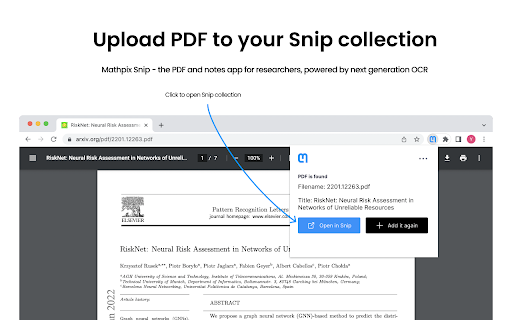
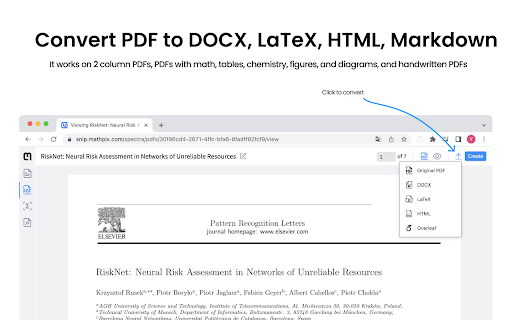
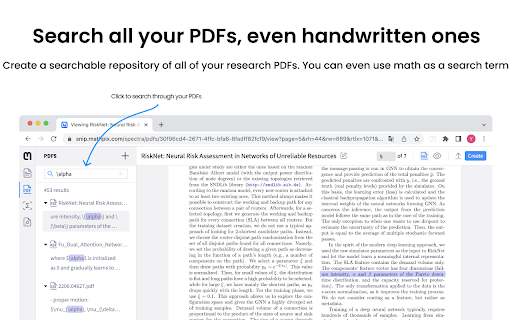
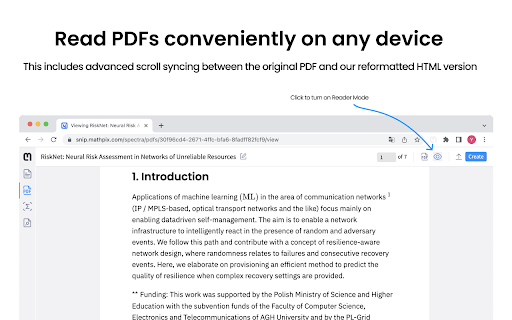
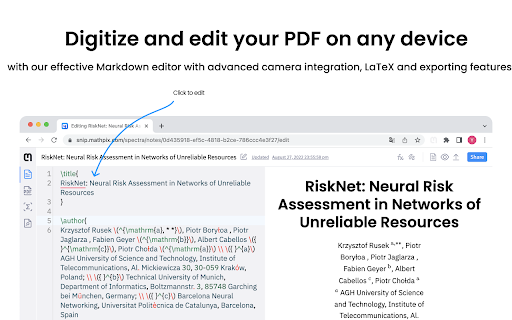
A productivity extension that allows users to save scientific PDFs to a cloud collection for reading and searching. It features powerful OCR capabilities to convert complex mathematical equations and scientific text into editable digital formats.

Developer:Mathpix
Version:1.0.6
Size:2.01MiB
Last updated:

Overview

Installs

60K+

Rating

4.1

21 reviews

Languages

1 locales

Includes English

Market analysis

Review-backed positioning, friction, and market signals for this Chrome extension.

Backed by review samples

Macro category

AI & Writing Assistants

Pricing friction

Low review signal

Complaint intensity

Moderate review signal

Listing & review signals
Observed signals from store listing text and review samples.

Listing positioning

Positions itself as an essential tool for STEM researchers to organize and convert scientific PDFs. It emphasizes a seamless workflow for Arxiv.org users to create searchable collections and export documents into LaTeX, DOCX, and Markdown.

Inferred product pattern

Academic OCR utility specializing in mathematical notation conversion and research paper management.

Review-backed pain points

Users reported a critical conflict with online banking 2FA codes when the extension is active, as well as frustration over a missing setting to allow local PDF uploads.

Observed feature gaps

Lack of functional support for adding local PDFs despite the extension prompting the user to enable it in settings.

Tags
Math OCRLaTeX ConverterSTEM ResearchPDF to MarkdownScientific Writing
Target users

- STEM researchers

- Academic writers

- Mathematics and science students

- LaTeX users

Primary use cases

- Converting scientific PDFs to LaTeX

- Managing Arxiv.org research papers

- Extracting math formulas from documents

- Converting PDFs to Markdown for research summaries

Positive themes

- High-quality math OCR accuracy

- Significant time savings in digital writing

- Ease of handling mathematical equations

Negative themes

- Security concerns regarding banking 2FA conflicts

- Generic system errors

- Inability to add local PDFs

Observed friction

- Performance complaints detected

- Privacy complaints detected

- No pricing friction reported; one user explicitly mentions the tool is free.

Evidence boundary: Extracted from official store listing and a sample of 10 user reviews. Small review sample size; no official pricing details provided in the listing.
Complaint summaries
Review-backed complaint signals grouped by operational area.

Support

No direct support interaction complaints, though technical bugs are reported.

Reliability

Users reported generic 'Something went wrong' errors and failure of the local PDF upload feature.

Privacy

One user reported a suspected security breach or technical conflict where the extension caused 2-way verification codes for online banking to fail.

Access & pricing

- No clear monetization signal

- Account required for core usage

- Free plan or free usage claimed

Store listing facts

Listing assets

- Screenshots: 5

- Videos: 1

- Languages: 1

Trust signals

- Privacy policy

- Developer contact

Store metadata

- Version: 1.0.6

- Size: 2.01MiB

- Last updated:

Listing SEO keywords

Search intent keywords
Keyword signals for evaluating how users may discover, compare, or search for this extension category.

Core discovery

PDF to LaTeXMath OCR extensionArxiv PDF managerConvert scientific PDF to Markdown

Comparison

Mathpix vs LaTeX OCRBest math OCR Chrome extension

Problem

convert math PDF to LaTeXextract formulas from PDFdigitize scientific papers

Alternative

Mathpix alternativesLaTeX equation converter

Similar extensions

Jump to related discovery paths:

Screenshots

Mathpix Snip screenshot

Links

Privacy policy: https://mathpix.com/privacy

Videos: Watch

Recommended Chrome extensions

Related listings from the same category, trending peers, and the same publisher portfolio.

Browse workflow