My Doodle icon

My Doodle Chrome Extension Analysis

Niche Lifestyle & Gaming Hacks

Chrome extension ID: acnonhmkejidodnppipkffhfjbfiogha

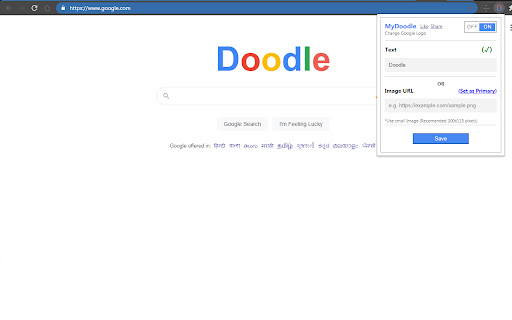
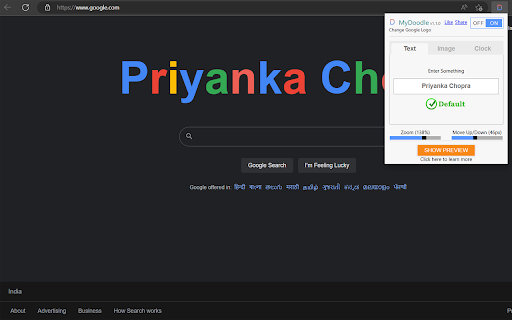
MyDoodle is a browser extension for Chrome and Edge that modifies the Google logo appearing on Google search engine URLs. Users interact with the extension via a browser icon to input text or image URLs to customize their search page experience.

Developer:Lovenish Goyal
Version:1.1.6
Size:253KiB
Last updated:

Overview

Installs

1.0M+

Rating

4.1

407 reviews

Languages

1 locales

Includes English (United Kingdom)

Market analysis

Review-backed positioning, friction, and market signals for this Chrome extension.

Backed by review samples

Macro category

Niche Lifestyle & Gaming Hacks

Pricing friction

Low review signal

Complaint intensity

Moderate review signal

Listing & review signals
Observed signals from store listing text and review samples.

Listing positioning

MyDoodle positions itself as a browser personalization tool that allows users to replace the standard Google logo on search pages. It emphasizes ease of use, enabling users to swap the logo for custom text, images, or a real-time clock.

Inferred product pattern

Simple browser UI modifier that appears to have broken functionality due to lack of maintenance or compatibility issues.

Review-backed pain points

The most significant pain point is the failure of the core 'Set as Default' button, which prevents users from successfully saving their custom settings, effectively rendering the extension non-functional for many.

Observed feature gaps

Users reported that the extension does not apply the custom logo to 'New Tab' pages or maintain changes persistently across different browsing sessions.

Tags
CustomizationBrowser PersonalizationGoogle Doodle
Target users

- Casual browser users

- Personalization enthusiasts

Primary use cases

- Customizing the Google logo

- Adding a personal name to the Google homepage

- Displaying a clock on the Google homepage

Positive themes

- Conceptually interesting tool

- Initial preview functionality works for some users

Negative themes

- UI failure to save changes

- Inability to click the 'Set as Default' button

- Inconsistency across tabs (e.g., new tabs reverting to Google spelling)

- Failure of custom image persistence

Observed friction

- Performance complaints detected

- None; the extension is free to use but suffers from significant functional bugs.

Evidence boundary: Extracted from Chrome Web Store user reviews detailing broken UI elements and persistence issues. Reviews represent a subset of users; complaints are focused on functional errors which may indicate compatibility issues with recent browser updates.
Complaint summaries
Review-backed complaint signals grouped by operational area.

Support

None specifically, though users express frustration that the product fails to perform its primary function.

Reliability

High; multiple reports indicate the 'Set as Default' button is unclickable or unresponsive, and changes often do not persist across new tabs.

Privacy

None reported.

Access & pricing

- Free usage observed

- No account requirement observed

- Free plan or free usage claimed

Store listing facts

Listing assets

- Screenshots: 2

- Videos: 1

- Languages: 1

Trust signals

- Developer contact

- Official website

- Support link

Store metadata

- Version: 1.1.6

- Size: 253KiB

- Last updated:

Listing SEO keywords

Search intent keywords
Keyword signals for evaluating how users may discover, compare, or search for this extension category.

Core discovery

change google logocustom google doodlepersonalize google homepage

Comparison

browser customization tools

Problem

my doodle not workingcannot save settingsgoogle logo change error

Alternative

browser theme extensions

Similar extensions

Jump to related discovery paths:

Screenshots

My Doodle screenshot

Links

Website: laar.pro

Support links: https://www.laar.pro/support

Videos: Watch

Recommended Chrome extensions

Related listings from the same category, trending peers, and the same publisher portfolio.

Browse fun