Text Mode icon

Text Mode Chrome Extension Analysis

Privacy, Security & Ad Blockers

Chrome extension ID: adelhekhakakocomdfejiipdnaadiiib

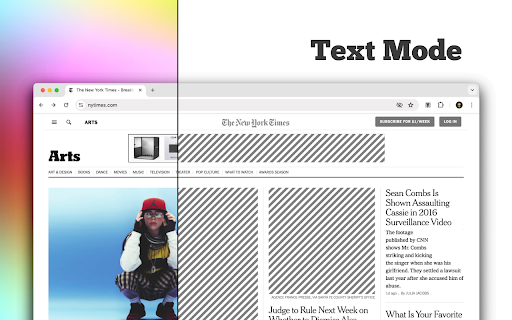
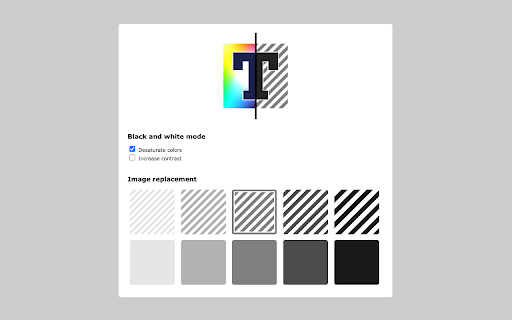
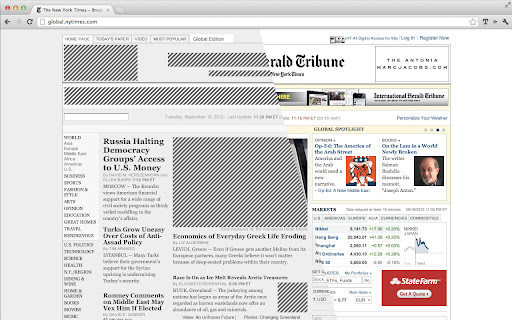
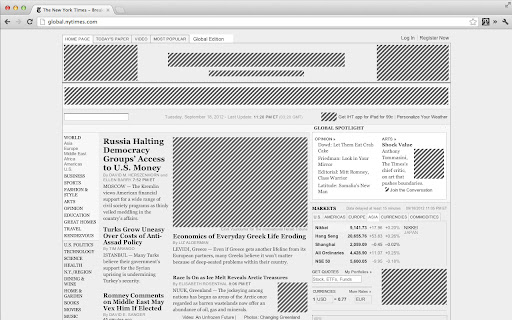
This extension modifies web page rendering by replacing visual media with placeholders and stripping color to simplify the layout. It aims to make content more scannable and easier on the eyes by removing high-bandwidth elements like videos, background images, and SVG elements.

Developer:omarrr
Version:0.6.1
Size:58.32KiB
Last updated:

Overview

Installs

60K+

Rating

4.2

284 reviews

Languages

1 locales

Includes English (United States)

Market analysis

Review-backed positioning, friction, and market signals for this Chrome extension.

Backed by review samples

Macro category

Privacy, Security & Ad Blockers

Pricing friction

Low review signal

Complaint intensity

Moderate review signal

Listing & review signals
Observed signals from store listing text and review samples.

Listing positioning

Text Mode positions itself as a decluttering tool that strips web pages of images, animations, and videos to facilitate a distraction-free, text-only reading experience. It promises to reduce bandwidth usage, accelerate page load times, and remove the majority of advertisements through a one-click activation process.

Inferred product pattern

Single-purpose utility extension focused on DOM manipulation to remove visual media.

Review-backed pain points

Users report that media elements (images and videos) often reload or bypass the filter, creating an inconsistent user experience. Other complaints focus on visual fatigue caused by distracting placeholder graphics and the extension breaking interactive elements on sensitive websites like government or banking portals.

Observed feature gaps

Lack of granular controls (e.g., selective image loading or per-site whitelisting), poor integration with third-party hover-zoom extensions, and a lack of aesthetic customization for placeholders.

Tags
Distraction FreeText OnlyWeb ReaderBandwidth SaverBrowser Minimalism
Target users

- Minimalist web users

- Readers aiming to avoid distractions

- Users on limited data plans

- Users with visual sensitivity to complex layouts

Primary use cases

- Focusing on textual content

- Reducing bandwidth usage

- Removing visual ads and animations

- Improving page readability

Positive themes

- Effective removal of images

- Maintains original text formatting

- Simple one-click toggling

Negative themes

- Inconsistent blocking of media and videos

- Jarring placeholder aesthetics

- Conflicts with site functionality (forms, pop-ups)

- Ineffective bandwidth reduction

Observed friction

- Performance complaints detected

- No pricing friction; the product is free.

Evidence boundary: Data derived from public Chrome Web Store descriptions and a subset of user reviews highlighting functional inconsistencies. Review sample size is relatively small compared to user base; technical performance may have changed with browser updates.
Complaint summaries
Review-backed complaint signals grouped by operational area.

Support

No direct support complaints observed, though users express frustration regarding the lack of updates and unresolved technical bugs.

Reliability

High reports of inconsistency where images or videos fail to stay blocked, and conflicts with site-specific scripting functionality.

Privacy

No specific privacy complaints found in sample data.

Access & pricing

- Free usage observed

- No account requirement observed

- Free plan or free usage claimed

Store listing facts

Listing assets

- Screenshots: 5

- Videos: 0

- Languages: 1

Trust signals

- Developer contact

- Official website

Store metadata

- Version: 0.6.1

- Size: 58.32KiB

- Last updated:

Listing SEO keywords

Search intent keywords
Keyword signals for evaluating how users may discover, compare, or search for this extension category.

Core discovery

text only web browser extensionremove images from websiteminimalist web reading tooldistraction free chrome extension

Comparison

Text Mode vs Readabilitybest text-only browser add-ons

Problem

how to block images on websitesstop videos from loading on web pagesreduce internet bandwidth consumption

Alternative

alternatives to Text Mode extensionreadability mode for chrome

Similar extensions

Jump to related discovery paths:

Screenshots

Text Mode screenshot

Links

Website: omarrr.com

Recommended Chrome extensions

Related listings from the same category, trending peers, and the same publisher portfolio.

Browse workflow