Streaming enhanced Netflix Disney Prime Video icon

Streaming enhanced Netflix Disney Prime Video Chrome Extension Analysis

Niche Lifestyle & Gaming Hacks

Chrome extension ID: akaimhgappllmlkadblbdknhbfghdgle

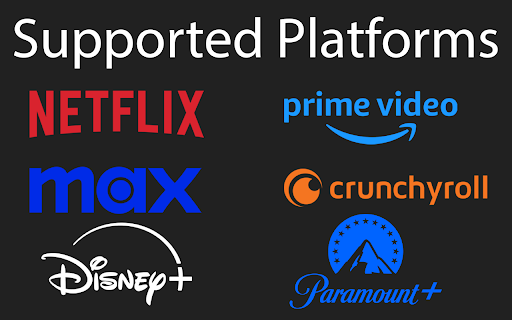
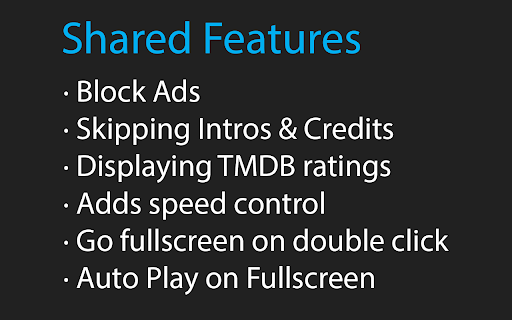
This extension enhances browser-based streaming media players with automated controls and user interface adjustments. It auto-skips intros, recaps, credits, and promotional ads on platforms like Netflix, Prime Video, Disney+, and Crunchyroll. It also adds keyboard shortcuts for customized playback speed and fullscreen modes.

Developer:Dreamliner
Version:1.1.105
Size:383KiB
Last updated:

Overview

Installs

50K+

Rating

4.7

196 reviews

Languages

1 locales

Includes English

Market analysis

Review-backed positioning, friction, and market signals for this Chrome extension.

Backed by review samples

Macro category

Niche Lifestyle & Gaming Hacks

Pricing friction

Low review signal

Complaint intensity

Moderate review signal

Listing & review signals
Observed signals from store listing text and review samples.

Listing positioning

The store listing positions this extension as an all-in-one quality-of-life utility for major video streaming platforms. It promises to automate tedious tasks like clicking skip buttons and waiting through ads or intros. It highlights its nature as a free, open-source project actively maintained by a single developer.

Inferred product pattern

Client-side DOM element monitoring and programmatic playback event trigger injection to automate ad and intro skipping.

Review-backed pain points

The most prominent pain points occur when underlying streaming platform interfaces update, causing auto-skip features to stop functioning. Users also report specific platform locks, such as Disney+ blocking playback entirely when the extension is active, and UI visual issues like a white bar on top of the screen in fullscreen mode on Brave.

Observed feature gaps

Reviews indicate a desire for cloud-based setting synchronization or automatic backups, as users currently have to handle settings manually. Additionally, localized coverage gaps exist, such as difficulties getting advertised HBO Max (Max) features working under regional accounts.

Tags
Streaming EnhancerAd BlockerPlayback Control
Target users

- Binge-watchers

- Streaming service subscribers

- Users seeking custom video playback controls

- Ad-blocking enthusiasts

Primary use cases

- Automatically skipping video intros and credits on Netflix

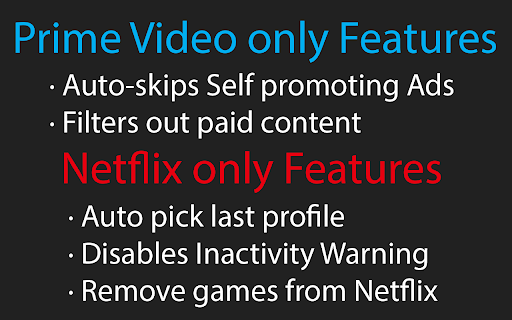
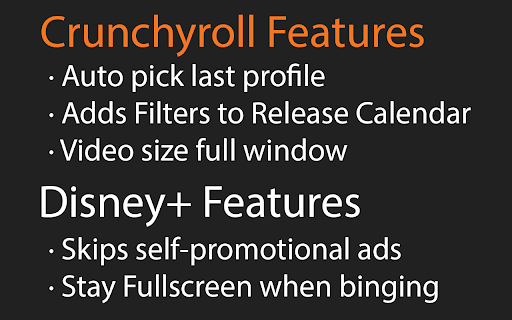
- Bypassing self-promotional ads on Prime Video and Disney+

- Adjusting video playback speed using customizable hotkeys

- Enabling automatic fullscreen execution on video start

Positive themes

- Highly effective ad blocking that improves the streaming experience

- Valuable quality-of-life improvements for Netflix users

- Appreciated for being completely free and open-source

Negative themes

- Incompatibility on Disney+ where playback gets disabled or blocked

- Sudden functional failure on Prime Video and Crunchyroll after site updates

- Visual glitches such as a persistent white bar in fullscreen mode on specific browsers

Observed friction

- Performance complaints detected

- No pricing complaints exist; the extension is fully free, open-source, and relies on optional support/donations.

Evidence boundary: The analysis is drawn from the official Chrome Web Store listing metadata, developer claims, open-source repository descriptions, and user feedback addressing compatibility across various browsers and streaming platforms. Reviews are limited to voluntary user submissions which tend to highlight immediate interface breakage following platform site updates, rather than a systematic performance test.
Complaint summaries
Review-backed complaint signals grouped by operational area.

Support

No explicit negative comments target developer support, though the developer proactively sets expectations on Github that fixes can take time due to being a solo project.

Reliability

Reliability is highly dependent on external streaming platforms. Recent updates have broken Crunchyroll and Prime Video skip features for some users, and Disney+ DRM or ad detection causes playback failures. A visual rendering bug on Brave causes a white bar in fullscreen.

Privacy

No privacy or security complaints have been observed in public user feedback.

Access & pricing

- Free usage observed

- No account requirement observed

- Free plan or free usage claimed

Store listing facts

Listing assets

- Screenshots: 5

- Videos: 0

- Languages: 1

Trust signals

- Developer contact

- Official website

- Support link

Store metadata

- Version: 1.1.105

- Size: 383KiB

- Last updated:

Listing SEO keywords

Search intent keywords
Keyword signals for evaluating how users may discover, compare, or search for this extension category.

Core discovery

netflix auto skip intro chrome extensionprime video skip ads chrome extensiondisney plus video speed controller

Comparison

best streaming auto skip extensions

Problem

how to auto skip netflix introremove prime video xray overlaydisable are you still watching netflix prompt

Alternative

netflix skip ad extensionvideo speed controller extensioncrunchyroll speed skip

Similar extensions

Jump to related discovery paths:

Screenshots

Streaming enhanced Netflix Disney Prime Video screenshot

Links

Recommended Chrome extensions

Related listings from the same category, trending peers, and the same publisher portfolio.

Browse entertainment