LegalBinder — Exhibit Sticker & Bates Tool icon

LegalBinder Chrome Extension Analysis

Automation & Workflow Efficiency

Store listing title: LegalBinder — Exhibit Sticker & Bates Tool

Chrome extension ID: ancpndekkdamkmielcflijgkhfghajce

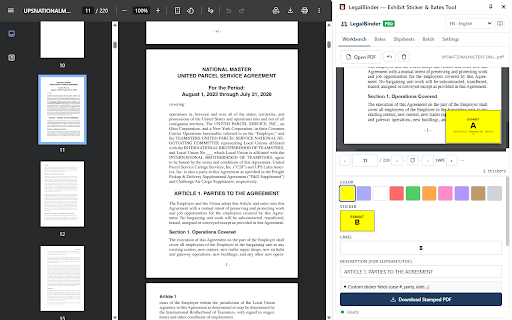
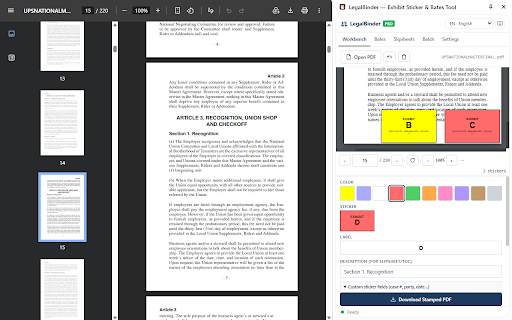
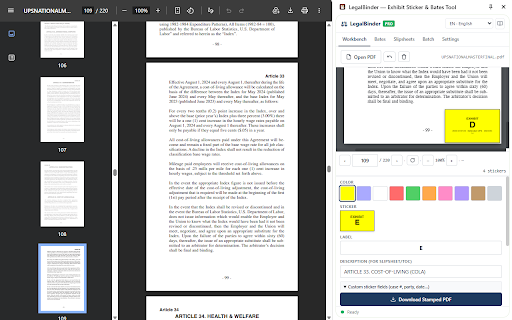
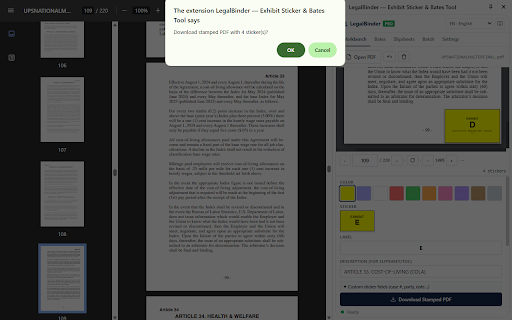
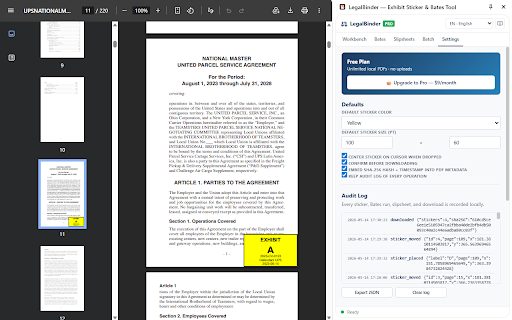
LegalBinder is a Chrome extension that provides tools for marking PDF documents, including exhibit stickers, Bates numbering, and PDF merging. It operates entirely offline without server uploads, offering both free manual stamping features and paid batch processing capabilities.

Developer:Yogesh Nichal
Version:1.0.4
Size:1.27MiB
Last updated:

Overview

Installs

12

Rating

0 reviews

Languages

1 locales

Includes English (United States)

Market analysis

Review-backed positioning, friction, and market signals for this Chrome extension.

No review samples found

Macro category

Automation & Workflow Efficiency

Pricing friction

Low review signal

Complaint intensity

Low review signal

Listing & review signals
Observed signals from store listing text and review samples.

Listing positioning

LegalBinder positions itself as a secure, local-first alternative to high-cost PDF software for legal professionals. It emphasizes data privacy by processing all documents within the browser, explicitly targeting users who need to comply with strict confidentiality requirements.

Inferred product pattern

A privacy-focused, browser-native utility designed to replace enterprise document software for specific niche workflows.

Review-backed pain points

Review-backed data is not available.

Observed feature gaps

Review-backed data is not available.

Tags
PDF EditorLegal TechBates NumberingPrivacy FirstDocument Automation
Target users

- Solo Attorneys

- Paralegals

- Boutique Law Firms

- Legal Administrative Staff

Primary use cases

- Applying exhibit stickers to PDF pages

- Generating Bates numbering for legal discovery

- Merging multiple PDFs into trial bundles

- Adding watermarks and cover pages to court filings

Positive themes

No positive theme data.

Negative themes

No negative theme data.

Observed friction

- Pricing friction is not available as there are no user reviews regarding the cost or conversion experience.

Evidence boundary: Evidence is sourced exclusively from the official Chrome Web Store listing and developer documentation; no user reviews are currently present. The analysis is limited by the total absence of user reviews, making it impossible to verify performance, bugs, or customer satisfaction.
Complaint summaries
Review-backed complaint signals grouped by operational area.

Support

Support complaint data is not available.

Reliability

Reliability complaint data is not available.

Privacy

Privacy complaint data is not available; the product explicitly markets itself on privacy and local-only processing.

Access & pricing

- Free entry with paid features

- No account requirement observed

- Limited free usage observed

Store listing facts

Listing assets

- Screenshots: 5

- Videos: 0

- Languages: 1

Trust signals

- Privacy policy

- Developer contact

- Official website

- Support link

Store metadata

- Version: 1.0.4

- Size: 1.27MiB

- Last updated:

Listing SEO keywords

Search intent keywords
Keyword signals for evaluating how users may discover, compare, or search for this extension category.

Core discovery

PDF Bates numbering chrome extensiondigital exhibit stickers for lawyerslocal PDF editor for legal professionalsfree PDF stamping tool

Comparison

Adobe Acrobat alternative for lawyersPDF filler vs LegalBinder

Problem

how to add bates numbers to pdf for freesecure pdf processing for law firms

Alternative

pdf-lib chrome toolsexhibit sticker software

Similar extensions

Jump to related discovery paths:

Screenshots

LegalBinder — Exhibit Sticker & Bates Tool screenshot

Links

Recommended Chrome extensions

Related listings from the same category, trending peers, and the same publisher portfolio.

Browse developer