Simple Gmail Screen icon

Simple Gmail Screen Chrome Extension Analysis

Automation & Workflow Efficiency

Chrome extension ID: aoadinglmfmhaegojfdbeoljlnjabmkd

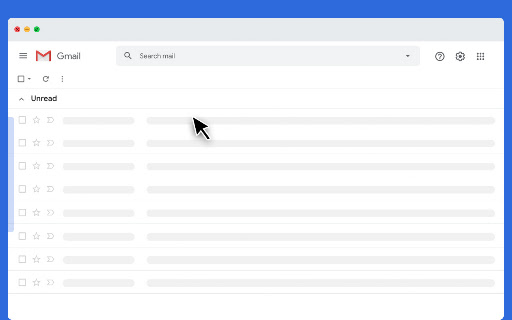
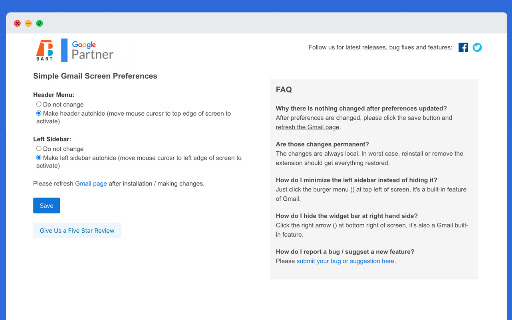
A lightweight Chrome extension that removes visual clutter from the Gmail screen. It allows users to hide primary navigation elements, which reappear only when the cursor moves to the edge of the screen.

Developer:Bart Solutions
Version:0.11.0
Size:175KiB
Last updated:

Overview

Installs

614

Rating

4.7

12 reviews

Languages

48 locales

Includes Deutsch, English, Filipino, Indonesia...

Market analysis

Review-backed positioning, friction, and market signals for this Chrome extension.

Backed by review samples

Macro category

Automation & Workflow Efficiency

Pricing friction

Low review signal

Complaint intensity

Low review signal

Listing & review signals
Observed signals from store listing text and review samples.

Listing positioning

The product is positioned as a utility to simplify the Gmail interface by auto-hiding the top menu bar and left sidebar. It emphasizes the ability to reclaim screen space while maintaining accessibility via mouse-over activation.

Inferred product pattern

UI Minimalist Utility

Review-backed pain points

No negative pain points observed in the provided review samples.

Observed feature gaps

No specific feature gaps reported in reviews; the tool serves a highly specific, narrow utility.

Tags
Gmail UIMinimalist InterfaceProductivityScreen SpaceDistraction Free
Target users

- Gmail power users

- Minimalists

- Users with small screen resolutions

- Users seeking a distraction-free email environment

Primary use cases

- Maximizing visible email content area

- Removing intrusive UI elements like upgrade buttons

- Creating a cleaner, focused workspace for emailing

Positive themes

- Increased screen real estate

- Elimination of distractions

- Effective removal of unwanted Google UI elements

Negative themes

No negative theme data.

Observed friction

- No pricing friction observed; the project is listed as open source under GPL v3.

Evidence boundary: Analysis based on store listing metadata and five high-rating user reviews. Small sample size of reviews provided.
Complaint summaries
Review-backed complaint signals grouped by operational area.

Support

No support or account complaints found in provided data.

Reliability

No reliability or performance complaints found in provided data.

Privacy

No privacy or security complaints found in provided data.

Access & pricing

- Free usage observed

- No account requirement observed

- Free plan or free usage claimed

Store listing facts

Listing assets

- Screenshots: 2

- Videos: 1

- Languages: 48

Trust signals

- Privacy policy

- Developer contact

- Official website

- Support link

Store metadata

- Version: 0.11.0

- Size: 175KiB

- Last updated:

Listing SEO keywords

Search intent keywords
Keyword signals for evaluating how users may discover, compare, or search for this extension category.

Core discovery

Simplify GmailHide Gmail SidebarMinimalist Gmail UIGmail Screen Optimizer

Comparison

Gmail UI cleaner vs nativebest Gmail sidebar hider

Problem

Gmail too clutteredGmail upgrade button annoyingtoo many menus in Gmail

Alternative

Gmail minimal modeGmail distraction free

Similar extensions

Jump to related discovery paths:

Screenshots

Simple Gmail Screen screenshot

Links

Recommended Chrome extensions

Related listings from the same category, trending peers, and the same publisher portfolio.

Browse workflow