Momentum OS - Tab Session Manager icon

Momentum OS Chrome Extension Analysis

Automation & Workflow Efficiency

Store listing title: Momentum OS - Tab Session Manager

Chrome extension ID: belppblpecnhneicgdebdhmogkgddmhn

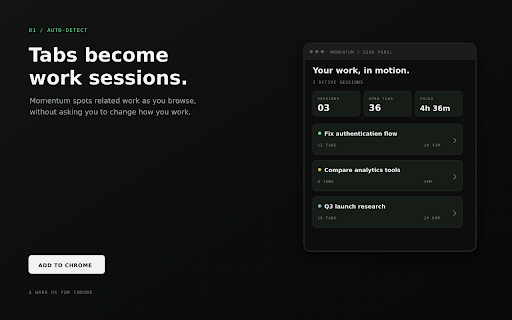
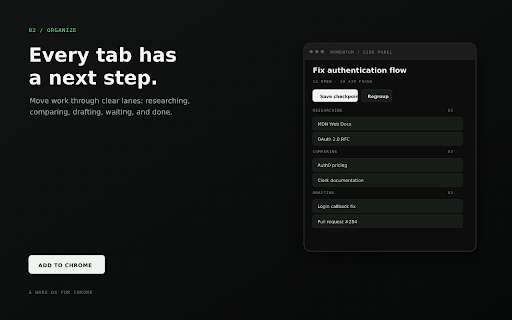
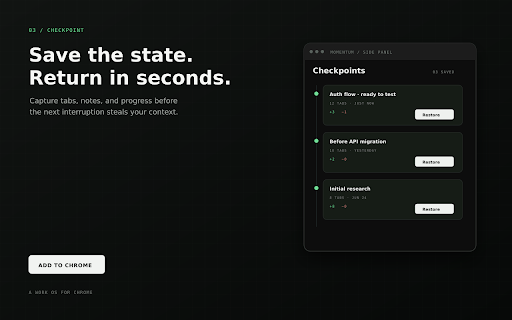
Momentum OS is a Chrome extension designed to organize browser tabs into organized work sessions. It automatically clusters related tabs based on user activity and allows users to save checkpoints to resume work later. The extension aims to reduce context switching friction and provide a structured workspace within the browser.

Version:0.2.0
Size:2.41MiB
Last updated:

Overview

Installs

5

Rating

5.0

2 reviews

Languages

1 locales

Includes English

Market analysis

Review-backed positioning, friction, and market signals for this Chrome extension.

No review samples found

Macro category

Automation & Workflow Efficiency

Pricing friction

Low review signal

Complaint intensity

Low review signal

Listing & review signals
Observed signals from store listing text and review samples.

Listing positioning

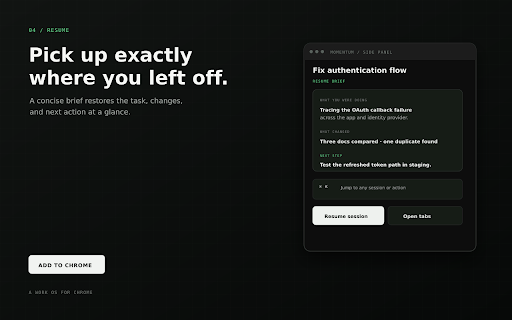
Momentum OS positions itself as a "work OS for Chrome" that transforms tab management into a seamless workflow by automatically organizing tabs into sessions and saving checkpoints. It emphasizes resuming work without losing context and provides a calm command center for managing active tasks.

Inferred product pattern

Browser tab and session management tool with automated organization and checkpoint saving features.

Review-backed pain points

No review-backed data is available.

Observed feature gaps

No review-backed data is available.

Tags
Tab ManagerSession ManagerProductivity ToolWork OS
Target users

- Developers

- Founders

- Students

- Knowledge workers

Primary use cases

- Managing multiple browser tabs for different projects

- Resuming work sessions without losing context

- Organizing research and comparison tabs

- Streamlining workflow for complex browser-based tasks

Positive themes

No positive theme data.

Negative themes

No negative theme data.

Observed friction

- The listing does not explicitly mention pricing, suggesting a free tier or freemium model, with potential for optional paid features (AI). No specific pricing friction is detailed.

Evidence boundary: Data extracted directly from the Chrome Web Store listing, including title, descriptions, and stated features. No user reviews were found, limiting the ability to provide review-backed insights on user experience, sentiment, or specific pain points.
Complaint summaries
Review-backed complaint signals grouped by operational area.

Support

No review-backed data is available.

Reliability

No review-backed data is available.

Privacy

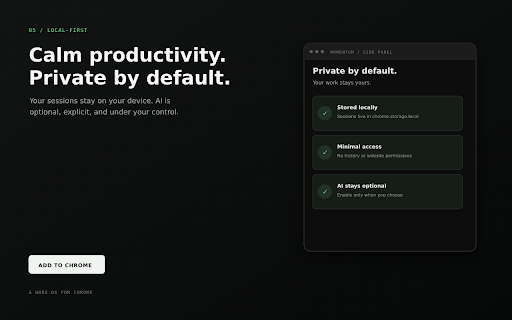
The listing emphasizes privacy, stating that data lives locally in chrome.storage.local and no browsing history is requested or data leaves the machine unless optional AI features are enabled.

Access & pricing

- No clear monetization signal

- No clear access signal

- No clear pricing signal

Store listing facts

Listing assets

- Screenshots: 5

- Videos: 0

- Languages: 1

Trust signals

- Privacy policy

- Developer contact

- Official website

Store metadata

- Version: 0.2.0

- Size: 2.41MiB

- Last updated:

Listing SEO keywords

Search intent keywords
Keyword signals for evaluating how users may discover, compare, or search for this extension category.

Core discovery

Chrome tab managerSession organizerWork workflow toolTab groupingProductivity extension

Comparison

tab manager vs session managerworkflow organizer chromecontext saver extension

Problem

losing browser contextmanaging many tabsrebuilding work sessionstab overload

Alternative

chrome tab organizersession restore extensionproductivity workspace

Similar extensions

Jump to related discovery paths:

Screenshots

Momentum OS - Tab Session Manager screenshot

Links

Recommended Chrome extensions

Related listings from the same category, trending peers, and the same publisher portfolio.

Browse workflow