CaptureTools icon

CaptureTools Chrome Extension Analysis

Automation & Workflow Efficiency

Chrome extension ID: bfodcgpajdcekplipofmclhjaemlabon

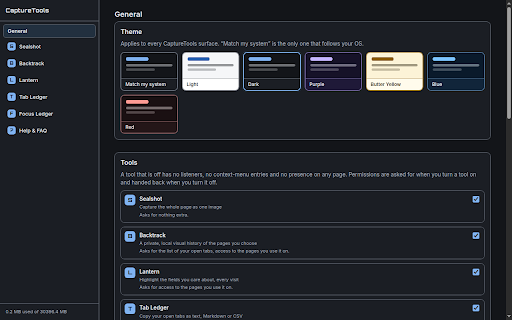
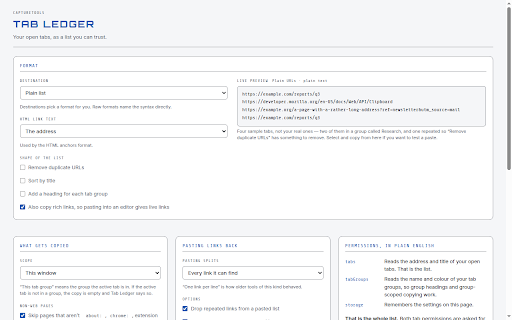
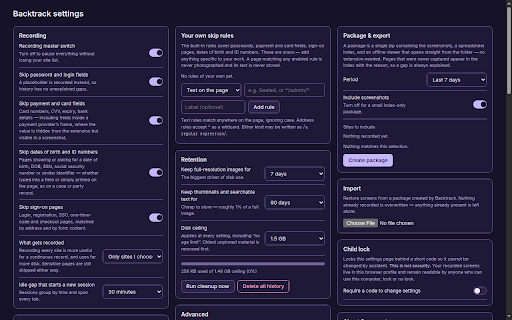
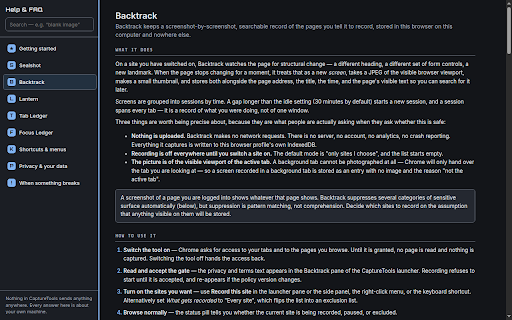
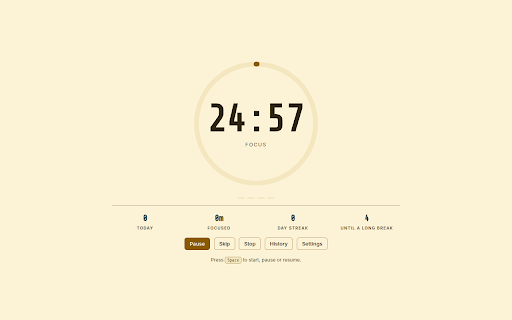
A productivity bundle for Chrome that includes Sealshot for full-page captures, Backtrack for visual page history, Lantern for field highlighting, Tab Ledger for exporting open tabs, and Focus Ledger for Pomodoro-style timing. All data is stored locally within the browser profile.

Developer:DhseaDev
Version:0.6.0
Size:654KiB
Last updated:

Overview

Installs

0

Rating

★ —

0 reviews

Languages

1 locales

Includes English

Market analysis

Review-backed positioning, friction, and market signals for this Chrome extension.

No review samples found

Macro category

Automation & Workflow Efficiency

Pricing friction

Low review signal

Complaint intensity

Low review signal

Listing & review signals
Observed signals from store listing text and review samples.

Listing positioning

Positions itself as a modular suite of five separate productivity tools that can be individually enabled or disabled to minimize browser overhead. Emphasizes a strict privacy-first approach with no network requests, no accounts, and no telemetry. Highlights a structural separation of tool permissions to ensure disabled tools do not run in the background.

Inferred product pattern

Local-first, modular utility bundle focusing on minimal footprint and maximum privacy.

Review-backed pain points

Review-backed data is not available.

Observed feature gaps

Review-backed data is not available.

Tags
Full Page CaptureTab ManagerProductivity SuiteFocus TimerPrivacy Focused
Target users

- Privacy-conscious web users

- Researchers

- Productivity enthusiasts

- Power users managing large numbers of tabs

Primary use cases

- Capturing entire scrollable webpages as single images

- Maintaining a searchable, local visual history of specific sites

- Exporting open tabs to Markdown, CSV, or Jira formats

- Tracking focus and break intervals with local records

Positive themes

- Review-backed data is not available

Negative themes

- Review-backed data is not available

Observed friction

- No pricing information provided in the listing; no review data available.

Evidence boundary: Data extracted from the Chrome Web Store listing descriptions and developer-provided details. No user reviews available to validate claims or identify real-world usage patterns.
Complaint summaries
Review-backed complaint signals grouped by operational area.

Support

Review-backed data is not available.

Reliability

Review-backed data is not available.

Privacy

Review-backed data is not available.

Access & pricing

- No clear monetization signal

- No account requirement observed

- No clear pricing signal

Store listing facts

Listing assets

- Screenshots: 5

- Videos: 0

- Languages: 1

Trust signals

- Privacy policy

- Developer contact

- Official website

Store metadata

- Version: 0.6.0

- Size: 654KiB

- Last updated:

Listing SEO keywords

Search intent keywords
Keyword signals for evaluating how users may discover, compare, or search for this extension category.

Core discovery

full page capture extensionvisual browser historyexport tabs to markdownchrome focus timer localprivacy first productivity tools

Comparison

CaptureTools vs GoFullPageCaptureTools vs TabbyCaptureTools vs Pomodoro extensions

Problem

how to save full webpage as imageexport open tabs to csvprivate visual history for chromebrowser extension without telemetry

Alternative

full page screenshot alternativetab manager alternativelocal focus timer alternative

Similar extensions

Jump to related discovery paths:

Screenshots

CaptureTools screenshot

Links

Recommended Chrome extensions

Related listings from the same category, trending peers, and the same publisher portfolio.

Browse tools