Easy Color Picker icon

Easy Color Picker Chrome Extension Analysis

Developer & Designer Tools

Chrome extension ID: bgahcehknhgmjoggmkibghafppcfoaci

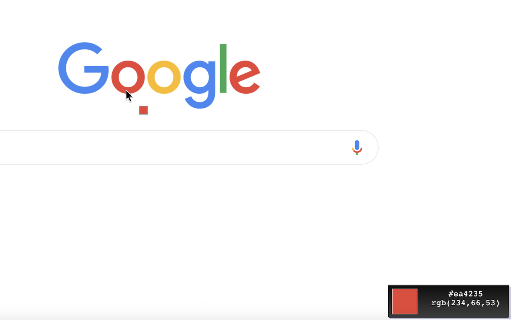
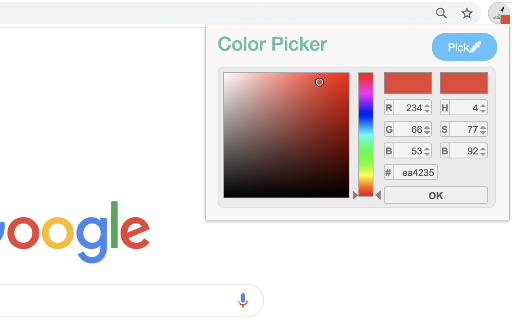
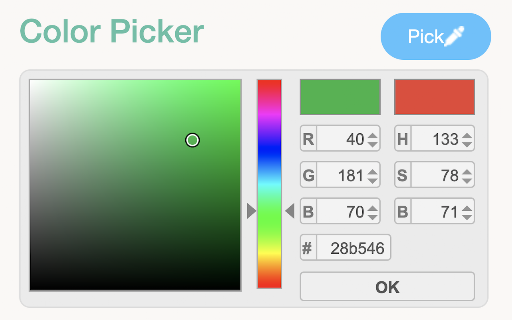
Easy Color Picker is a Chrome extension designed to extract color information from any website via a hover action. It provides color codes in various formats and includes a built-in history feature to track previously selected colors.

Developer:Web Tools
Version:0.2.5
Size:134KiB
Last updated:

Overview

Installs

8K+

Rating

4.5

11 reviews

Languages

1 locales

Includes English

Market analysis

Review-backed positioning, friction, and market signals for this Chrome extension.

Backed by review samples

Macro category

Developer & Designer Tools

Pricing friction

Low review signal

Complaint intensity

Moderate review signal

Listing & review signals
Observed signals from store listing text and review samples.

Listing positioning

The product positions itself as a lightweight and efficient utility for developers and designers to capture color values instantly from webpages. It emphasizes accuracy, multiple format support (HEX, RGB, HSV), and the ability to maintain a color history for design consistency.

Inferred product pattern

A focused, single-utility productivity tool for design-centric web workflows.

Review-backed pain points

Users have reported instances where the tool stalls with a waiting cursor and fails to identify color, requiring an extension restart, and noted that the color popup can be obscured by other page elements like 'back to top' buttons.

Observed feature gaps

No specific feature gaps were identified from the provided data.

Tags
Color PickerWeb DesignDeveloper ToolColor History
Target users

- Web Designers

- Frontend Developers

- Graphic Designers

Primary use cases

- Extracting color codes from live websites

- Maintaining design color consistency

- Quickly identifying HEX/RGB/HSV values

Positive themes

- Accuracy of color identification

- Ease of use

- Simplicity and speed

Negative themes

- Technical stalling/unresponsiveness

- UI overlapping with website elements

Observed friction

- Performance complaints detected

- No pricing information or friction was observed in the listing or reviews.

Evidence boundary: Data extracted from the Chrome Web Store listing and a small set of user reviews covering both positive and negative experiences. The review sample size is very small (11 reviews), which may not be fully representative of the entire user base.
Complaint summaries
Review-backed complaint signals grouped by operational area.

Support

No support-related complaints were found.

Reliability

One user reported reliability issues where the extension required a reload after failing to identify colors while showing a loading cursor.

Privacy

No privacy or security complaints were observed.

Access & pricing

- No clear monetization signal

- No account requirement observed

- No clear pricing signal

Store listing facts

Listing assets

- Screenshots: 3

- Videos: 1

- Languages: 1

Trust signals

- Privacy policy

- Developer contact

- Official website

- Support link

Store metadata

- Version: 0.2.5

- Size: 134KiB

- Last updated:

Listing SEO keywords

Search intent keywords
Keyword signals for evaluating how users may discover, compare, or search for this extension category.

Core discovery

color picker extensionweb color extractorHEX RGB HSV pickerdesigner color tool

Comparison

color picker for developersweb color grabber

Problem

how to get color from websiteidentify hex code on webpage

Alternative

eyedropper extensioncolor palette grabber

Similar extensions

Jump to related discovery paths:

Screenshots

Easy Color Picker screenshot

Links

Recommended Chrome extensions

Related listings from the same category, trending peers, and the same publisher portfolio.

Browse workflow