Canva Chrome Extension icon

Canva Chrome Extension Chrome Extension Analysis

Automation & Workflow Efficiency

Chrome extension ID: bjegfnhaogjfneindkaobkliokknbnfn

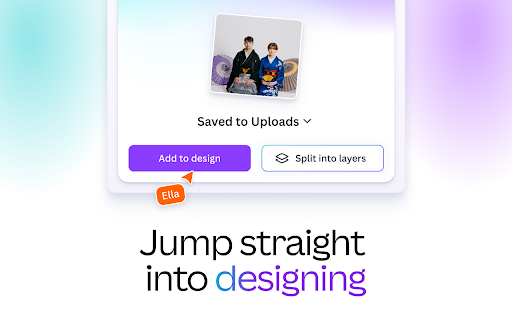
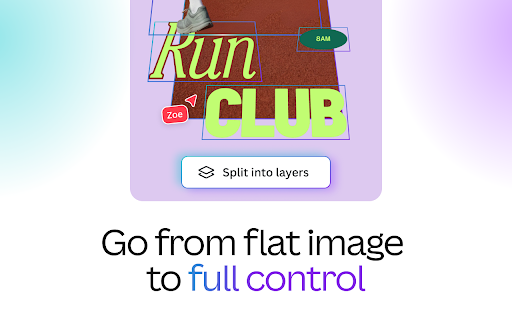
This is an official browser utility that allows users to save images found while browsing directly into their Canva account. It includes features for drag-and-drop uploads and immediate integration with the Canva design editor, including advanced editing tools like Magic Layers.

Developer:Canva
Version:1.1.0
Size:1.6MiB
Last updated:

Overview

Installs

90K+

Rating

★ 4.6

23 reviews

Languages

33 locales

Includes Deutsch, English, Indonesia, Nederlands...

Market analysis

Review-backed positioning, friction, and market signals for this Chrome extension.

No review samples found

Macro category

Automation & Workflow Efficiency

Pricing friction

Low review signal

Complaint intensity

Low review signal

Listing & review signals
Observed signals from store listing text and review samples.

Listing positioning

The extension positions itself as a seamless bridge between web browsing and the Canva design workspace. It emphasizes convenience by allowing users to capture images directly from websites and organize them into specific folders for future design use.

Inferred product pattern

Platform-native browser extension designed to increase ecosystem stickiness and asset ingestion.

Review-backed pain points

Review-backed data is not available.

Observed feature gaps

No feature gaps identified from available data.

Tags
CanvaDesignImage Asset ManagementBrowser Integration
Target users

- Graphic designers

- Social media managers

- Content creators

- Canva power users

Primary use cases

- Collecting design assets from the web

- Organizing image assets into folders

- Rapidly importing web images into design projects

Positive themes

No positive theme data.

Negative themes

No negative theme data.

Observed friction

- Pricing friction is not observed as the tool acts as a free utility for existing Canva accounts.

Evidence boundary: Data is derived solely from the official store listing and developer-provided metadata. The extension currently lacks user review data, preventing sentiment and performance analysis.
Complaint summaries
Review-backed complaint signals grouped by operational area.

Support

Support/account/refund complaint summary is not available.

Reliability

Reliability/performance complaint summary is not available.

Privacy

Privacy/security complaint summary is not available.

Access & pricing

- Free usage observed

- Account required for core usage

- Free plan or free usage claimed

Store listing facts

Listing assets

- Screenshots: 3

- Videos: 0

- Languages: 33

Trust signals

- Privacy policy

- Developer contact

- Official website

- Support link

Store metadata

- Version: 1.1.0

- Size: 1.6MiB

- Last updated:

Listing SEO keywords

Search intent keywords
Keyword signals for evaluating how users may discover, compare, or search for this extension category.

Core discovery

Canva extensionsave images to Canvadesign asset organizerbrowser image uploader

Comparison

Canva vs alternative asset managershow to save web images to design software

Problem

easily save web photosimport images to Canva fast

Alternative

image scraperclipboard managerasset capture tool

Similar extensions

Jump to related discovery paths:

Screenshots

Canva Chrome Extension screenshot

Links

Recommended Chrome extensions

Related listings from the same category, trending peers, and the same publisher portfolio.

Browse workflow