Lighthouse icon

Lighthouse Chrome Extension Analysis

Developer & Designer Tools

Chrome extension ID: blipmdconlkpinefehnmjammfjpmpbjk

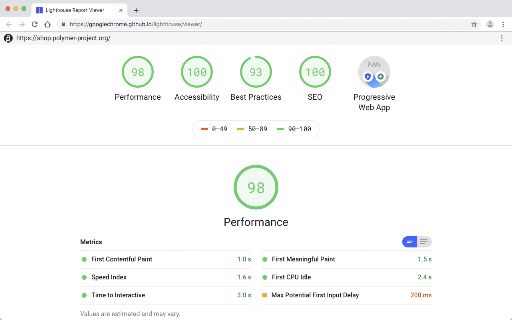
An automated auditing tool for Chrome that analyzes web pages for performance and quality. It provides detailed reports that highlight failing tests, allowing developers to identify and fix specific web app issues.

Version:100.0.0.5
Size:51.58KiB
Last updated:

Overview

Installs

1.0M+

Rating

4.4

334 reviews

Languages

1 locales

Includes English

Market analysis

Review-backed positioning, friction, and market signals for this Chrome extension.

Backed by review samples

Macro category

Developer & Designer Tools

Pricing friction

Low review signal

Complaint intensity

Moderate review signal

Listing & review signals
Observed signals from store listing text and review samples.

Listing positioning

Lighthouse is positioned as an open-source, automated tool designed to improve the performance, quality, and correctness of web applications. It focuses on providing a barrage of tests and generating actionable reports to guide developers in optimizing their apps.

Inferred product pattern

Open-source developer utility for automated web auditing.

Review-backed pain points

Users report that the extension is outdated and conflicts with PageSpeed Insights results. There is significant frustration over the inability to change emulation settings from a 3G network/Nexus 5X profile and frequent 'Quota exceeded' errors for the PageSpeed API.

Observed feature gaps

Lack of customizable network throttling/device emulation, missing incognito mode support, and a lack of parity with the built-in Chrome DevTools 'Audits' tab.

Tags
Web PerformanceAudit ToolSEO AnalysisOpen SourceWeb Quality
Target users

- Web Developers

- Frontend Engineers

- SEO Specialists

- Web Quality Assurance Testers

Primary use cases

- Web performance auditing

- Accessibility and quality checks

- Web app correctness validation

Positive themes

No positive theme data.

Negative themes

- Conflicting results with PageSpeed Insights

- Outdated version compared to core engine

- Limited emulation settings (fixed Nexus 5X/3G)

- API quota errors

- Lack of incognito mode support

Observed friction

- Performance complaints detected

- No pricing friction observed; the tool is presented as open-source.

Evidence boundary: Analysis based on the Chrome Web Store listing and a provided sample of 13 user reviews. The review sample is heavily skewed toward low and medium ratings; no high-rating reviews were provided in the sample set.
Complaint summaries
Review-backed complaint signals grouped by operational area.

Support

No direct support interaction complaints, but users express frustration over the lack of updates to the extension.

Reliability

Reports of the tool being 'broken' for some users, API quota limits being hit, and results being inconsistent with other Google tools.

Privacy

No privacy complaints observed.

Access & pricing

- Free usage observed

- No account requirement observed

- Free plan or free usage claimed

Store listing facts

Listing assets

- Screenshots: 2

- Videos: 0

- Languages: 1

Trust signals

- Developer contact

- Official website

- Support link

Store metadata

- Version: 100.0.0.5

- Size: 51.58KiB

- Last updated:

Listing SEO keywords

Search intent keywords
Keyword signals for evaluating how users may discover, compare, or search for this extension category.

Core discovery

web performance auditlighthouse chrome extensionweb quality toolautomated page speed test

Comparison

Lighthouse vs PageSpeed InsightsLighthouse vs DevTools Audits

Problem

slow web pagepoor accessibility scoreweb app correctness

Alternative

Chrome DevTools AuditsPageSpeed Insights

Similar extensions

Jump to related discovery paths:

Screenshots

Lighthouse screenshot

Links

Recommended Chrome extensions

Related listings from the same category, trending peers, and the same publisher portfolio.

Browse developer