Docusign eSignature for Chrome icon

Docusign eSignature for Chrome Chrome Extension Analysis

Automation & Workflow Efficiency

Chrome extension ID: blkboeaihdlecgdjjgkcabbacndbjibc

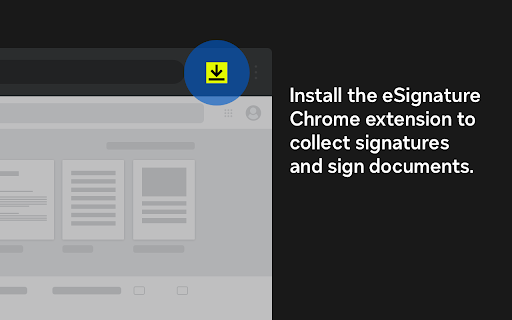
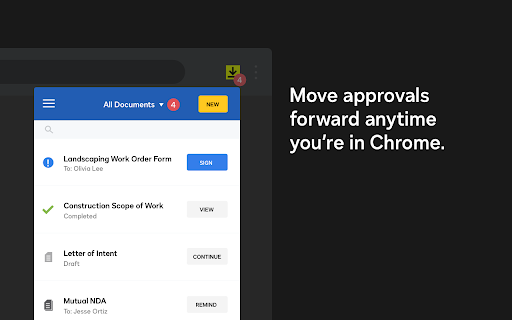
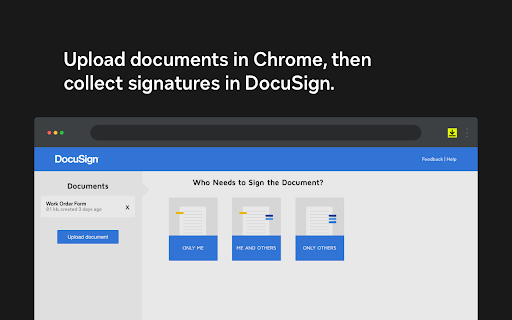
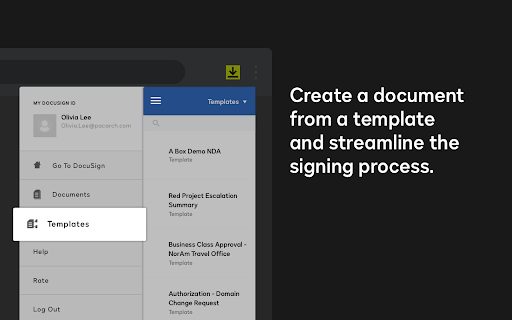
This extension bridges the gap between the browser and the Docusign eSignature platform. It allows users to initiate signing tasks, monitor document status, and interact with Docusign envelopes directly from Chrome, aiming to streamline remote signing processes.

Developer:Docusign, Inc.
Version:4.4.27
Size:155KiB
Last updated:

Overview

Installs

300K+

Rating

4.3

1,240 reviews

Languages

14 locales

Includes Deutsch, English, Nederlands, español...

Market analysis

Review-backed positioning, friction, and market signals for this Chrome extension.

Backed by review samples

Macro category

Automation & Workflow Efficiency

Pricing friction

Moderate review signal

Complaint intensity

High review signal

Listing & review signals
Observed signals from store listing text and review samples.

Listing positioning

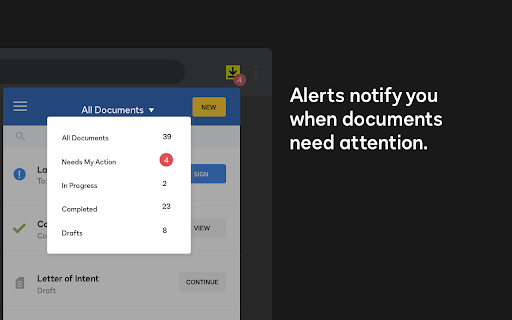
The Docusign eSignature Chrome extension positions itself as an essential productivity tool for managing document workflows directly within the browser. It emphasizes efficiency by enabling users to view envelope status, send reminders, and sign documents without leaving their active web tabs.

Inferred product pattern

Browser-based wrapper for an established SaaS document signing platform designed to increase product stickiness.

Review-backed pain points

Users frequently report technical bugs where signed documents fail to attach to emails, constant session timeouts requiring repetitive logins, and overall frustration with the mandatory account creation and complex UI navigation.

Observed feature gaps

Lack of reliable integration with Gmail attachments, absence of persistent session management for many users, and difficulty in managing account settings or plan upgrades directly from the extension interface.

Tags
E-SignatureDocument SigningWorkflow AutomationGmail Integration
Target users

- Remote Workers

- Small Business Owners

- Freelancers

- Administrative Professionals

Primary use cases

- Signing documents via Gmail

- Sending documents for signature

- Tracking envelope status

- Managing document workflows

Positive themes

- Initial perception of time-saving convenience

- Potential for streamlining document signing from Gmail

Negative themes

- Persistent login requirements

- Technical failures with document attachments

- Difficulty navigating the web interface

- Frustration with account creation requirements

- Inconsistent sync between preferences and signed documents

Observed friction

- Free-tier complaints detected

- Account blocking complaints detected

- Refund complaints detected

- Performance complaints detected

- Privacy complaints detected

- Users express significant frustration regarding perceived limitations of the free tier, difficulties in navigating plan upgrades, and complaints about paying for features that do not function as expected.

Evidence boundary: Analysis is based on a significant volume of user reviews spanning several years, identifying consistent technical reliability issues and UI/UX friction points. Reviews represent a mix of historical and recent feedback; some technical issues may have been addressed in intermittent updates, though user frustration remains present.
Complaint summaries
Review-backed complaint signals grouped by operational area.

Support

Reports of unresponsive customer service and difficulty closing accounts or resolving billing discrepancies are prominent among negative reviews.

Reliability

Multiple complaints regarding bugs where signed documents do not attach correctly, infinite loading states, and inconsistent behavior between Chrome and the main Docusign platform.

Privacy

Users expressed concern over mandatory data collection (phone/email) for signing PDFs and implied distrust regarding the handling of personal contact information.

Access & pricing

- Free entry with paid features

- Account required for core usage

- Limited free usage observed

Store listing facts

Listing assets

- Screenshots: 5

- Videos: 0

- Languages: 14

Trust signals

- Privacy policy

- Developer contact

- Official website

Store metadata

- Version: 4.4.27

- Size: 155KiB

- Last updated:

Listing SEO keywords

Search intent keywords
Keyword signals for evaluating how users may discover, compare, or search for this extension category.

Core discovery

Docusign chrome extensionsign pdf in chromedocusign gmail integrationelectronic signature extension

Comparison

docusign vs adobe signfree pdf signer chrome

Problem

docusign extension not workingdocusign login issuedocusign attachment bug

Alternative

adobe sign extensionhellosign chrome

Similar extensions

Jump to related discovery paths:

Screenshots

Docusign eSignature for Chrome screenshot

Links

Recommended Chrome extensions

Related listings from the same category, trending peers, and the same publisher portfolio.

Browse workflow