Timebox++ icon

Timebox++ Chrome Extension Analysis

Automation & Workflow Efficiency

Chrome extension ID: cbgpbhpefmeholmeodlhaalbcjgbafjd

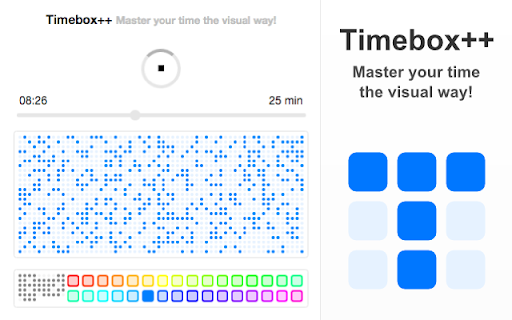
This is a browser-based timer extension that allows users to allocate specific time blocks for their work. It provides a visual interface for tracking progress and includes various color themes to suit user preferences.

Developer:Peta Sittek
Version:2.0.9
Size:112KiB
Last updated:

Overview

Installs

1K+

Rating

4.2

24 reviews

Languages

1 locales

Includes English

Market analysis

Review-backed positioning, friction, and market signals for this Chrome extension.

Backed by review samples

Macro category

Automation & Workflow Efficiency

Pricing friction

Low review signal

Complaint intensity

Moderate review signal

Listing & review signals
Observed signals from store listing text and review samples.

Listing positioning

Timebox++ positions itself as a minimalist, visual timeboxing tool designed to help users combat Parkinson's Law by setting fixed time limits on tasks. It emphasizes simplicity and ease of use, featuring a one-button interface and aesthetic customization options.

Inferred product pattern

Single-purpose, minimalist productivity utility focused on timeboxing.

Review-backed pain points

The most significant pain point is a technical bug where the extension fails to cease notification sounds or alerts once the timer finishes, causing repetitive, annoying noise.

Observed feature gaps

Lack of intuitive controls to silence or disable notification sounds after the timer ends; potential cross-browser compatibility issues for customization settings.

Tags
Time ManagementTimeboxingProductivity TimerMinimalist
Target users

- Productivity enthusiasts

- Remote workers

- Task managers

Primary use cases

- Timeboxing work sessions

- Managing focus intervals

- Setting task-specific deadlines

Positive themes

- Elegant and simple design

- Effective for time management

- Saves time through minimal setup

- Long-term reliability of developer's other products

Negative themes

- Persistent notification sounds after timer completion

- Difficulty stopping notification alerts

- Minor UI feature bugs on specific browsers like Opera

Observed friction

- Performance complaints detected

- None; the product is marketed as completely free.

Evidence boundary: Evidence is derived from 10 user reviews, consistently highlighting both the product's visual appeal/simplicity and a persistent functional bug regarding alarm notifications. The sample size is small relative to the total user count; feedback is heavily weighted toward a single technical defect regarding notifications.
Complaint summaries
Review-backed complaint signals grouped by operational area.

Support

Users report technical frustration regarding persistent audio notifications, but no specific complaints about developer communication were cited.

Reliability

Users experience consistent annoyance due to a bug where the alarm notification continues to loop or repeat after the timer reaches zero.

Privacy

No privacy or security concerns reported in reviews.

Access & pricing

- Free usage observed

- No account requirement observed

- Free plan or free usage claimed

Store listing facts

Listing assets

- Screenshots: 1

- Videos: 0

- Languages: 1

Trust signals

- Privacy policy

- Developer contact

- Official website

Store metadata

- Version: 2.0.9

- Size: 112KiB

- Last updated:

Listing SEO keywords

Search intent keywords
Keyword signals for evaluating how users may discover, compare, or search for this extension category.

Core discovery

timeboxing extensionminimalist timer chromeproductivity timertask timer

Comparison

Timebox++ vs Pomodoro timersimple time management extension

Problem

timer notification bugrepeating alarm sound

Alternative

focus timer alternativesbest time management extensions

Similar extensions

Jump to related discovery paths:

Screenshots

Timebox++ screenshot

Links

Recommended Chrome extensions

Related listings from the same category, trending peers, and the same publisher portfolio.

Browse workflow