Memos icon

Memos Chrome Extension Analysis

Automation & Workflow Efficiency

Chrome extension ID: cbhjebjfccgchgbmfbobjmebjjckgofe

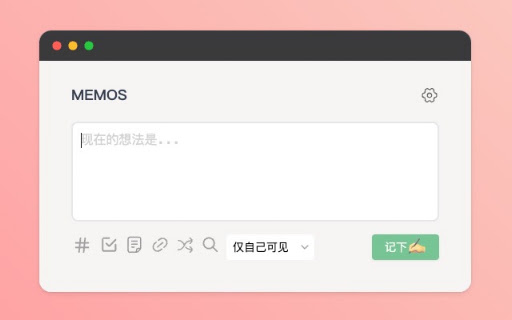
A browser companion for the self-hosted Memos application that allows users to quickly record memos and save selected web text. It includes features like attachment support, a right-click menu for text capture, and multi-language options.

Developer:jonnyan404
Version:2026.08.05
Size:98.62KiB
Last updated:

Overview

Installs

3K+

Rating

4.2

47 reviews

Languages

7 locales

Includes Deutsch, English, español, français...

Market analysis

Review-backed positioning, friction, and market signals for this Chrome extension.

Backed by review samples

Macro category

Automation & Workflow Efficiency

Pricing friction

Low review signal

Complaint intensity

Moderate review signal

Listing & review signals
Observed signals from store listing text and review samples.

Listing positioning

The product is positioned as a lightweight, one-click browser extension for capturing inspiration and thoughts into a self-hosted Memos hub. It highlights recent maintenance updates, version compatibility, and multi-language support.

Inferred product pattern

Client-side bridge extension for an open-source, self-hosted productivity application.

Review-backed pain points

Users frequently report 'invalid token or URL' errors specifically on Chrome, noting that the same credentials work on Firefox. Some users experience token length mismatches and failures when publishing selected text.

Observed feature gaps

Missing markdown preview, lack of a quick button for inserting images, and issues with creating new tags using the # symbol.

Tags
Self-HostedQuick NoteKnowledge ManagementMemo Hub
Target users

- Self-hosting enthusiasts

- Personal knowledge management users

- Digital gardeners

- Memos software users

Primary use cases

- Capturing quick sparks of inspiration

- Saving web clippings to a self-hosted database

- Managing personal notes via a browser sidebar

Positive themes

- General utility and concept

Negative themes

- Authentication failures

- Chrome-specific bugs

- Version incompatibility

Observed friction

- Performance complaints detected

- No pricing friction observed; the tool is presented as a free extension for a self-hosted project.

Evidence boundary: Analysis based on store listing descriptions and a sample of 10 reviews focusing on technical stability and feature gaps. Review sample size is small and heavily weighted toward technical errors.
Complaint summaries
Review-backed complaint signals grouped by operational area.

Support

Users expressed frustration over unresolved bugs and a perceived lack of direct support channels for certain versions.

Reliability

Significant reliability issues regarding the connection between the extension and the self-hosted server, specifically related to token validation.

Privacy

No privacy complaints observed.

Access & pricing

- Free usage observed

- Account required for core usage

- Free plan or free usage claimed

Store listing facts

Listing assets

- Screenshots: 1

- Videos: 0

- Languages: 7

Trust signals

- Developer contact

- Official website

Store metadata

- Version: 2026.08.05

- Size: 98.62KiB

- Last updated:

Listing SEO keywords

Search intent keywords
Keyword signals for evaluating how users may discover, compare, or search for this extension category.

Core discovery

Memos browser extensionself-hosted memo hubcapture notes to Memos

Comparison

Memos vs MemosMoebest Memos extension

Problem

Memos extension invalid tokenMemos extension not working Chrome

Alternative

Memos extension alternativesself-hosted note capture extension

Similar extensions

Jump to related discovery paths:

Screenshots

Memos screenshot

Links

Website: github.com

Recommended Chrome extensions

Related listings from the same category, trending peers, and the same publisher portfolio.

Browse social