Easy Accent Marks icon

Easy Accent Marks Chrome Extension Analysis

Automation & Workflow Efficiency

Chrome extension ID: defhgdcldhhmoenjjpaiekkenhnbledj

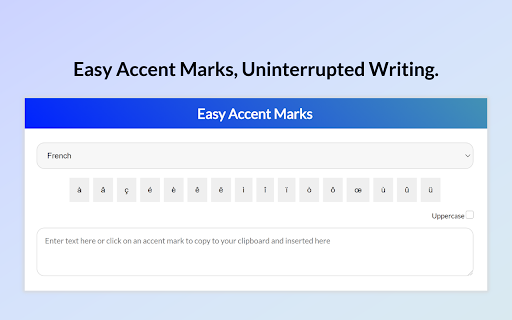
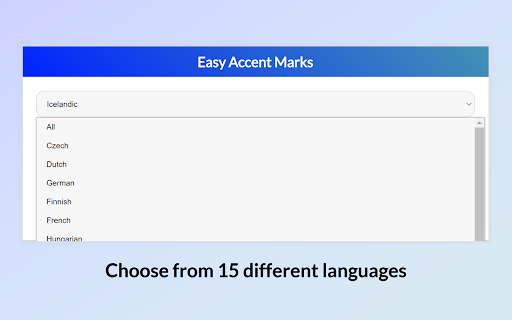
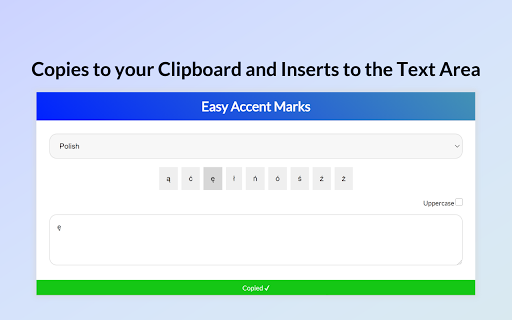
Easy Accent Marks is a browser utility that provides a visual menu of accented characters for multiple languages. Users select a character from the extension menu to copy it to the clipboard for manual insertion into other web-based text fields.

Developer:Yatin Bayya
Version:1.0.1
Size:166KiB
Last updated:

Overview

Installs

50K+

Rating

3.7

16 reviews

Languages

1 locales

Includes English

Market analysis

Review-backed positioning, friction, and market signals for this Chrome extension.

Backed by review samples

Macro category

Automation & Workflow Efficiency

Pricing friction

Low review signal

Complaint intensity

Moderate review signal

Listing & review signals
Observed signals from store listing text and review samples.

Listing positioning

The store listing positions this tool as the simplest solution for typing accented characters across various European languages. It emphasizes ease of use by providing a click-to-copy interface within the extension popup.

Inferred product pattern

Simple utility providing a static lookup-and-copy interface for special characters.

Review-backed pain points

The primary pain point is the manual, multi-step copy-paste workflow which users find cumbersome; it lacks direct text field injection and case sensitivity (Shift key functionality).

Observed feature gaps

Users reported missing characters for specific languages (e.g., Latvian, Czech/Slovak) and noted a lack of support for uppercase characters and direct input into active text fields.

Tags
Accent MarksLanguage ToolsProductivityTyping Utility
Target users

- Language students

- Multi-lingual professionals

- Casual language learners

Primary use cases

- Typing accented characters in emails and web forms

- Inserting special characters for foreign language writing

Positive themes

- Straightforward functionality

- Useful for basic accent requirements

Negative themes

- Inefficient workflow compared to native keyboard shortcuts

- Missing specific characters

- Lack of direct text field integration

Observed friction

- None identified; the product is free.

Evidence boundary: Evidence is based on a mix of user reviews detailing workflow frustration and feature requests for additional language support. Review sample size is small, and feedback may not represent the entire user base of 100,000+ users.
Complaint summaries
Review-backed complaint signals grouped by operational area.

Support

No specific support or refund complaints identified.

Reliability

Some users find the manual copy-paste workflow unreliable for high-frequency typing needs.

Privacy

None identified.

Access & pricing

- Free usage observed

- No account requirement observed

- Free plan or free usage claimed

Store listing facts

Listing assets

- Screenshots: 3

- Videos: 0

- Languages: 1

Trust signals

- Developer contact

Store metadata

- Version: 1.0.1

- Size: 166KiB

- Last updated:

Listing SEO keywords

Search intent keywords
Keyword signals for evaluating how users may discover, compare, or search for this extension category.

Core discovery

accent mark extensiontype accents on chromespecial characters keyboardlanguage typing helper

Comparison

alternative to Accents and Diacriticsaccent typing tool

Problem

how to type accentsmissing accent marks

Alternative

keyboard layout helperspecial character shortcut

Similar extensions

Jump to related discovery paths:

Screenshots

Easy Accent Marks screenshot

Recommended Chrome extensions

Related listings from the same category, trending peers, and the same publisher portfolio.

Browse workflow