StreamShot: Screenshot for Youtube, Twitch, TikTok & Instagram icon

StreamShot Chrome Extension Analysis

Video & Image Downloaders

Store listing title: StreamShot: Screenshot for Youtube, Twitch, TikTok & Instagram

Chrome extension ID: dkgbndlihekhmkfpjaeffcolebphngli

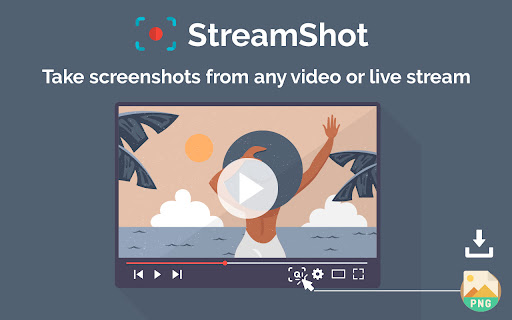
This extension enables users to instantly capture screenshots from YouTube, Twitch, TikTok, and Instagram. It provides tools for cloud storage and AI-powered image editing such as background removal and object erasing.

Developer:ECALL TECH
Version:0.1.2
Size:55.06KiB
Last updated:

Overview

Installs

3K+

Rating

4.1

16 reviews

Languages

1 locales

Includes English (United States)

Market analysis

Review-backed positioning, friction, and market signals for this Chrome extension.

Backed by review samples

Macro category

Video & Image Downloaders

Pricing friction

Low review signal

Complaint intensity

Moderate review signal

Listing & review signals
Observed signals from store listing text and review samples.

Listing positioning

StreamShot positions itself as a high-speed, one-click solution for capturing screenshots from major video platforms. It emphasizes convenience through cloud storage integration and value-added AI editing features.

Inferred product pattern

A productivity utility that overlays video players to facilitate quick asset extraction and enhancement.

Review-backed pain points

The extension can interfere with the usability of the YouTube Studio dashboard and analytics tabs. Some users also find the floating screenshot button obtrusive during full-screen viewing.

Observed feature gaps

Users noted a lack of support for Twitch clips and expressed a desire for more control over the visibility and size of the screenshot button.

Tags
Video ScreenshotSocial Media ToolsAI Photo EditorContent Capture
Target users

- Content Creators

- Social Media Managers

- Streamers

- Video Editors

Primary use cases

- Capturing video moments from live streams

- Saving high-quality video frames

- Editing screenshots for social media posts

Positive themes

- Speed and responsiveness

- Ease of use compared to manual cropping

- Convenience for Twitch users

Negative themes

- UI interference with YouTube Studio

- Obtrusive floating buttons

- Login/sign-in issues

Observed friction

- Performance complaints detected

- No specific pricing friction was identified in the reviews.

Evidence boundary: Data extracted from the official store description and user reviews regarding functionality, UI bugs, and feature requests. The review sample size is relatively small (16 reviews), which may not reflect the full sentiment of the 3,000+ users.
Complaint summaries
Review-backed complaint signals grouped by operational area.

Support

No specific support complaints were found in the reviews.

Reliability

Users reported bugs affecting YouTube Studio dashboard functionality and occasional sign-in failures.

Privacy

No privacy or security complaints were observed.

Access & pricing

- Free entry with paid features

- Login needed for core features

- Limited free usage observed

Store listing facts

Listing assets

- Screenshots: 2

- Videos: 0

- Languages: 1

Trust signals

- Privacy policy

- Developer contact

- Official website

- Support link

Store metadata

- Version: 0.1.2

- Size: 55.06KiB

- Last updated:

Listing SEO keywords

Search intent keywords
Keyword signals for evaluating how users may discover, compare, or search for this extension category.

Core discovery

YouTube screenshotTwitch captureTikTok screenshotvideo frame grabbersocial media screenshot tool

Comparison

manual croppingscreenshot programs

Problem

YouTube Studio dashboard bugobtrusive screenshot buttonTwitch clips support

Alternative

video downloaderscreen capture tool

Similar extensions

Jump to related discovery paths:

Screenshots

StreamShot: Screenshot for Youtube, Twitch, TikTok & Instagram screenshot

Links

Recommended Chrome extensions

Related listings from the same category, trending peers, and the same publisher portfolio.

Browse social