Incognito Bear: Remove NSFW Websites icon

Incognito Bear Chrome Extension Analysis

Privacy, Security & Ad Blockers

Store listing title: Incognito Bear: Remove NSFW Websites

Chrome extension ID: dlaaokddhijpjafgiihacafcljkenefe

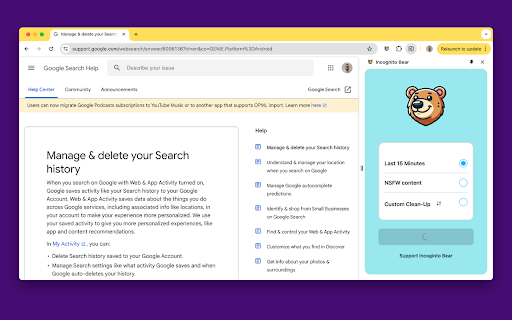
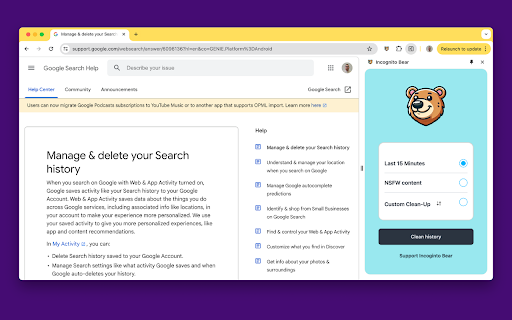
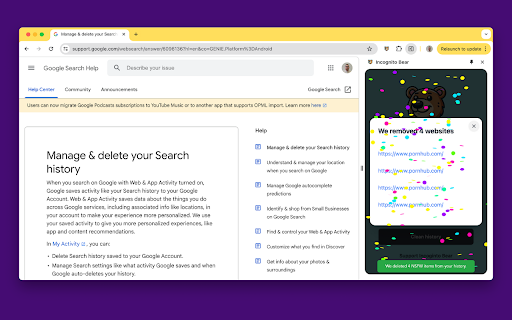
A browser extension that sanitizes browsing history by deleting entries matching NSFW keywords. It includes a 'last 15 minutes' erasure tool and allows users to manage their own custom list of terms to remove.

Version:2026.1.4
Size:4.87MiB
Last updated:

Overview

Installs

544

Rating

3.6

14 reviews

Languages

49 locales

Includes Deutsch, English, Filipino, Indonesia...

Market analysis

Review-backed positioning, friction, and market signals for this Chrome extension.

Backed by review samples

Macro category

Privacy, Security & Ad Blockers

Pricing friction

Low review signal

Complaint intensity

High review signal

Listing & review signals
Observed signals from store listing text and review samples.

Listing positioning

Positions itself as a one-click solution for removing sensitive or NSFW content from browser history. It targets users who forget to use incognito mode, offering both predefined and customizable filtering options.

Inferred product pattern

Niche history-cleaning utility using keyword-based filtering for NSFW content removal.

Review-backed pain points

Users report that the extension indiscriminately deletes non-NSFW history (e.g., Gmail, Steam, Reddit) without providing a confirmation screen, leading to permanent loss of safe browsing data.

Observed feature gaps

Missing a pre-deletion review list and a confirmation prompt to prevent accidental erasure of safe history.

Tags
History CleanerNSFW FilterPrivacy ToolBrowser Utility
Target users

- Privacy-conscious web users

- Users who forget to use incognito mode

Primary use cases

- Removing NSFW sites from history

- Quickly deleting recent browsing history

- Creating custom sensitive term filters

Positive themes

- Simple and clean user interface

- Effective custom filter functionality

Negative themes

- Over-aggressive deletion of safe websites

- Lack of confirmation before irreversible deletion

- Inaccurate preset NSFW filters

Observed friction

- No current pricing friction observed as the listing claims the service is now free.

Evidence boundary: Analysis based on the public store listing and a sample of 7 user reviews. Small review sample size relative to the total user count.
Complaint summaries
Review-backed complaint signals grouped by operational area.

Support

Users expressed frustration over a lack of updates from the developer for over a year.

Reliability

Severe reliability issues regarding the accuracy of the automated NSFW filter, which users claim deletes unrelated, safe content.

Privacy

No specific privacy complaints observed.

Access & pricing

- Free usage observed

- No account requirement observed

- Free plan or free usage claimed

Store listing facts

Listing assets

- Screenshots: 3

- Videos: 0

- Languages: 49

Trust signals

- Privacy policy

- Developer contact

- Official website

Store metadata

- Version: 2026.1.4

- Size: 4.87MiB

- Last updated:

Listing SEO keywords

Search intent keywords
Keyword signals for evaluating how users may discover, compare, or search for this extension category.

Core discovery

remove NSFW historyclear browser historyNSFW history wiperdelete sensitive browsing data

Comparison

Incognito Bear vs NSFW Wiper

Problem

forgot to use incognito modehow to remove NSFW sites from history

Alternative

NSFW history cleaner alternativesbrowser history sanitizer

Similar extensions

Jump to related discovery paths:

Screenshots

Incognito Bear: Remove NSFW Websites screenshot

Links

Recommended Chrome extensions

Related listings from the same category, trending peers, and the same publisher portfolio.

Browse tools
Markdown Editor for Chrome™ icon

Markdown Editor for Chrome™

Coffee & Fun LLC

Create and view markdown files easily from anywhere with our simple, GitHub-flavored markdown editor.

Installs

10K+

Rating

3.8

Lexend for Chrome™ icon

Lexend for Chrome™

Coffee & Fun LLC

Make reading online easier and more enjoyable by formatting pages with the Lexend font.

Installs

2K+

Rating

5.0

Smallpdf—Edit, Convert, Compress, & AI Summarize PDF icon

Smallpdf—Edit, Convert, Compress, & AI Summarize PDF

Smallpdf AG

Get instant access to dozens of PDF tools directly in your browser – no downloads, no switching tabs.

Installs

2.0M+

Rating

4.6

HID Credential Management Extension icon

HID Credential Management Extension

hid-global-chrome-web-store

Browser extension for HID credential management solution.

Installs

2.0M+

Rating

1.3

Pie Adblock - A Powerful Free Ad Blocker icon

Pie Adblock - A Powerful Free Ad Blocker

Pie Extensions

Pie Adblock blocks ads & pop-ups, plus YouTube & Twitch video ads. You can customize your ad experience with Pie!

Installs

2.0M+

Rating

4.9

Google Dictionary (by Google) icon

Google Dictionary (by Google)

dictionary-extension-dev

View definitions easily as you browse the web.

Installs

2.0M+

Rating

4.4

AI Chat for Search icon

AI Chat for Search

AI Chat for Search Team

Display AI Chat response alongside search engine results

Installs

2.0M+

Rating

4.6

WPS浏览器助手:文档在线阅读编辑 icon

WPS浏览器助手:文档在线阅读编辑

金山PDF

PDF、Excel、Word、PPT等文档无需下载即可在线预览,还能对文档进行编辑、打印、转换等处理。

Installs

2.0M+

Rating

3.0

Planet Search icon

Planet Search

Free VPN Planet

Enchanced default search engine.

Installs

2.0M+

Rating

3.4

Lightshot (screenshot tool) icon

Lightshot (screenshot tool)

Skillbrains

Simple and convenient screenshot tool. Select an area, edit your screenshot and upload it to the server.

Installs

2.0M+

Rating

4.4