Web Screenshot icon

Web Screenshot Chrome Extension Analysis

Developer & Designer Tools

Chrome extension ID: dmcjalhehbkkbcmdpgmefmhfbdmllnel

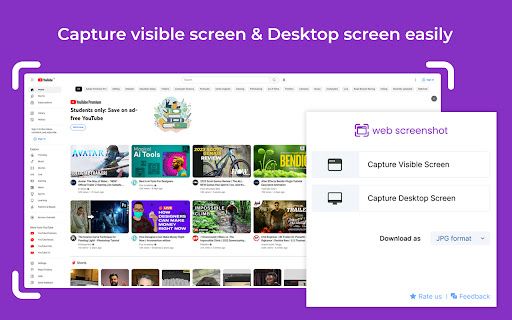
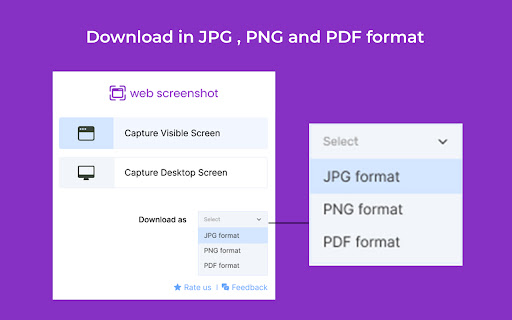
A Chrome extension that enables users to take screenshots of their browser or desktop. It supports saving captures in JPG, PNG, and PDF formats and is designed for cross-platform compatibility on Mac and Windows.

Developer:extensionc8
Version:1.0.2
Size:473KiB
Last updated:

Overview

Installs

9K+

Rating

4.5

12 reviews

Languages

54 locales

Includes Deutsch, English, English (United Kingdom), English (United States)...

Market analysis

Review-backed positioning, friction, and market signals for this Chrome extension.

Backed by review samples

Macro category

Developer & Designer Tools

Pricing friction

Low review signal

Complaint intensity

Low review signal

Listing & review signals
Observed signals from store listing text and review samples.

Listing positioning

The product is positioned as a fast, convenient, and completely free tool for capturing the visible screen. It emphasizes the ability to capture specific browser tabs, active pages, and desktop windows with a single click.

Inferred product pattern

Single-purpose utility tool providing essential capture functionality without a visible monetization wall.

Review-backed pain points

Users have expressed a need for a timer feature to capture elements that only appear during hover states.

Observed feature gaps

Missing a delayed screenshot timer for capturing dynamic UI elements.

Tags
Screenshot ToolWeb CaptureDesktop ScreenshotProductivity
Target users

- Web developers

- UI/UX designers

- General productivity users

- Office workers

Primary use cases

- Capturing browser tabs

- Taking desktop window screenshots

- Saving web content in PDF or image formats

Positive themes

- User-friendly interface

- Ease of use

- Efficiency in workflow

Negative themes

- Lack of delayed capture functionality

Observed friction

- No pricing friction observed as the tool is claimed to be completely free.

Evidence boundary: Analyzed store listing data and a sample of user reviews. Small review sample size limits the breadth of user sentiment analysis.
Complaint summaries
Review-backed complaint signals grouped by operational area.

Support

No support complaints observed in the provided reviews.

Reliability

No reliability or performance complaints observed in the provided reviews.

Privacy

No privacy or security complaints observed in the provided reviews.

Access & pricing

- Free usage observed

- No account requirement observed

- Free plan or free usage claimed

Store listing facts

Listing assets

- Screenshots: 2

- Videos: 0

- Languages: 54

Trust signals

- Developer contact

Store metadata

- Version: 1.0.2

- Size: 473KiB

- Last updated:

Listing SEO keywords

Search intent keywords
Keyword signals for evaluating how users may discover, compare, or search for this extension category.

Core discovery

web screenshot extensioncapture browser tabdesktop screenshot toolsave webpage as PDF

Comparison

best free screenshot extensionweb screenshot vs snipping tool

Problem

how to screenshot full web pagecapture desktop window chrome

Alternative

free web capture alternativescreenshot tool for Chrome

Similar extensions

Jump to related discovery paths:

Screenshots

Web Screenshot screenshot

Recommended Chrome extensions

Related listings from the same category, trending peers, and the same publisher portfolio.

Browse developer