Webpage to Markdown and PDF icon

Webpage to Markdown and PDF Chrome Extension Analysis

Automation & Workflow Efficiency

Chrome extension ID: dmnehnhbjmiipdlgckbgbpflakpfdbep

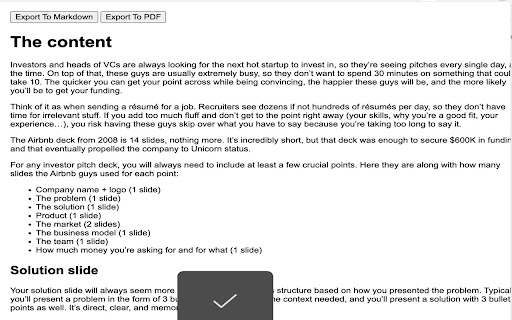
This tool enables users to convert web pages into readable Markdown or PDF files by automatically identifying the main content. It is designed to simplify saving and sharing web information by excluding extraneous layout elements.

Developer:sunpy1106
Version:1.0
Size:273KiB
Last updated:

Overview

Installs

665

Rating

3.1

7 reviews

Languages

1 locales

Includes English

Market analysis

Review-backed positioning, friction, and market signals for this Chrome extension.

Backed by review samples

Macro category

Automation & Workflow Efficiency

Pricing friction

Low review signal

Complaint intensity

Moderate review signal

Listing & review signals
Observed signals from store listing text and review samples.

Listing positioning

The extension positions itself as a streamlined utility for professionals, researchers, and students to capture web content. It emphasizes ease of use through automatic content detection and multi-format export capabilities, including Markdown and PDF.

Inferred product pattern

Simple, single-function browser utility for content conversion.

Review-backed pain points

Users have reported that the tool sometimes fails to capture full formatting or content, occasionally loses the page title, and in some instances, fails to trigger at all.

Observed feature gaps

Lack of full visual webpage replication (CSS/layout preservation) and inconsistent handling of document metadata.

Tags
Content ClippingMarkdown ConverterPDF ExporterWeb Scraper
Target users

- Students

- Researchers

- Professionals

Primary use cases

- Converting web pages to Markdown for editing

- Exporting clean web content to PDF

- Saving information for offline reading or research

Positive themes

- Ease of use

- Effective content clipping

- Compatibility with MS Word

- Reliability for general usage

Negative themes

- Failure to capture full page formatting

- General failure to function on some sites

- Missing metadata such as page titles

Observed friction

- Performance complaints detected

- No pricing friction reported; the tool appears to be free to use.

Evidence boundary: Data gathered from store descriptions and user feedback indicating a divide between users wanting high-fidelity visual capture and the extension's primary focus on text extraction. Review sample size is small, limiting the breadth of reported technical issues across different website architectures.
Complaint summaries
Review-backed complaint signals grouped by operational area.

Support

No specific support or refund complaints found; reliability issues are limited to performance.

Reliability

Some users report the tool fails to capture entire pages or formatting, suggesting inconsistent parsing logic.

Privacy

No privacy or security concerns identified in reviews.

Access & pricing

- Free usage observed

- No account requirement observed

- Free plan or free usage claimed

Store listing facts

Listing assets

- Screenshots: 2

- Videos: 0

- Languages: 1

Trust signals

- Developer contact

Store metadata

- Version: 1.0

- Size: 273KiB

- Last updated:

Listing SEO keywords

Search intent keywords
Keyword signals for evaluating how users may discover, compare, or search for this extension category.

Core discovery

web to markdownconvert webpage to pdfchrome extension capture web

Comparison

markdown clipper alternativepdf save extension

Problem

web page content extraction failinghow to save webpage as markdown

Alternative

web page scrapertext capture tool

Similar extensions

Jump to related discovery paths:

Screenshots

Webpage to Markdown and PDF screenshot

Recommended Chrome extensions

Related listings from the same category, trending peers, and the same publisher portfolio.

Browse workflow