Zendesk Dark Mode icon

Zendesk Dark Mode Chrome Extension Analysis

Automation & Workflow Efficiency

Chrome extension ID: dmpbebmpcimfegeajmbpilkmaagjapcc

Zendesk Dark Mode is a browser extension that applies high-contrast dark themes to the Zendesk interface. It aims to reduce eye strain for support agents working in low-light environments or prolonged sessions.

Developer:SaveMyDayApp
Version:1.0.1
Size:410KiB
Last updated:

Overview

Installs

853

Rating

2.6

11 reviews

Languages

1 locales

Includes English (United States)

Market analysis

Review-backed positioning, friction, and market signals for this Chrome extension.

Backed by review samples

Macro category

Automation & Workflow Efficiency

Pricing friction

Low review signal

Complaint intensity

Moderate review signal

Listing & review signals
Observed signals from store listing text and review samples.

Listing positioning

The extension positions itself as a free eye-protection tool specifically designed to invert colors on Zendesk for improved readability. It frames the product as a simple, no-cost alternative to other paid dark mode solutions for enterprise support platforms.

Inferred product pattern

Single-purpose UI modification utility with unnecessary authentication requirements.

Review-backed pain points

Users report critical visibility issues where text becomes invisible against backgrounds and frustration regarding the requirement to log in for basic CSS styling.

Observed feature gaps

The extension fails to style all Zendesk elements consistently and struggles with input field visibility, often rendering white text on white backgrounds.

Tags
Dark ModeZendeskUI CustomizationProductivityAccessibility
Target users

- Zendesk support agents

- Customer service representatives

Primary use cases

- Applying dark theme to Zendesk

- Reducing eye fatigue during ticket management

Positive themes

- Free to use

- Functional alternative to paid competitors

Negative themes

- UI rendering issues

- Privacy concerns regarding required login

- Incomplete styling of website elements

Observed friction

- Performance complaints detected

- Privacy complaints detected

- No payment friction identified, though users express confusion regarding the need for account sign-in for a simple UI modification.

Evidence boundary: Analysis based on user reviews highlighting functional UI bugs and privacy skepticism regarding the login requirement. Review data is limited to a small sample size and may not represent the entire user base's experience.
Complaint summaries
Review-backed complaint signals grouped by operational area.

Support

No direct support complaints, but users are vocal about data privacy concerns due to the login requirement.

Reliability

Users report the extension is unreliable for daily work because it hides text in ticket update boxes and only partially darkens the Zendesk interface.

Privacy

Users expressed skepticism and concern regarding why a style-changing extension requires user sign-in to function.

Access & pricing

- Free usage observed

- Account required for core usage

- Free plan or free usage claimed

Store listing facts

Listing assets

- Screenshots: 1

- Videos: 0

- Languages: 1

Trust signals

- Privacy policy

- Developer contact

- Official website

Store metadata

- Version: 1.0.1

- Size: 410KiB

- Last updated:

Listing SEO keywords

Search intent keywords
Keyword signals for evaluating how users may discover, compare, or search for this extension category.

Core discovery

Zendesk dark modeZendesk chrome extensiondark theme for Zendeskcustomer service tool

Comparison

Zendesk dark mode alternativebetter than other dark mode extensions

Problem

Zendesk white text errorZendesk dark mode not working

Alternative

browser dark mode for support desks

Similar extensions

Jump to related discovery paths:

Screenshots

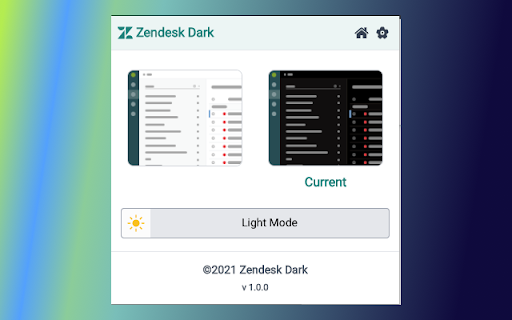
Zendesk Dark Mode screenshot

Links

Recommended Chrome extensions

Related listings from the same category, trending peers, and the same publisher portfolio.

Browse social