Ultrawidify icon

Ultrawidify Chrome Extension Analysis

Video & Image Downloaders

Chrome extension ID: dndehlekllfkaijdlokmmicgnlanfjbi

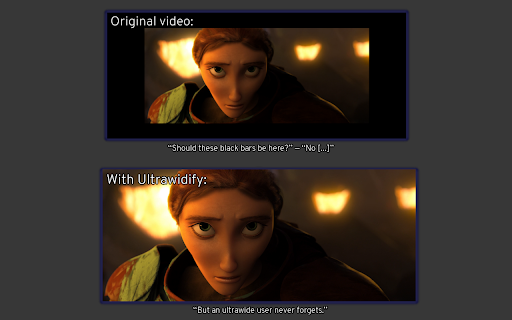
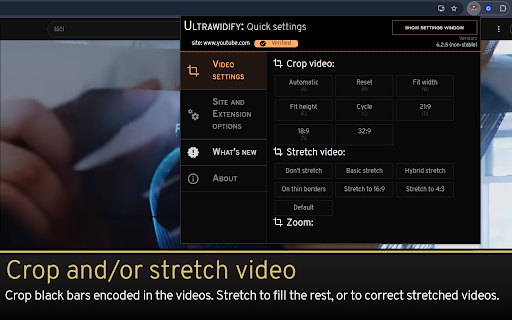
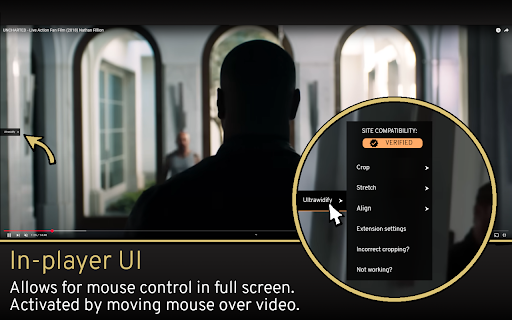
This browser extension provides tools to adjust video playback aspect ratios, specifically for users with ultrawide monitors. It includes features for cropping, stretching, and zooming video content via automatic detection or manual inputs.

Developer:Tamius Han
Version:6.3.0
Size:8.93MiB
Last updated:

Overview

Installs

60K+

Rating

3.4

331 reviews

Languages

1 locales

Includes English

Market analysis

Review-backed positioning, friction, and market signals for this Chrome extension.

Backed by review samples

Macro category

Video & Image Downloaders

Pricing friction

Low review signal

Complaint intensity

High review signal

Listing & review signals
Observed signals from store listing text and review samples.

Listing positioning

Ultrawidify positions itself as a utility to remove black bars from ultrawide video playback. It emphasizes automatic aspect ratio detection and manual controls for platforms like YouTube and Twitch.

Inferred product pattern

Free, open-source browser utility focused on display accessibility with declining stability.

Review-backed pain points

Users report severe technical issues including audio interface stuttering, high RAM consumption, and broken UI settings menus after recent updates. Many report that core functionality simply fails to trigger on modern browser versions.

Observed feature gaps

Lack of reliable vertical scrolling control while zoomed in, absence of intuitive default settings, and poor compatibility with hardware acceleration settings.

Tags
Ultrawide MonitorAspect RatioVideo CropVideo Zoom
Target users

- Ultrawide monitor users

- YouTube viewers

- Twitch viewers

Primary use cases

- Removing black bars on video players

- Adjusting aspect ratios for ultrawide displays

- Zooming into video content

Positive themes

- Historically valued for simple functionality

- Effective at solving the specific ultrawide aspect ratio problem when functioning correctly

Negative themes

- Performance degradation including high memory usage

- Breakage of audio drivers and system-wide glitches

- UI/UX regressions due to intrusive interface changes

- Inconsistency in shortcuts and automatic detection

Observed friction

- Performance complaints detected

- None; the product is free.

Evidence boundary: Extracted from public Chrome Web Store listing data and user reviews ranging from 2020 to 2026. Reviews represent a subjective subset of users; technical issues may vary based on browser configuration and hardware.
Complaint summaries
Review-backed complaint signals grouped by operational area.

Support

Users express frustration over the removal of legacy features and the complexity of new updates, often feeling the tool has become less stable over time.

Reliability

High; users report audio glitches, high memory consumption, flickering videos, and extension settings failing to load.

Privacy

One report mentions unnecessary logging details visible on all websites, including development pages.

Access & pricing

- Free usage observed

- No account requirement observed

- Free plan or free usage claimed

Store listing facts

Listing assets

- Screenshots: 3

- Videos: 1

- Languages: 1

Trust signals

- Developer contact

- Support link

Store metadata

- Version: 6.3.0

- Size: 8.93MiB

- Last updated:

Listing SEO keywords

Search intent keywords
Keyword signals for evaluating how users may discover, compare, or search for this extension category.

Core discovery

ultrawide video extensionremove black bars youtubeaspect ratio fix chrome

Comparison

ultrawidify alternativeschrome extension for ultrawide

Problem

video flickeringextension brokenhigh cpu usage

Alternative

ultrawide video playerbrowser video zoom tools

Similar extensions

Jump to related discovery paths:

Screenshots

Ultrawidify screenshot

Links

Recommended Chrome extensions

Related listings from the same category, trending peers, and the same publisher portfolio.

Browse workflow