
System Monitor Chrome Extension Analysis
Developer & Designer ToolsChrome extension ID: ecmlflnkenbdjfocclindonmigndecla
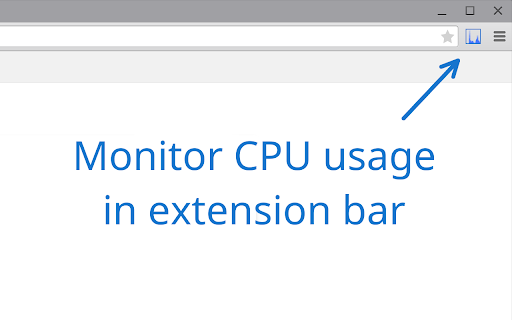
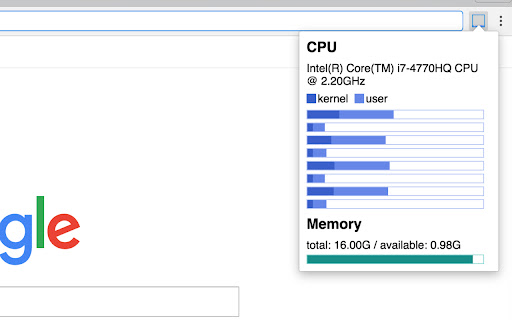
System Monitor is a Chrome extension designed to provide real-time updates on a user's system performance, including CPU usage, memory consumption, and battery status. It aims to offer a quick and accessible overview of these key metrics directly within the browser environment. The extension is open-source, with its code publicly available.
Overview
Installs
10K+
Rating
★ 4.6
53 reviews
Languages
1 locales
Includes English
Market analysis
Review-backed positioning, friction, and market signals for this Chrome extension.
Macro category
Developer & Designer Tools
Pricing friction
Low review signal
Complaint intensity
Moderate review signal
Listing positioning
The store listing positions 'System Monitor' as a straightforward tool for users to quickly check their system's status, specifically CPU, memory, and battery. It emphasizes ease of access to vital performance metrics. The extension also highlights its open-source nature by providing a GitHub link to its source code.
Inferred product pattern
A free, open-source system monitoring utility designed for quick access to CPU, memory, and battery status primarily for ChromeOS and Chrome browser users, with a focus on simplicity over advanced customization and comprehensive diagnostics.
Review-backed pain points
Users express frustration over missing key performance metrics, specifically CPU temperature. There's a strong desire for more customization options, including the ability to display numerical values, select monitored features, and control window placement. Several users report specific bugs related to incorrect or static CPU usage readings on certain Chromebook hardware, as well as an issue with the storage information display.
Observed feature gaps
The extension lacks CPU temperature monitoring, a feature frequently requested by users. There are significant gaps in customization, as users desire options to show numerical data, select which system features to monitor, and have more control over the window's position and lock state. Accuracy issues with CPU core and temperature reporting for diverse hardware also suggest a feature gap in robust system compatibility.
- Chromebook Users
- Users monitoring system performance
- Developers interested in system diagnostics
- Quickly checking CPU and memory utilization
- Monitoring battery levels
- Gaining insights into general system performance to prevent slowdowns or crashes
- Convenient and easy to use for a quick glance at system performance
- Helps prevent system crashes by monitoring memory usage
- Features a detachable and repositionable window
- Provides valuable insights into PC functioning patterns
- Lacks CPU temperature monitoring
- Limited customization options, such as displaying numerical data or selecting features
- Reports of bugs where CPU usage doesn't update or shows 100% on specific Chromebook models (e.g., Pixelbooks)
- Inaccurate core temperature display for certain CPU configurations
- A bug where clicking on storage information opens a second extension window instead of a new window
- One isolated review reported an unknown webpage (joycast.ai) self-loading after installation, potentially linked to the extension
- Performance complaints detected
- Privacy complaints detected
- Pricing-related data is not available; the listing does not indicate any payment requirement for the extension.
Support
Review-backed data on support or account complaints is not available.
Reliability
Users report reliability issues, including CPU usage not updating or showing 100% on specific devices like Pixelbooks, incorrect core temperature counts, and a bug with the storage rubric opening the extension twice. These issues point to inconsistent performance across different system configurations.
Privacy
One review raises a privacy concern, reporting an unknown webpage (joycast.ai) self-loading after installation, potentially linking it to the extension.
- Free usage observed
- No account requirement observed
- Free plan or free usage claimed
Store listing facts
- Screenshots: 2
- Videos: 0
- Languages: 1
- Developer contact
- Official website
- Version: 2.1.2
- Size: 60.0KiB
- Last updated:
Listing SEO keywords
Core discovery
Comparison
Problem
Alternative
Similar extensions
Jump to related discovery paths:
Screenshots
Links
Website: github.com