Google Tasks icon

Google Tasks Chrome Extension Analysis

Automation & Workflow Efficiency

Chrome extension ID: ehbmpdmbnminplejlpbgbkijnmheffec

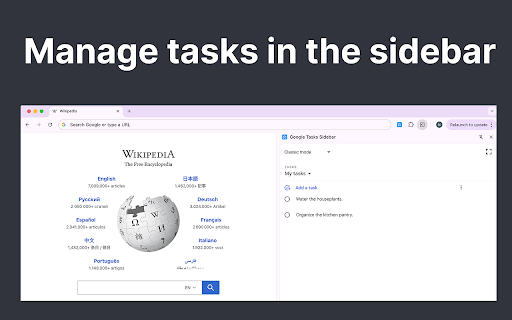
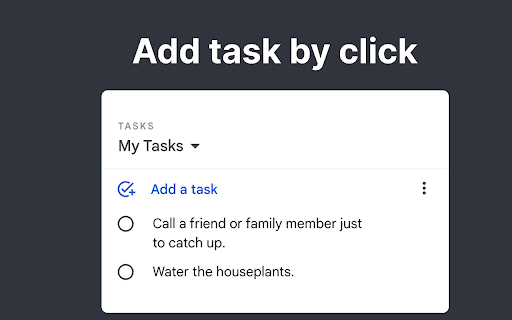
A Chrome extension that provides a lightweight sidebar interface for managing Google Tasks. It allows users to create, edit, and organize tasks and checklists without leaving their current web page.

Version:1.0
Size:196KiB
Last updated:

Overview

Installs

2K+

Rating

★ 4.8

4 reviews

Languages

52 locales

Includes Deutsch, English, Filipino, Indonesia...

Market analysis

Review-backed positioning, friction, and market signals for this Chrome extension.

Backed by review samples

Macro category

Automation & Workflow Efficiency

Pricing friction

Low review signal

Complaint intensity

Low review signal

Listing & review signals
Observed signals from store listing text and review samples.

Listing positioning

The extension positions itself as a productivity booster that integrates Google Tasks into a browser sidebar to eliminate the need for tab switching. It emphasizes seamless workflow, advanced organization, and deep integration with Google Calendar.

Inferred product pattern

Sidebar wrapper for an existing Google service designed to minimize context switching.

Review-backed pain points

Users expressed a desire for a dark mode interface.

Observed feature gaps

Dark mode is specifically requested by users in reviews.

Tags
Google TasksProductivityTask ManagerSidebarTo-Do List
Target users

- Google Workspace users

- Productivity enthusiasts

- Frequent Google Tasks users

- Professionals managing multiple projects

Primary use cases

- Quickly adding tasks while browsing

- Viewing to-do lists alongside active browser tabs

- Syncing task lists with Google Calendar

- Managing project checklists in a sidebar

Positive themes

- Increased productivity

- Convenient sidebar access

- Effective visibility of tasks

Negative themes

- Lack of dark mode

Observed friction

- No pricing friction observed; no payment requirements mentioned in listing or reviews.

Evidence boundary: Data extracted from the Chrome Web Store listing and two user reviews. Very small review sample size (2 reviews) limits the ability to generalize user sentiment.
Complaint summaries
Review-backed complaint signals grouped by operational area.

Support

No support or account complaints found in the available reviews.

Reliability

No reliability or performance complaints found in the available reviews.

Privacy

No privacy complaints observed; the listing claims to use official secure APIs and not store data on its own servers.

Access & pricing

- No clear monetization signal

- Account required for core usage

- No clear pricing signal

Store listing facts

Listing assets

- Screenshots: 2

- Videos: 0

- Languages: 52

Trust signals

- Privacy policy

- Developer contact

Store metadata

- Version: 1.0

- Size: 196KiB

- Last updated:

Listing SEO keywords

Search intent keywords
Keyword signals for evaluating how users may discover, compare, or search for this extension category.

Core discovery

Google Tasks extensionGoogle Tasks sidebarmanage Google Tasks in browser

Comparison

Google Tasks vs TodoistGoogle Tasks desktop extension

Problem

switching tabs for google tasksgoogle tasks accessibilitygoogle tasks sidebar

Alternative

Google Tasks alternativesbest Google Tasks extension

Similar extensions

Jump to related discovery paths:

Screenshots

Google Tasks screenshot

Links

Recommended Chrome extensions

Related listings from the same category, trending peers, and the same publisher portfolio.

Browse tools