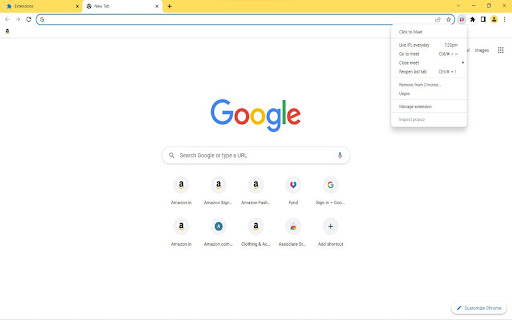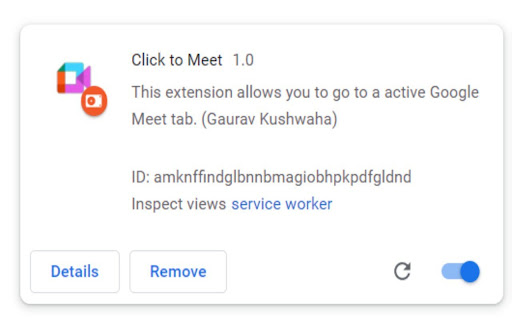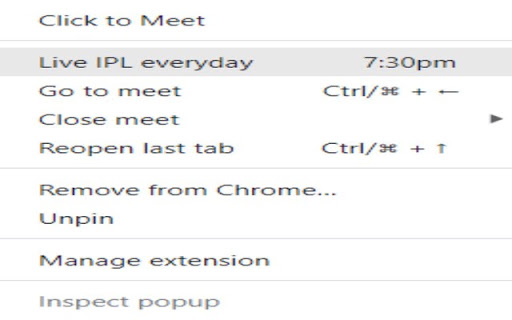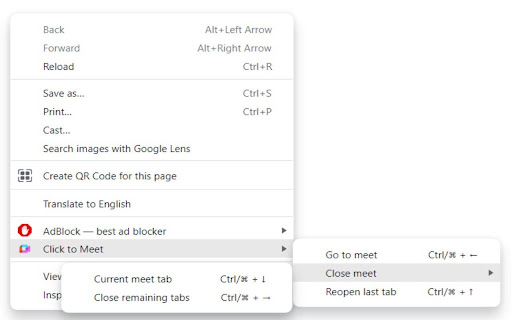
Click to Meet icon

Click to Meet Chrome Extension Analysis

Tab & Bookmark Productivity

Chrome extension ID: ehcbipkoaanenigfifjmilglodhkjbfn

Click to Meet is a Chrome extension that allows users to instantly switch to an active Google Meet tab or leave a meeting using keyboard shortcuts. It is designed to help multitaskers maintain their presence in meetings without manually searching through tabs.

Developer:Gaurav Kushwaha
Version:1.3.3
Size:11.92KiB
Last updated:

Overview

Installs

37

Rating

5.0

2 reviews

Languages

1 locales

Includes English

Market analysis

Review-backed positioning, friction, and market signals for this Chrome extension.

Backed by review samples

Macro category

Tab & Bookmark Productivity

Pricing friction

Low review signal

Complaint intensity

Low review signal

Listing & review signals
Observed signals from store listing text and review samples.

Listing positioning

The product positions itself as a solution for users who struggle to find their active Google Meet tab among many open browser tabs. It emphasizes efficiency through the use of specific keyboard shortcuts for navigation and exiting meetings.

Inferred product pattern

Single-feature utility extension targeting a specific pain point within a popular SaaS platform (Google Meet).

Review-backed pain points

No review-backed pain points identified; available feedback is purely positive.

Observed feature gaps

The extension is a single-purpose utility; it lacks broader meeting management features or integration with calendars.

Tags
Google MeetTab ManagementProductivity ShortcutMeeting Utility
Target users

- Remote workers

- Online students

- Power users with high tab counts

- Google Meet participants

Primary use cases

- Quickly returning to a meeting tab while working in other tabs

- Exiting a Google Meet call via keyboard shortcut

- Reducing tab-switching friction during live calls

Positive themes

- General functionality

- User satisfaction

Negative themes

- None observed

Observed friction

- No pricing friction observed; the tool appears to be free and open source.

Evidence boundary: Analysis based on the store listing and two 5-star user reviews. Extremely limited review sample size (2 reviews) and minimal listing detail.
Complaint summaries
Review-backed complaint signals grouped by operational area.

Support

No support or account-related complaints found.

Reliability

No reliability complaints found; reviews indicate the tool works as intended.

Privacy

No privacy or security complaints found.

Access & pricing

- Free usage observed

- No account requirement observed

- Free plan or free usage claimed

Store listing facts

Listing assets

- Screenshots: 5

- Videos: 1

- Languages: 1

Trust signals

- Developer contact

- Official website

Store metadata

- Version: 1.3.3

- Size: 11.92KiB

- Last updated:

Listing SEO keywords

Search intent keywords
Keyword signals for evaluating how users may discover, compare, or search for this extension category.

Core discovery

Google Meet tab shortcutfind active Google Meet tabGoogle Meet keyboard shortcuts

Comparison

Google Meet tab managermeet tab switcher

Problem

cannot find google meet tabtoo many tabs during meeting

Alternative

Google Meet productivity extensiontab navigation tools

Similar extensions

Jump to related discovery paths:

Screenshots

Click to Meet screenshot

Links

Website: chrome.google.com

Videos: Watch

Recommended Chrome extensions

Related listings from the same category, trending peers, and the same publisher portfolio.

Browse workflow