Black Menu for Google™ icon

Black Menu for Google™ Chrome Extension Analysis

Tab & Bookmark Productivity

Chrome extension ID: eignhdfgaldabilaaegmdfbajngjmoke

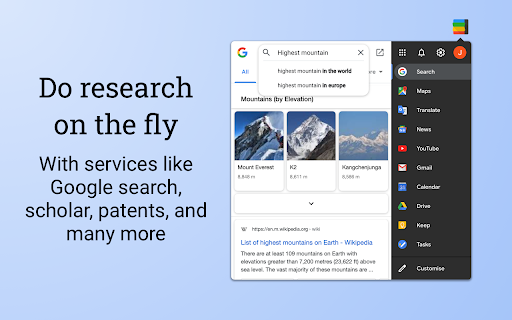
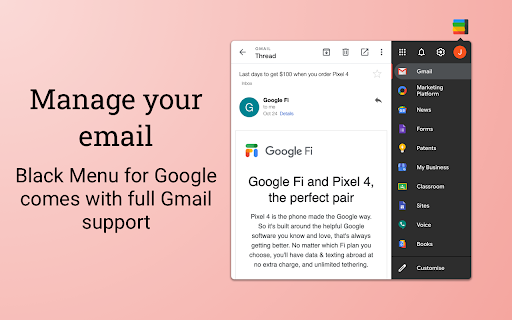
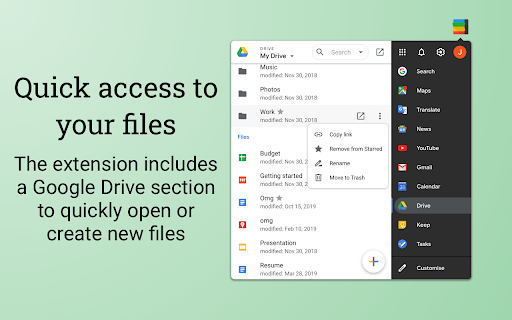
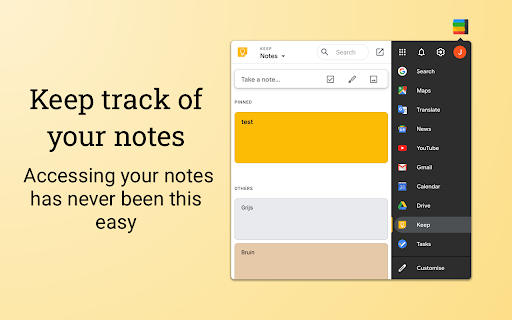
Black Menu for Google is a Chrome extension that provides a drop-down interface for managing various Google apps in a mini-window format. It aims to reduce tab switching by offering quick previews and management capabilities for core Google services.

Version:31.7.0
Size:2.66MiB
Last updated:

Overview

Installs

200K+

Rating

4.6

3,796 reviews

Languages

69 locales

Includes Deutsch, English, English (Australia), English (United Kingdom)...

Market analysis

Review-backed positioning, friction, and market signals for this Chrome extension.

Backed by review samples

Macro category

Tab & Bookmark Productivity

Pricing friction

Low review signal

Complaint intensity

High review signal

Listing & review signals
Observed signals from store listing text and review samples.

Listing positioning

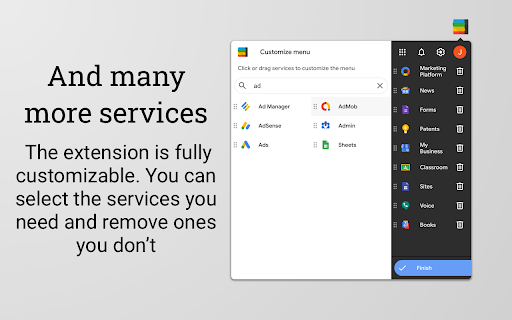
The product is positioned as a comprehensive 'Google universe' hub that allows users to access services like Gmail, Drive, Maps, and Gemini AI without leaving their current tab. It emphasizes customizability and convenience, allowing users to build a personal menu of Google services.

Inferred product pattern

Utility-focused sidebar aggregator with deep Google integration.

Review-backed pain points

Users frequently express frustration with 'update hijacking' where the extension forces a new tab open upon updates. Other persistent complaints involve broken core functionality after updates and concerns regarding the breadth of account permissions required.

Observed feature gaps

Reviewers note issues with localized text rendering (e.g., displaying hyphens instead of text) and inconsistent support for Dark Mode in specific sub-tools.

Tags
Google AppsProductivitySidebarWorkflowQuick Access
Target users

- Google Workspace power users

- Multitaskers

- Chrome/Edge productivity enthusiasts

Primary use cases

- Quick access to Gmail and Calendar

- File management in Google Drive

- Performing web searches or translations in a mini-window

- AI assistance via Gemini

Positive themes

- High utility for Google power users

- Time-saving workflow enhancement

- User-friendly customization

- Convenient access to multiple services in one interface

Negative themes

- Aggressive/frequent update notifications in new tabs

- Post-update breakage (UI rendering as dashes, non-loading elements)

- Privacy concerns regarding high-level account permissions

- Resource usage/performance lag

Observed friction

- Performance complaints detected

- Privacy complaints detected

- No explicit payment wall, but users have reported being annoyed by frequent donation requests.

Evidence boundary: Evidence is gathered from user feedback regarding feature stability, permission concerns, and UX irritants such as update-triggered new tabs. Review samples span several years (2014-2026), reflecting historical stability issues that may or may not be present in the current build.
Complaint summaries
Review-backed complaint signals grouped by operational area.

Support

Multiple reports suggest that the developer is unresponsive to bug reports and support emails, particularly regarding broken OAuth/authentication flows.

Reliability

High frequency of complaints regarding broken features (e.g., Gmail/Calendar not loading) following automatic updates and persistent issues with new tab focus hijacking.

Privacy

Users expressed significant concern over the extension requiring full access to Google account data, including read/edit/remove permissions for emails and files.

Access & pricing

- Free usage observed

- Login needed for core features

- Free plan or free usage claimed

Store listing facts

Listing assets

- Screenshots: 5

- Videos: 0

- Languages: 69

Trust signals

- Privacy policy

- Developer contact

- Official website

- Support link

Store metadata

- Version: 31.7.0

- Size: 2.66MiB

- Last updated:

Listing SEO keywords

Search intent keywords
Keyword signals for evaluating how users may discover, compare, or search for this extension category.

Core discovery

Google apps sidebarChrome extension Google launcherBlack Menu alternativeGoogle services quick access

Comparison

Google App Launcher alternativeproductivity extension comparison

Problem

Black Menu extension not workingextension broken after updatetoo many permissions

Alternative

Google productivity toolsbest browser extensions for Google

Similar extensions

Jump to related discovery paths:

Screenshots

Black Menu for Google™ screenshot

Links

Recommended Chrome extensions

Related listings from the same category, trending peers, and the same publisher portfolio.

Browse workflow