Zelix - Password Protected Private Bookmark Manager icon

Zelix Chrome Extension Analysis

Tab & Bookmark Productivity

Store listing title: Zelix - Password Protected Private Bookmark Manager

Chrome extension ID: eikknpnckalfaafkjkkjbikfbkbkdnfc

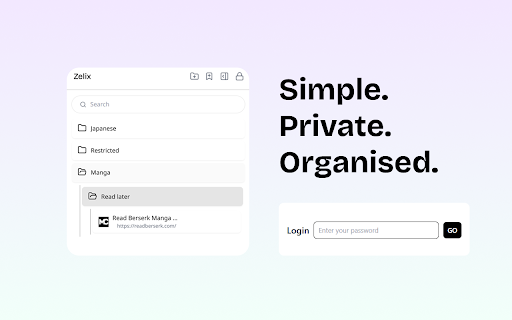
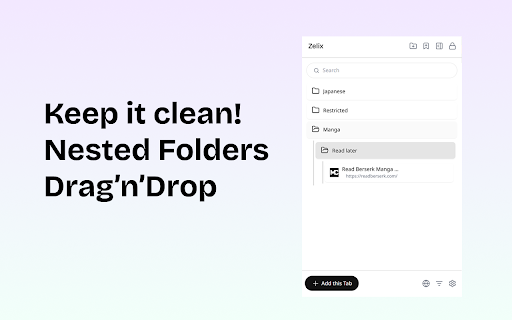
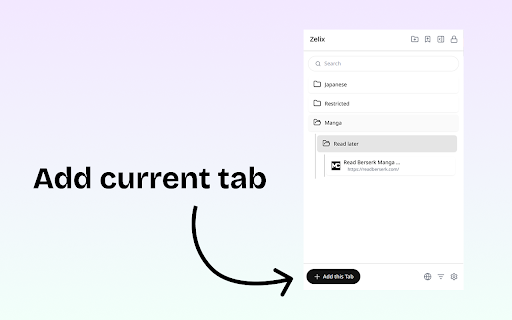
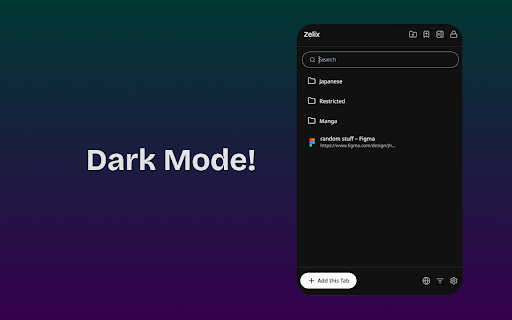
Zelix is a Chrome extension that provides a password-protected vault for managing private bookmarks. It supports incognito mode, allows for quick tab grouping, and offers secure backup and restore capabilities.

Developer:Mano W
Version:0.0.317
Size:668KiB
Last updated:

Overview

Installs

1K+

Rating

4.8

12 reviews

Languages

10 locales

Includes Deutsch, English, Nederlands, français...

Market analysis

Review-backed positioning, friction, and market signals for this Chrome extension.

Backed by review samples

Macro category

Tab & Bookmark Productivity

Pricing friction

Low review signal

Complaint intensity

Low review signal

Listing & review signals
Observed signals from store listing text and review samples.

Listing positioning

Zelix positions itself as a high-security, privacy-first bookmarking solution. It emphasizes end-to-end encryption and local-only storage, ensuring no user data ever leaves the device or reaches a cloud server.

Inferred product pattern

A local-first, privacy-centric bookmarking utility that uses encryption to replace standard browser bookmarking for sensitive data.

Review-backed pain points

Users expressed hesitation regarding new permission requests for browsing history and tab group management, and some noted that long webpage titles are truncated in the UI.

Observed feature gaps

UI optimization for long titles, such as smaller font sizes, multi-line support, or scrolling text.

Tags
Private BookmarksPassword VaultBookmark ManagerPrivacy Tool
Target users

- Privacy-conscious web users

- Users managing sensitive links

- People using shared devices

Primary use cases

- Storing sensitive or private URLs

- Managing bookmarks in incognito sessions

- Organizing tabs into secure groups

Positive themes

- Responsive developer engagement

- Clean and intuitive user interface

- Effective replacement for legacy secure bookmark tools

Negative themes

- Privacy concerns regarding permission requests

- UI constraints with long webpage titles

Observed friction

- Privacy complaints detected

- No pricing friction observed in the provided data.

Evidence boundary: Evidence derived from the store listing description and user reviews covering UI preferences and permission concerns. The analysis is based on a small sample size of 12 total reviews.
Complaint summaries
Review-backed complaint signals grouped by operational area.

Support

No support complaints; reviews highlight the developer's responsiveness to suggestions.

Reliability

No reliability or performance complaints observed.

Privacy

One user expressed concern over requested permissions to 'Read your browsing history' and 'View and manage your tab groups'.

Access & pricing

- No clear monetization signal

- No account requirement observed

- No clear pricing signal

Store listing facts

Listing assets

- Screenshots: 4

- Videos: 1

- Languages: 10

Trust signals

- Developer contact

Store metadata

- Version: 0.0.317

- Size: 668KiB

- Last updated:

Listing SEO keywords

Search intent keywords
Keyword signals for evaluating how users may discover, compare, or search for this extension category.

Core discovery

private bookmark managerpassword protected bookmarksencrypted bookmark vaultsecure bookmarks

Comparison

Manifest v2 Secure BookmarkChrome bookmark manager

Problem

secure bookmarksprivate link storagehidden bookmarks

Alternative

bookmark vaultprivate link saver

Similar extensions

Jump to related discovery paths:

Screenshots

Zelix - Password Protected Private Bookmark Manager screenshot

Links

Videos: Watch

Recommended Chrome extensions

Related listings from the same category, trending peers, and the same publisher portfolio.

Browse privacy