GitHub Copilot to PDF: Export GitHub Copilot Chats to PDF, Markdown, JSON icon

GitHub Copilot to PDF Chrome Extension Analysis

Automation & Workflow Efficiency

Store listing title: GitHub Copilot to PDF: Export GitHub Copilot Chats to PDF, Markdown, JSON

Chrome extension ID: ejhhhokbkmlibaeoepkohaflgaohpmeg

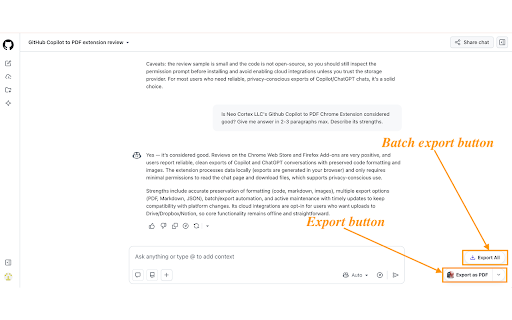
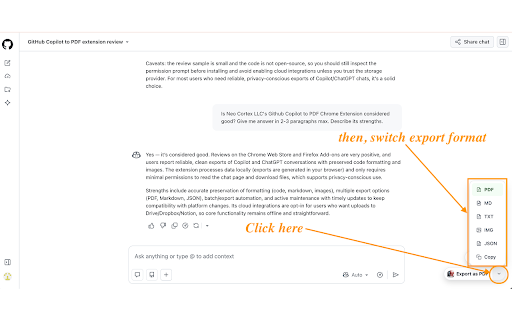
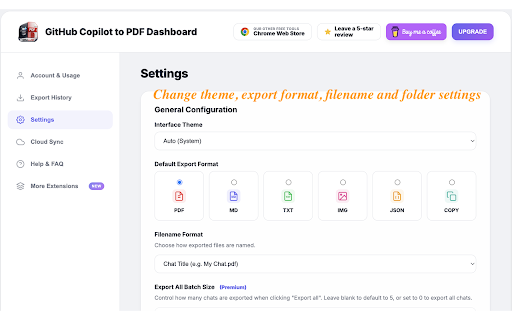
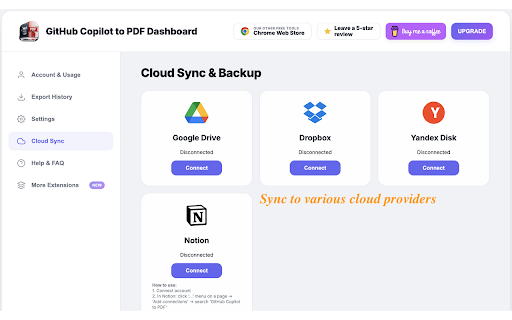
This Chrome extension allows users to export GitHub Copilot chat sessions into PDF, Markdown, or JSON formats. It supports batch exporting and offers an optional Pro tier for cloud synchronization with services like Google Drive and Dropbox. The tool is designed to work locally to ensure user privacy and data security.

Developer:Neo Cortex
Version:1.0.8
Size:8.8MiB
Last updated:

Overview

Installs

108

Rating

5.0

6 reviews

Languages

60 locales

Includes Deutsch, English, English (United Kingdom), Filipino...

Market analysis

Review-backed positioning, friction, and market signals for this Chrome extension.

No review samples found

Macro category

Automation & Workflow Efficiency

Pricing friction

Low review signal

Complaint intensity

Low review signal

Listing & review signals
Observed signals from store listing text and review samples.

Listing positioning

The product is positioned as a high-fidelity utility to prevent the loss of important AI conversations by providing instant export capabilities. It emphasizes accuracy in preserving complex formatting like code syntax highlighting, LaTeX math, and images. It aims to replace inefficient manual workarounds like screenshots or messy print-to-PDF methods.

Inferred product pattern

A specialized utility extension that adds archival and document export capabilities to specific AI chat interfaces.

Review-backed pain points

Review-backed data is not available.

Observed feature gaps

Review-backed data is not available.

Tags
Chat ExporterGitHub Copilot UtilityPDF ConverterMarkdown Export
Target users

- Developers

- Students

- Writers

- Researchers

- Professionals

Primary use cases

- Saving code snippets and debugging sessions

- Documenting AI-assisted workflows

- Archiving research discussions

- Organizing study materials

Positive themes

No positive theme data.

Negative themes

No negative theme data.

Observed friction

- Review-backed data is not available.

Evidence boundary: Analysis is based entirely on the Chrome Web Store product listing, feature descriptions, and stated capabilities. No user reviews were found to validate the claims or provide insight into actual user experience and potential friction.
Complaint summaries
Review-backed complaint signals grouped by operational area.

Support

Review-backed data is not available.

Reliability

Review-backed data is not available.

Privacy

Review-backed data is not available.

Access & pricing

- Free entry with paid features

- No account requirement observed

- Limited free usage observed

Store listing facts

Listing assets

- Screenshots: 5

- Videos: 0

- Languages: 60

Trust signals

- Privacy policy

- Developer contact

- Official website

- Support link

Store metadata

- Version: 1.0.8

- Size: 8.8MiB

- Last updated:

Listing SEO keywords

Search intent keywords
Keyword signals for evaluating how users may discover, compare, or search for this extension category.

Core discovery

Export GitHub Copilot to PDFSave Copilot ChatsGitHub Copilot Markdown ExportAI Chat Archive

Comparison

vs manual copy-pastevs print to PDF

Problem

messy chat exportslosing AI conversationsbroken code formatting

Alternative

ScreenshotsCopy and PastePrint to PDF

Similar extensions

Jump to related discovery paths:

Screenshots

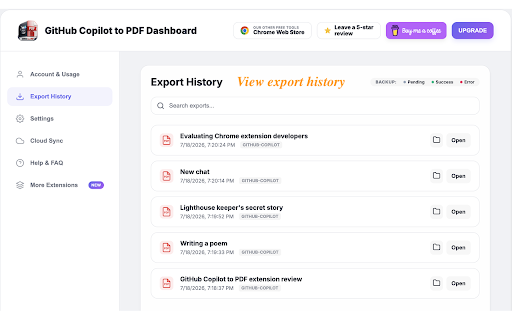
GitHub Copilot to PDF: Export GitHub Copilot Chats to PDF, Markdown, JSON screenshot

Links

Recommended Chrome extensions

Related listings from the same category, trending peers, and the same publisher portfolio.

Browse workflow