SnapMark — Screenshot & Annotate icon

SnapMark Chrome Extension Analysis

Automation & Workflow Efficiency

Store listing title: SnapMark — Screenshot & Annotate

Chrome extension ID: elbnehabhkkeeckekdbndggkmabbpice

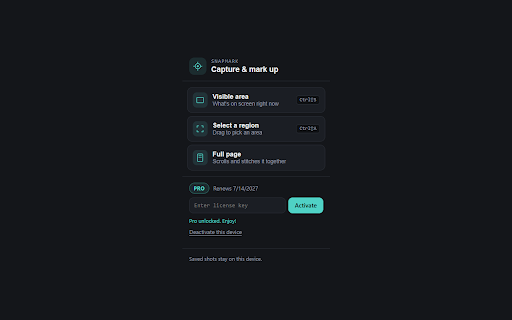
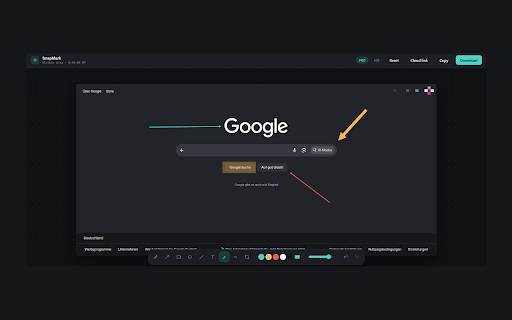
A Chrome extension that allows users to capture visible areas, selected regions, or full web pages. It includes built-in tools for adding arrows, shapes, text, and blurring sensitive information directly in the browser.

Developer:SideGames
Version:1.1.0
Size:30.46KiB
Last updated:

Overview

Installs

4

Rating

★ 5.0

2 reviews

Languages

1 locales

Includes English

Market analysis

Review-backed positioning, friction, and market signals for this Chrome extension.

No review samples found

Macro category

Automation & Workflow Efficiency

Pricing friction

Low review signal

Complaint intensity

Low review signal

Listing & review signals
Observed signals from store listing text and review samples.

Listing positioning

Positions itself as an all-in-one capture and annotation tool that eliminates the need to switch between multiple applications. It emphasizes speed, convenience, and a genuinely free core experience.

Inferred product pattern

Utility tool utilizing a 'watermark-free' upgrade path and advanced cloud-sharing features to drive Pro conversions.

Review-backed pain points

Review-backed data is not available.

Observed feature gaps

Review-backed data is not available.

Tags
Screenshot ToolAnnotation ToolBrowser ProductivityScreen Capture
Target users

- QA Testers

- Content Creators

- Project Managers

- Remote Workers

- Students

Primary use cases

- Bug reporting

- Creating visual tutorials

- Quick feedback loops

- Saving full-page web archives

Positive themes

- review-backed data is not available

Negative themes

- review-backed data is not available

Observed friction

- No review-backed pricing friction found.

Evidence boundary: Data extracted solely from the public store listing descriptions. No user reviews were available to validate performance, reliability, or actual user satisfaction.
Complaint summaries
Review-backed complaint signals grouped by operational area.

Support

No review-backed support complaints found.

Reliability

No review-backed reliability complaints found.

Privacy

No review-backed privacy complaints found.

Access & pricing

- Free entry with paid features

- No account requirement observed

- Limited free usage observed

Store listing facts

Listing assets

- Screenshots: 2

- Videos: 0

- Languages: 1

Trust signals

- Privacy policy

- Developer contact

- Official website

- Support link

Store metadata

- Version: 1.1.0

- Size: 30.46KiB

- Last updated:

Listing SEO keywords

Search intent keywords
Keyword signals for evaluating how users may discover, compare, or search for this extension category.

Core discovery

chrome screenshot extensionannotate screenshots browserfull page screen capture

Comparison

SnapMark vs Awesome ScreenshotSnapMark vs Lightshot

Problem

how to annotate screenshots in chromefull page screenshot toolblur sensitive information in screenshot

Alternative

SnapMark alternativefree screenshot annotation tool

Similar extensions

Jump to related discovery paths:

Screenshots

SnapMark — Screenshot & Annotate screenshot

Links

Recommended Chrome extensions

Related listings from the same category, trending peers, and the same publisher portfolio.

Browse tools