Eclipse IDE online icon

Eclipse IDE online Chrome Extension Analysis

Developer & Designer Tools

Chrome extension ID: emnjgfpochdhhgimnoadiiinampoihkk

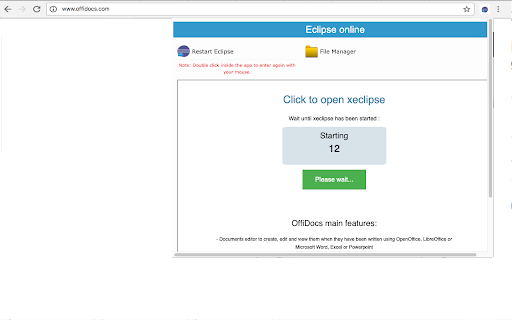
This tool is a browser extension that delivers an integrated development environment (IDE) experience online. It uses an external platform to provide coding, debugging, and project management features for multiple programming languages.

Version:2.3.3
Size:438KiB
Last updated:

Overview

Installs

10K+

Rating

2.5

41 reviews

Languages

18 locales

Includes Deutsch, English, Nederlands, Türkçe...

Market analysis

Review-backed positioning, friction, and market signals for this Chrome extension.

Backed by review samples

Macro category

Developer & Designer Tools

Pricing friction

Moderate review signal

Complaint intensity

High review signal

Listing & review signals
Observed signals from store listing text and review samples.

Listing positioning

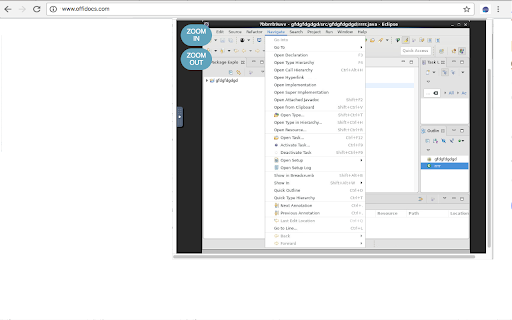
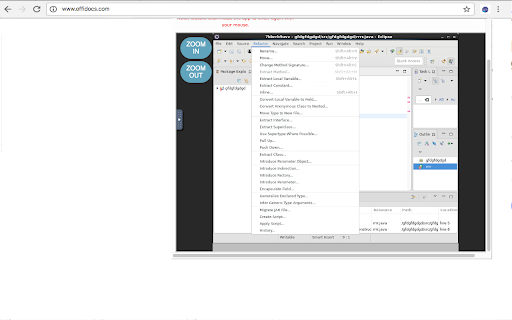
The extension positions itself as a web-based version of the Eclipse IDE, providing integrated development capabilities for Java, C, C++, PHP, and Ruby. It claims to offer professional features such as refactoring, debugging, and incremental compilation within the browser.

Inferred product pattern

An ad-supported web wrapper or remote connection service designed to mimic the Eclipse IDE in a browser environment.

Review-backed pain points

Users report critical issues including the loss of work/files, heavy advertisement interference, and poor performance due to the tool functioning as a remote VM connection rather than a native application.

Observed feature gaps

Reviewers indicate that the experience is not comparable to a real local IDE and lacks the seamless performance expected of the Eclipse software.

Tags
Online IDEJava DevelopmentCode EditorWeb Based IDE
Target users

- Students

- Chromebook users

- Web-based developers

Primary use cases

- Online programming

- Java development in a browser

- Remote code editing

Positive themes

- Review-backed positive themes are not available.

Negative themes

- Severe data loss and file disappearance

- Intrusive advertising covering the UI

- High latency and performance glitches

- Suboptimal experience on small screens/Chromebooks

Observed friction

- Free-tier complaints detected

- Performance complaints detected

- Users express frustration with an ad-heavy interface that disrupts the development experience.

Evidence boundary: Data extracted from the product listing and user reviews highlighting feature claims versus reports of data loss and heavy advertising. The analysis is limited to the provided sample of 41 reviews.
Complaint summaries
Review-backed complaint signals grouped by operational area.

Support

No specific support or refund complaints were identified in the sample.

Reliability

Critical reliability concerns were raised regarding data loss (disappearing files) and general instability/glitches.

Privacy

One review mentioned potential copyright concerns, but no specific privacy or security complaints were detailed.

Access & pricing

- Ad-supported model observed

- No clear access signal

- No clear pricing signal

Store listing facts

Listing assets

- Screenshots: 3

- Videos: 0

- Languages: 18

Trust signals

- Privacy policy

- Developer contact

- Official website

Store metadata

- Version: 2.3.3

- Size: 438KiB

- Last updated:

Listing SEO keywords

Search intent keywords
Keyword signals for evaluating how users may discover, compare, or search for this extension category.

Core discovery

online java ideeclipse ide onlineweb based code editoronline c++ compilerbrowser ide

Comparison

eclipse desktop ideonline compilerchromebook coding tools

Problem

lost code filesonline ide adsslow online ide

Alternative

vs code webonline programming environmentcloud ide

Similar extensions

Jump to related discovery paths:

Screenshots

Eclipse IDE online screenshot

Links

Recommended Chrome extensions

Related listings from the same category, trending peers, and the same publisher portfolio.

Browse workflow