Markdown Preview Plus icon

Markdown Preview Plus Chrome Extension Analysis

Developer & Designer Tools

Chrome extension ID: febilkbfcbhebfnokafefeacimjdckgl

An open-source browser extension that automatically parses local or remote Markdown files into formatted HTML. It allows for custom CSS themes and GitHub-flavored markdown support for a seamless reading experience.

Developer:Linlinqi
Version:0.8.16
Size:1.54MiB
Last updated:

Overview

Installs

80K+

Rating

4.1

235 reviews

Languages

1 locales

Includes English (United States)

Market analysis

Review-backed positioning, friction, and market signals for this Chrome extension.

Backed by review samples

Macro category

Developer & Designer Tools

Pricing friction

Low review signal

Complaint intensity

Moderate review signal

Listing & review signals
Observed signals from store listing text and review samples.

Listing positioning

The product positions itself as a utility to transform Chrome into a Markdown viewer that renders .md files as HTML. It emphasizes technical capabilities like live reload, Table of Contents generation, and support for specialized rendering like Katex and Mermaid.

Inferred product pattern

Open-source developer utility focusing on local file rendering and technical documentation visualization.

Review-backed pain points

Users report frustration with the 'Allow access to file URLs' requirement, failures to render markdown as HTML (showing plain text instead), and broken 'Export to HTML' functionality.

Observed feature gaps

Lack of consistent cross-browser compatibility (Brave/Edge), unreliable UTF-8 encoding for non-English characters, and inconsistent anchor link behavior compared to GitHub.

Tags
Markdown PreviewHTML ExportDeveloper ToolsLive ReloadOpen Source
Target users

- Software Developers

- Technical Writers

- Documentation Maintainers

- Markdown Users

Primary use cases

- Previewing .md files while editing in external editors like Vim

- Converting Markdown documents to HTML

- Viewing technical documentation with math and diagrams in-browser

Positive themes

- Efficient live-previewing during external editing

- General utility for rendering markdown

Negative themes

- Rendering failures resulting in plain text

- Character encoding and internationalization issues

- Difficulties with initial configuration

- Platform-specific display bugs on macOS

Observed friction

- Performance complaints detected

- No pricing friction observed as the tool is open-source and free.

Evidence boundary: Analysis based on store listing descriptions and a sample of 11 helpful/low-rating reviews. Review samples are sparse and span a wide time range (2013-2025), which may not reflect the current version's stability.
Complaint summaries
Review-backed complaint signals grouped by operational area.

Support

Some users expressed frustration that developers appear unresponsive to reported bugs.

Reliability

Reports of the extension failing to render files, particularly on non-Windows systems or different Chromium-based browsers.

Privacy

No privacy complaints observed.

Access & pricing

- Free usage observed

- No account requirement observed

- Free plan or free usage claimed

Store listing facts

Listing assets

- Screenshots: 1

- Videos: 0

- Languages: 1

Trust signals

- Developer contact

- Official website

- Support link

Store metadata

- Version: 0.8.16

- Size: 1.54MiB

- Last updated:

Listing SEO keywords

Search intent keywords
Keyword signals for evaluating how users may discover, compare, or search for this extension category.

Core discovery

markdown preview chromerender .md file in browsermarkdown to html extensionchrome markdown viewer

Comparison

markdown preview plus vs githubbest chrome markdown viewer

Problem

chrome showing markdown as plain texthow to view .md files in chrome

Alternative

markdown viewer alternativemarkdown render extension

Similar extensions

Jump to related discovery paths:

Screenshots

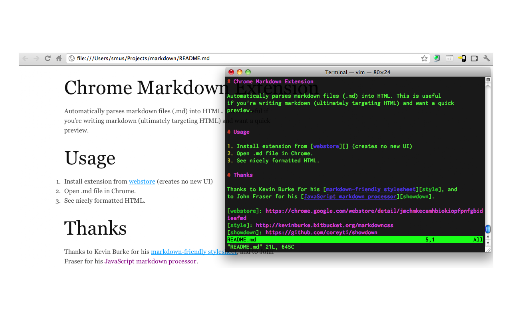
Markdown Preview Plus screenshot

Links

Recommended Chrome extensions

Related listings from the same category, trending peers, and the same publisher portfolio.

Browse workflow