
Bookmarks Button Chrome Extension Analysis
Tab & Bookmark ProductivityChrome extension ID: ffieaadkkhencgelmgbbmkkipeocbcbg
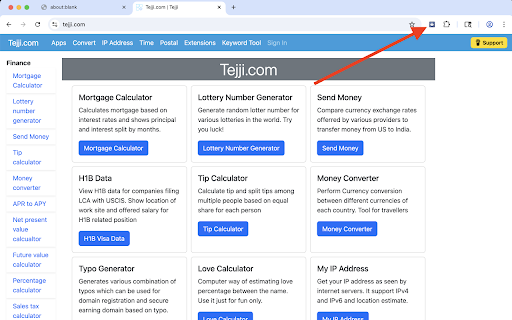
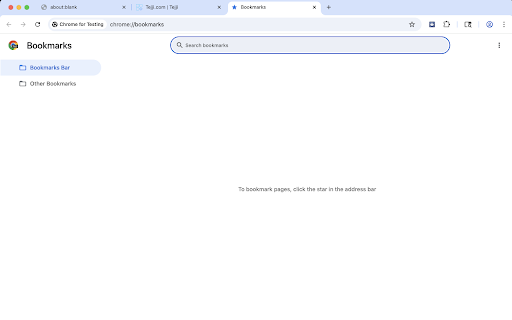
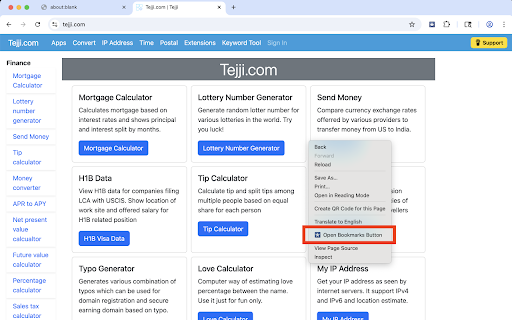
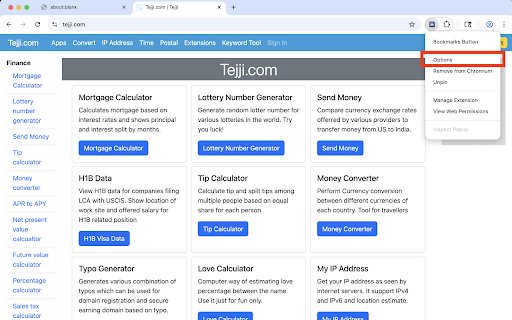
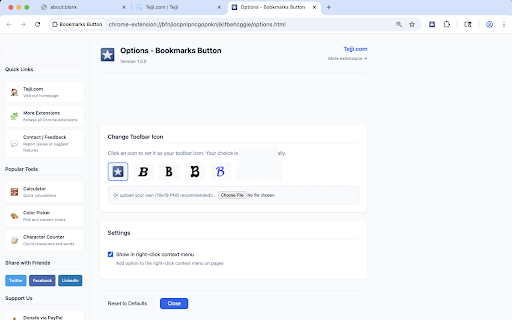
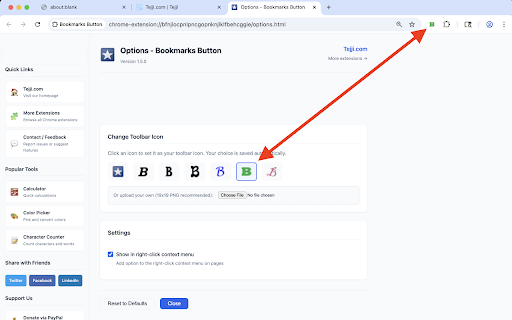
A browser utility that adds a dedicated button to the toolbar and an option to the right-click context menu to quickly open the native Chrome Bookmarks tab. It offers basic personalization features to change or customize the toolbar icon's appearance.
Overview
Installs
7K+
Rating
★ 4.4
273 reviews
Languages
1 locales
Includes English
Market analysis
Review-backed positioning, friction, and market signals for this Chrome extension.
Macro category
Tab & Bookmark Productivity
Pricing friction
Low review signal
Complaint intensity
Moderate review signal
Listing positioning
Bookmarks Button positions itself as a fast, lightweight, and distraction-free tool providing one-click access to the Chrome bookmarks manager. The listing highlights aesthetic customization, such as selecting multiple icon styles or uploading a custom 19x19 PNG icon. It also emphasizes a privacy-first approach with zero data collection and no tracking.
Inferred product pattern
A basic, single-action browser redirect utility that drives distribution but generates user friction due to cross-promotional popups.
Review-backed pain points
Users express frustration that the extension does not show a dropdown list of bookmarks, instead forcing them to open a new tab and click through folders. Additionally, some users reported receiving intrusive popups or tabs promoting other extensions, which felt spammy and raised security concerns.
Observed feature gaps
The primary feature gap is the lack of an interactive dropdown or popup menu to view and select bookmarks directly from the toolbar button. Users also noted that the context menu integration only opens the manager rather than allowing users to add or remove bookmarks directly.
- Chrome users looking for a faster way to open the Bookmarks manager
- Users who want to declutter their screen by hiding the bookmark bar while maintaining quick access
- Users interested in customizing their browser toolbar icons
- Opening the default Chrome Bookmarks tab with a single click from the browser toolbar
- Accessing the bookmarks manager via the right-click context menu
- Customizing the extension's toolbar icon with custom PNG files
- No positive review samples were available in the provided data to extract positive themes.
- Disappointment that the button only redirects to the full Chrome bookmarks tab rather than opening a dropdown popup menu
- Frustration regarding promotional popups advertising other extensions by the same developer
- Critique that the extension's core functionality can be easily replicated without installing software by dragging a link to the bookmarks bar
- No explicit pricing friction was observed as the tool is positioned as free, though users disliked the cross-promotional ads/tabs for other products.
Support
Some users reported a lack of clear instructions, making it difficult to understand the setup or the extension's actual utility.
Reliability
Older reviews mentioned permission errors ('*://*' is unknown or malformed) on specific legacy versions of Chrome, but no modern performance breakage was noted in the sample.
Privacy
While the store listing claims no data collection, users felt that unexpected promotional tabs pushing other extensions behaved like adware.
- Free usage observed
- No account requirement observed
- Free plan or free usage claimed
Store listing facts
- Screenshots: 7
- Videos: 0
- Languages: 1
- Privacy policy
- Developer contact
- Official website
- Support link
- Version: 1.6.0
- Size: 68.46KiB
- Last updated:
Listing SEO keywords
Core discovery
Comparison
Problem
Alternative
Similar extensions
Jump to related discovery paths:
Screenshots
Links
Website: tejji.com
Privacy policy: https://tejji.com/home/privacy
Support links: https://tejji.com/home/contact