Shibui — Photo Editing, Reimagined icon

Shibui Chrome Extension Analysis

Developer & Designer Tools

Store listing title: Shibui — Photo Editing, Reimagined

Chrome extension ID: fgmlicakejecpecglnhgiaoeoibggpah

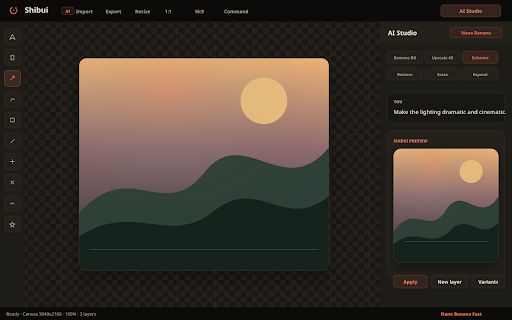
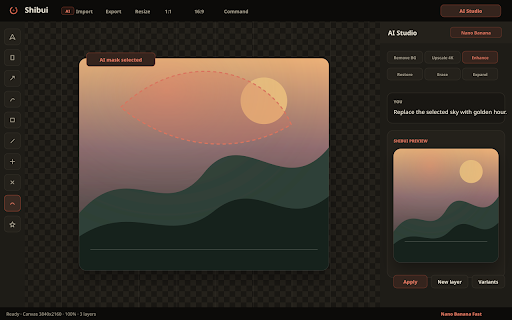
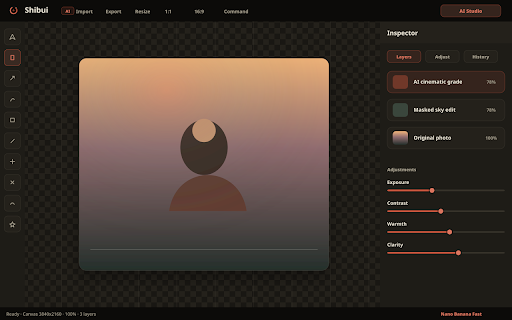
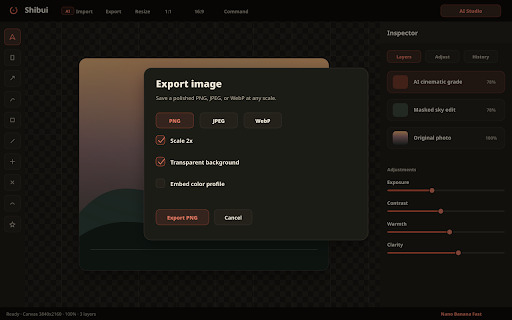
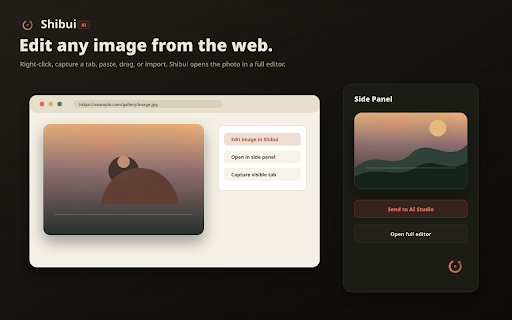
A browser extension that enables professional image editing for web images and screenshots. It features layers, adjustment sliders, and AI capabilities powered by Google Nano Banana (Gemini), requiring users to provide their own API keys.

Version:4.5.0
Size:2.92MiB
Last updated:

Overview

Installs

5

Rating

5.0

2 reviews

Languages

1 locales

Includes English

Market analysis

Review-backed positioning, friction, and market signals for this Chrome extension.

No review samples found

Macro category

Developer & Designer Tools

Pricing friction

Low review signal

Complaint intensity

Low review signal

Listing & review signals
Observed signals from store listing text and review samples.

Listing positioning

Positions itself as a comprehensive, studio-grade photo editor integrated directly into the browser. It emphasizes a blend of traditional professional tools and modern AI-driven editing via natural language intent.

Inferred product pattern

Bring Your Own Key (BYOK) AI utility extension.

Review-backed pain points

Review-backed data is not available.

Observed feature gaps

No review data available to identify user-reported gaps; listing suggests a technical barrier for users who do not have or know how to acquire AI API keys.

Tags
AI Photo EditorImage EditingBrowser StudioGemini AI
Target users

- Web designers

- Content creators

- Digital artists

- Social media managers

Primary use cases

- Editing images found on the web via context menu

- Capturing and editing page screenshots

- AI-powered image modifications using natural language chat

Positive themes

No positive theme data.

Negative themes

No negative theme data.

Observed friction

- Review-backed data is not available.

Evidence boundary: Data extracted exclusively from the Chrome Web Store product listing. No user reviews were available to validate claims or identify pain points.
Complaint summaries
Review-backed complaint signals grouped by operational area.

Support

Review-backed data is not available.

Reliability

Review-backed data is not available.

Privacy

Review-backed data is not available.

Access & pricing

- Free usage observed

- No account requirement observed

- Free plan or free usage claimed

Store listing facts

Listing assets

- Screenshots: 5

- Videos: 0

- Languages: 1

Trust signals

- Developer contact

- Official website

Store metadata

- Version: 4.5.0

- Size: 2.92MiB

- Last updated:

Listing SEO keywords

Search intent keywords
Keyword signals for evaluating how users may discover, compare, or search for this extension category.

Core discovery

browser photo editorAI image editing extensionGemini photo editoronline image studio

Comparison

browser-based Photoshop alternativeAI image editor vs Canvaonline photo editor extension

Problem

how to edit web imagesremove background in browserai photo editing online

Alternative

AI image editorweb photo studiobrowser image editor

Similar extensions

Jump to related discovery paths:

Screenshots

Shibui — Photo Editing, Reimagined screenshot

Links

Recommended Chrome extensions

Related listings from the same category, trending peers, and the same publisher portfolio.

Browse art