YouTube Screenshot icon

YouTube Screenshot Chrome Extension Analysis

Automation & Workflow Efficiency

Chrome extension ID: fhpjgmfckbkgfhkkjgfajfaeacapeefj

A Chrome extension that allows users to take screenshots of YouTube videos without interruptive pauses. It features integrated tools for cropping, annotating, and saving images in JPEG or PNG formats, as well as cloud syncing capabilities.

Version:2.2.1
Size:167KiB
Last updated:

Overview

Installs

339

Rating

4.0

3 reviews

Languages

52 locales

Includes Deutsch, English, Filipino, Indonesia...

Market analysis

Review-backed positioning, friction, and market signals for this Chrome extension.

Backed by review samples

Macro category

Automation & Workflow Efficiency

Pricing friction

Low review signal

Complaint intensity

Low review signal

Listing & review signals
Observed signals from store listing text and review samples.

Listing positioning

The product is positioned as an innovative, one-click solution for capturing, editing, and sharing high-quality screenshots from YouTube. It emphasizes its utility for educators and content creators who need precision capture and in-browser editing tools.

Inferred product pattern

Single-purpose utility extension targeting a specific platform (YouTube) to solve a common content-capture friction point.

Review-backed pain points

Users have expressed a desire for more detailed feedback in tooltips, such as the specific filename and save location, and the ability to change the default save folder.

Observed feature gaps

Missing options to customize the default download directory and direct integration to open the file in the OS file explorer immediately after capture.

Tags
YouTube ScreenshotContent CreationVideo CaptureProductivity Tool
Target users

- Content Creators

- Educators

- Digital Documentarians

Primary use cases

- Capturing tutorial frames for documentation

- Creating educational presentations from video content

- Saving memorable moments from videos for social sharing

Positive themes

- Functional performance

Negative themes

- Lack of file management customization

Observed friction

- No pricing friction observed as the tool appears to be free.

Evidence boundary: Analysis based on the store listing's detailed feature set and two available user reviews. Very limited review sample size prevents a comprehensive sentiment analysis.
Complaint summaries
Review-backed complaint signals grouped by operational area.

Support

No support complaints observed in the available reviews.

Reliability

No reliability issues reported; one user explicitly stated the tool works as planned.

Privacy

No privacy or security complaints observed.

Access & pricing

- Free usage observed

- No account requirement observed

- Free plan or free usage claimed

Store listing facts

Listing assets

- Screenshots: 1

- Videos: 0

- Languages: 52

Trust signals

- Privacy policy

- Developer contact

Store metadata

- Version: 2.2.1

- Size: 167KiB

- Last updated:

Listing SEO keywords

Search intent keywords
Keyword signals for evaluating how users may discover, compare, or search for this extension category.

Core discovery

YouTube screenshot extensioncapture YouTube frameshigh quality YouTube screenshots

Comparison

best YouTube screenshot toolYouTube screenshot vs print screen

Problem

how to screenshot YouTube video high qualitytake screenshot of YouTube without player

Alternative

YouTube screenshot alternativevideo frame capture extension

Similar extensions

Jump to related discovery paths:

Screenshots

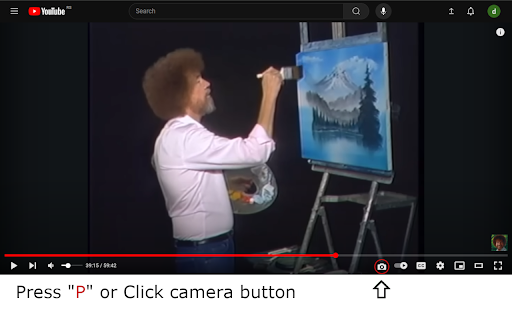
YouTube Screenshot screenshot

Links

Recommended Chrome extensions

Related listings from the same category, trending peers, and the same publisher portfolio.

Browse tools