Search Console Pro icon

Search Console Pro Chrome Extension Analysis

Automation & Workflow Efficiency

Chrome extension ID: fjdfipgcgcclfndccaijkonipfndihco

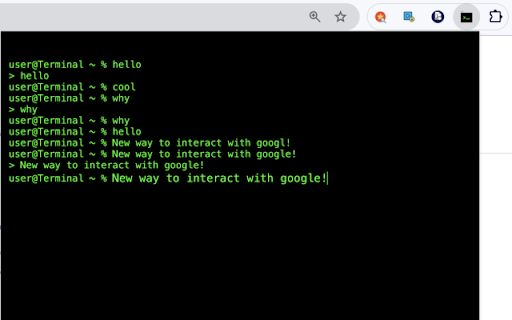
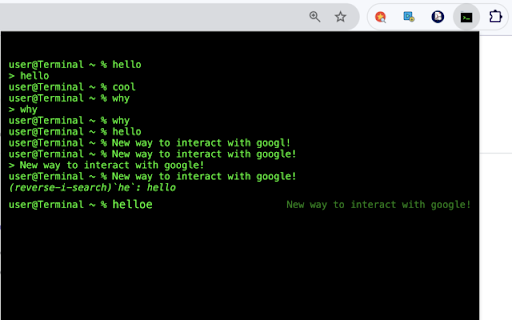
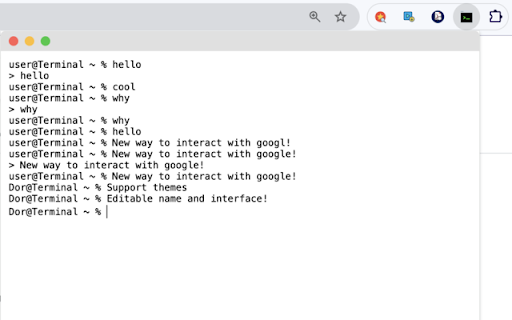
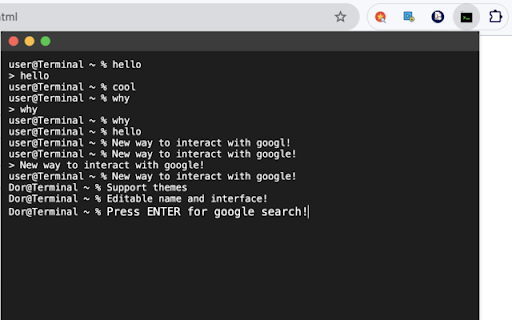
Search Console Pro is a Chrome extension that overlays a terminal-like interface onto Google searches. It offers features such as smart autocomplete, search history navigation, customizable themes, and keyboard shortcuts to accelerate the search workflow.

Developer:Dor Pascal
Version:1.0
Size:22.72KiB
Last updated:

Overview

Installs

104

Rating

4.0

4 reviews

Languages

7 locales

Includes Deutsch, English, español, français...

Market analysis

Review-backed positioning, friction, and market signals for this Chrome extension.

Backed by review samples

Macro category

Automation & Workflow Efficiency

Pricing friction

Low review signal

Complaint intensity

Moderate review signal

Listing & review signals
Observed signals from store listing text and review samples.

Listing positioning

The product positions itself as a terminal-style interface for Google searches, designed to bring command-line efficiency to the browser. It aims to streamline research and search processes for power users through speed and keyboard-driven interactions.

Inferred product pattern

A niche productivity utility attempting to skin standard search workflows with a developer-centric CLI aesthetic.

Review-backed pain points

A reviewer expressed extreme dissatisfaction, claiming the tool only functions as a basic keyword search tool.

Observed feature gaps

Review feedback suggests a gap between the 'Pro' terminal-style marketing and the actual utility perceived by some users.

Tags
Terminal SearchProductivity ToolKeyboard ShortcutsPower User Search
Target users

- Developers

- Researchers

- Data Analysts

- IT Professionals

- Journalists

Primary use cases

- High-speed Google searching

- Research streamlining

- Command-line style web navigation

Positive themes

- Review-backed data for positive themes is not available.

Negative themes

- Perceived lack of functionality beyond basic searching.

Observed friction

- No pricing information provided in the listing.

Evidence boundary: Evidence is based on the Chrome Web Store product description and a single low-rating review. The review sample is extremely limited, consisting of only one user response.
Complaint summaries
Review-backed complaint signals grouped by operational area.

Support

No support complaints observed.

Reliability

No reliability complaints observed.

Privacy

No privacy complaints observed.

Access & pricing

- No clear monetization signal

- No clear access signal

- No clear pricing signal

Store listing facts

Listing assets

- Screenshots: 4

- Videos: 0

- Languages: 7

Trust signals

- Developer contact

- Official website

Store metadata

- Version: 1.0

- Size: 22.72KiB

- Last updated:

Listing SEO keywords

Search intent keywords
Keyword signals for evaluating how users may discover, compare, or search for this extension category.

Core discovery

terminal style google searchcommand line search extensionkeyboard shortcut search tooldeveloper search interface

Comparison

standard Google searchbrowser search bar

Problem

slow search processdistracted web searchinginefficient research workflow

Alternative

CLI search toolssearch productivity extensions

Similar extensions

Jump to related discovery paths:

Screenshots

Search Console Pro screenshot

Links

Website: dorpascal.com

Recommended Chrome extensions

Related listings from the same category, trending peers, and the same publisher portfolio.

Browse developer