AutoFill Forms icon

AutoFill Forms Chrome Extension Analysis

Automation & Workflow Efficiency

Chrome extension ID: focmhibpdifbdjacabpgnifhdalgfogg

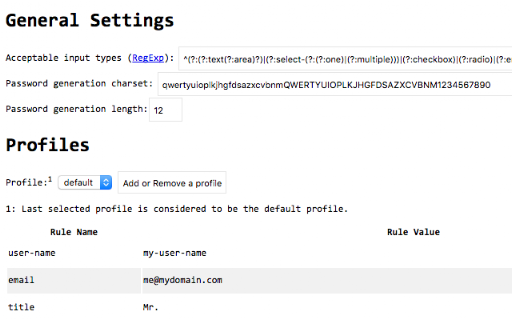
AutoFill Forms is a browser extension designed to automatically populate web forms using stored user data. It features regex-based data generation, password generation, and the ability to manage multiple user profiles.

Developer:tlintspr
Version:0.4.9
Size:88.44KiB
Last updated:

Overview

Installs

100K+

Rating

3.2

97 reviews

Languages

12 locales

Includes Deutsch, English, Nederlands, español...

Market analysis

Review-backed positioning, friction, and market signals for this Chrome extension.

Backed by review samples

Macro category

Automation & Workflow Efficiency

Pricing friction

Low review signal

Complaint intensity

Moderate review signal

Listing & review signals
Observed signals from store listing text and review samples.

Listing positioning

The extension is positioned as a user-friendly tool for automating web form completion using multiple profiles. It emphasizes advanced capabilities like regular expression support for generating random strings and easy profile management.

Inferred product pattern

A utility-focused productivity tool struggling with stability and user experience consistency.

Review-backed pain points

Users report that the extension frequently fails to fill forms, clears fields without inserting data, and becomes unusable following certain updates. There are also complaints about a non-intuitive UI and unwanted default data.

Observed feature gaps

Users expressed a need for better UX/UI and more reliable compatibility with specific platforms like Google Forms.

Tags
Form FillerAutofill ToolProductivity UtilityRegex Support
Target users

- Frequent web form users

- Data entry professionals

- Users requiring random string generation

Primary use cases

- Automating repetitive web form entries

- Generating random security question answers

- Managing multiple user identities through profiles

Positive themes

- No high-rating reviews available to determine positive themes.

Negative themes

- Broken functionality after updates

- Unreliable form field detection

- Cumbersome user experience

- Inconvenient default filler data

Observed friction

- Performance complaints detected

- No pricing friction reported in the provided reviews.

Evidence boundary: Data extracted from the Chrome Web Store product description and a sample of low-rating user reviews. The analysis is limited by a lack of high-rating review samples, resulting in a bias toward negative feedback.
Complaint summaries
Review-backed complaint signals grouped by operational area.

Support

No specific support or account recovery complaints were observed.

Reliability

Significant reliability issues reported, including broken functionality after updates and failure to save or fill profile data.

Privacy

No privacy complaints observed.

Access & pricing

- No clear monetization signal

- No account requirement observed

- No clear pricing signal

Store listing facts

Listing assets

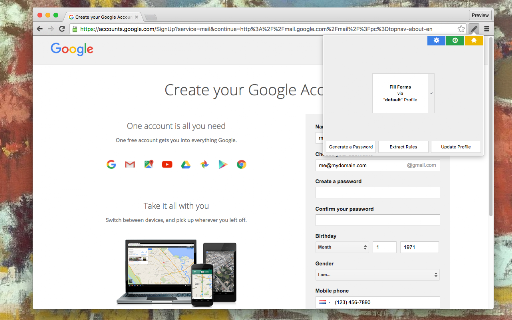
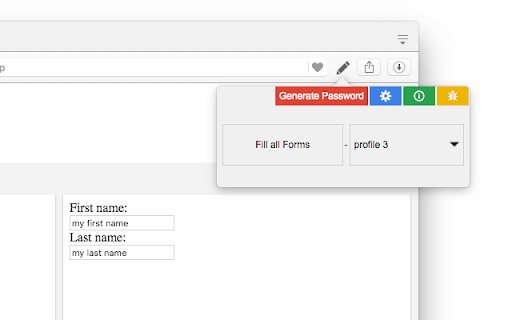
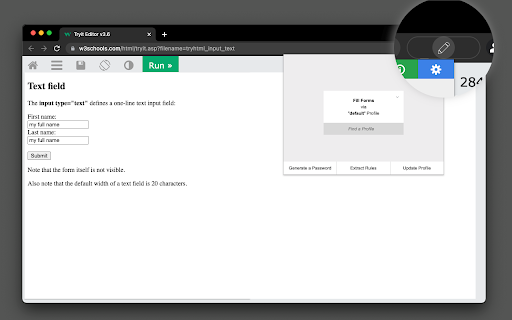
- Screenshots: 4

- Videos: 0

- Languages: 12

Trust signals

- Developer contact

- Official website

Store metadata

- Version: 0.4.9

- Size: 88.44KiB

- Last updated:

Listing SEO keywords

Search intent keywords
Keyword signals for evaluating how users may discover, compare, or search for this extension category.

Core discovery

auto fill formsweb form automationregex form fillermultiple profile autofill

Comparison

Form History ControlSmart AutofillMockfill

Problem

form filler not workingautofill brokenfailed form completion

Alternative

Smart AutofillMockfillForm History Control

Similar extensions

Jump to related discovery paths:

Screenshots

AutoFill Forms screenshot

Links

Recommended Chrome extensions

Related listings from the same category, trending peers, and the same publisher portfolio.

Browse workflow