FilterVideo icon

FilterVideo Chrome Extension Analysis

Niche Lifestyle & Gaming Hacks

Chrome extension ID: gchjhchmcjnphmbkmllgfalidiakaoea

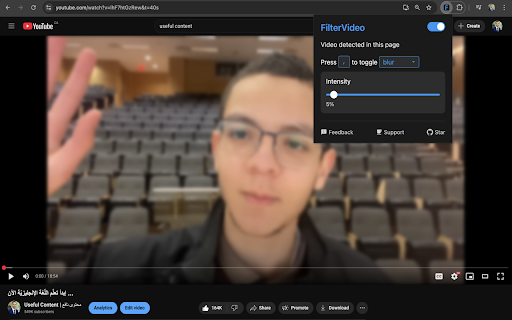
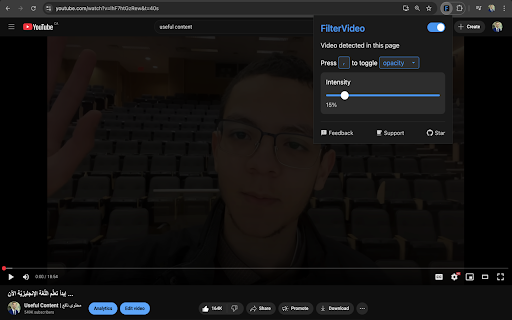
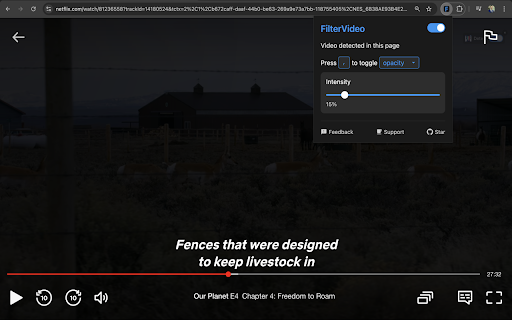
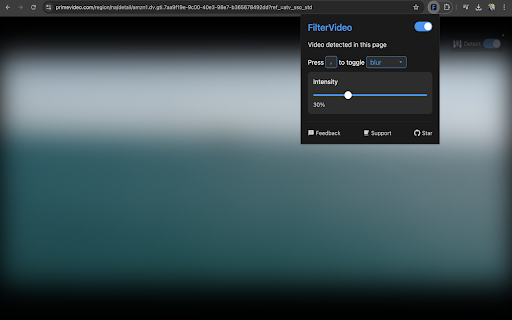
FilterVideo is a browser extension that allows users to apply blur or opacity filters to web videos using customizable keyboard shortcuts. It supports popular platforms like YouTube, Netflix, and TikTok, and includes specialized support for Arabic keyboard layouts.

Version:1.2.4
Size:30.29KiB
Last updated:

Overview

Installs

1K+

Rating

★ 5.0

115 reviews

Languages

1 locales

Includes English

Market analysis

Review-backed positioning, friction, and market signals for this Chrome extension.

Backed by review samples

Macro category

Niche Lifestyle & Gaming Hacks

Pricing friction

Low review signal

Complaint intensity

Low review signal

Listing & review signals
Observed signals from store listing text and review samples.

Listing positioning

The product positions itself as a tool for users to take control of their video viewing experience by instantly hiding inappropriate or sensitive content. It emphasizes speed via keyboard shortcuts and broad compatibility across major streaming and social platforms.

Inferred product pattern

Privacy-focused content overlay utility for video streaming.

Review-backed pain points

Users have expressed a need for audio-related filters, such as the ability to lower background music volume alongside visual blurring.

Observed feature gaps

Lack of automated AI-based NSFW detection (current functionality is manual or based on simple detection) and absence of audio filtering tools.

Tags
Video FilterContent ControlPrivacy UtilityFamily FriendlyNSFW Filter
Target users

- People wanting to hide inappropriate content

- Users watching content in family environments

- Arabic-speaking users

- Privacy-conscious viewers

Primary use cases

- Hiding sensitive scenes in movies or videos

- Filtering content while browsing in public

- Managing video visibility on social media feeds

Positive themes

- Effectiveness in hiding inappropriate content

- High utility for religious or moral preferences

- Appreciation for Arabic keyboard support

- Ease of use

Negative themes

- Lack of audio control features

Observed friction

- No pricing friction observed; the product appears to be free.

Evidence boundary: Data extracted from the official store listing and a sample of high-rating and helpful user reviews. The review sample is overwhelmingly positive, providing limited data on edge-case failures or widespread technical bugs.
Complaint summaries
Review-backed complaint signals grouped by operational area.

Support

No support or account complaints observed.

Reliability

No reliability or performance complaints observed.

Privacy

No privacy complaints; the listing explicitly states no data collection or external connections.

Access & pricing

- Free usage observed

- No account requirement observed

- Free plan or free usage claimed

Store listing facts

Listing assets

- Screenshots: 5

- Videos: 0

- Languages: 1

Trust signals

- Privacy policy

- Developer contact

- Official website

Store metadata

- Version: 1.2.4

- Size: 30.29KiB

- Last updated:

Listing SEO keywords

Search intent keywords
Keyword signals for evaluating how users may discover, compare, or search for this extension category.

Core discovery

filter videoblur video shortcuthide inappropriate contentvideo opacity filter

Comparison

best video blur extensionFilterVideo vs content blockers

Problem

hide sensitive video sceneshow to blur videos on youtubewatching videos with family

Alternative

video filter alternativeNSFW video blurrer

Similar extensions

Jump to related discovery paths:

Screenshots

FilterVideo screenshot

Links

Recommended Chrome extensions

Related listings from the same category, trending peers, and the same publisher portfolio.

Browse well_being