Auto Label for Google Gmail™ by cloudHQ icon

Auto Label for Google Gmail™ by cloudHQ Chrome Extension Analysis

Automation & Workflow Efficiency

Chrome extension ID: gdadckddcgbbopndmccfoibflnoeinca

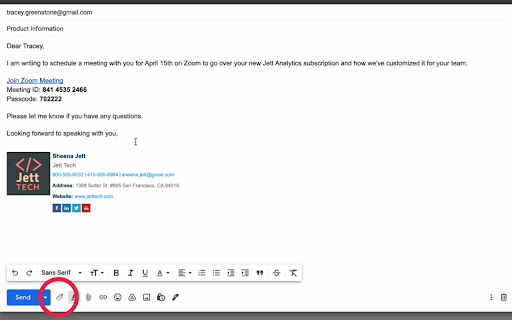
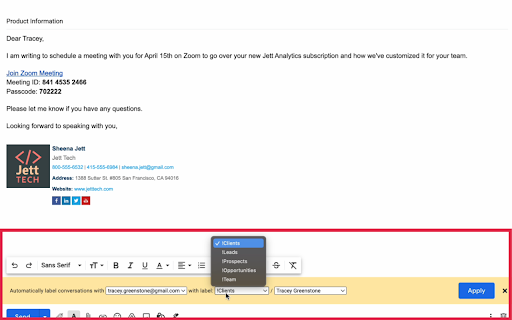
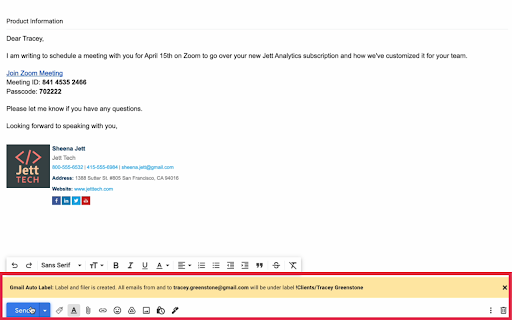
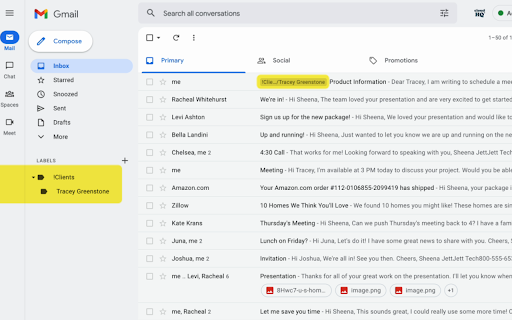
A Chrome extension that streamlines Gmail organization by creating automated filters and labels. It allows users to catalog contacts into categories such as Clients, Leads, and Suppliers with a single click.

Developer:cloudHQ
Version:1.0.1.2
Size:580KiB
Last updated:

Overview

Installs

3K+

Rating

★ 4.7

16 reviews

Languages

1 locales

Includes English

Market analysis

Review-backed positioning, friction, and market signals for this Chrome extension.

Backed by review samples

Macro category

Automation & Workflow Efficiency

Pricing friction

Low review signal

Complaint intensity

Low review signal

Listing & review signals
Observed signals from store listing text and review samples.

Listing positioning

The product is positioned as a productivity tool that automatically categorizes Gmail messages by email address or domain. It emphasizes the ability to organize both new and historical emails into six predefined business-centric labels.

Inferred product pattern

A lightweight, single-purpose utility that applies a rigid, pre-defined organizational framework to Gmail inboxes.

Review-backed pain points

Users are frustrated by the inability to rename the six predefined labels to fit specific industry needs (e.g., healthcare) and the lack of integration with a user's existing parent labels.

Observed feature gaps

Customizable label naming and the ability to generate automated rules based on previously sent mail.

Tags
Gmail OrganizerAuto LabelingEmail ProductivityLead Management
Target users

- Small business owners

- Sales professionals

- Freelancers

- CRM users

Primary use cases

- Organizing sales funnels

- Categorizing vendor and supplier communications

- Automating email filtering by domain

Positive themes

- Ease of use

- Cost-effectiveness

- Improved inbox organization for small businesses

- High value for sales roles

Negative themes

- Inflexible label categories

- Lack of synchronization with existing Gmail labels

- Limited rule generation options

Observed friction

- No pricing friction observed as the product is listed and reviewed as free.

Evidence boundary: Analyzed store listing data and 10 user reviews. Small review sample size relative to total users; account access requirements are not explicitly detailed in the listing.
Complaint summaries
Review-backed complaint signals grouped by operational area.

Support

One user reported difficulty finding support, noting ambiguity regarding whether it is an official cloudHQ app.

Reliability

No significant reliability issues reported; complaints are centered on feature limitations rather than breakage.

Privacy

No privacy complaints observed in the provided data.

Access & pricing

- Free usage observed

- No clear access signal

- Free plan or free usage claimed

Store listing facts

Listing assets

- Screenshots: 5

- Videos: 1

- Languages: 1

Trust signals

- Privacy policy

- Developer contact

- Official website

- Support link

Store metadata

- Version: 1.0.1.2

- Size: 580KiB

- Last updated:

Listing SEO keywords

Search intent keywords
Keyword signals for evaluating how users may discover, compare, or search for this extension category.

Core discovery

auto label gmailgmail filter automationorganize gmail by domain

Comparison

gmail auto label vs manual filtersbest gmail labeling extension

Problem

cluttered gmail inboxhow to automatically label gmailorganizing client emails

Alternative

gmail label alternativesemail organizer extension

Similar extensions

Jump to related discovery paths:

Screenshots

Auto Label for Google Gmail™ by cloudHQ screenshot

Links

Recommended Chrome extensions

Related listings from the same category, trending peers, and the same publisher portfolio.

Browse communication