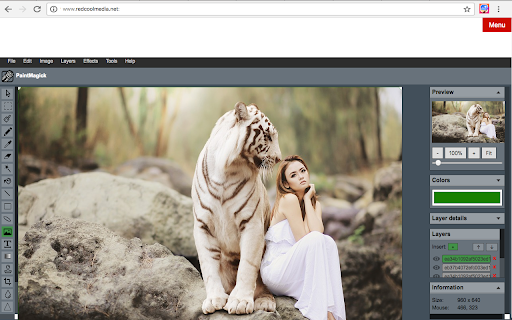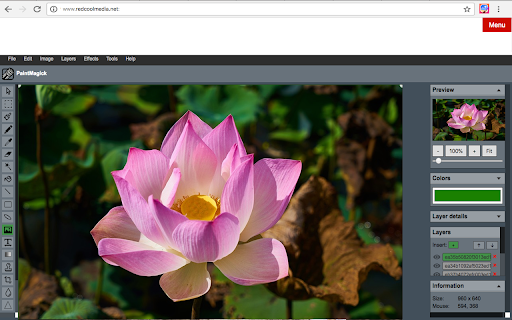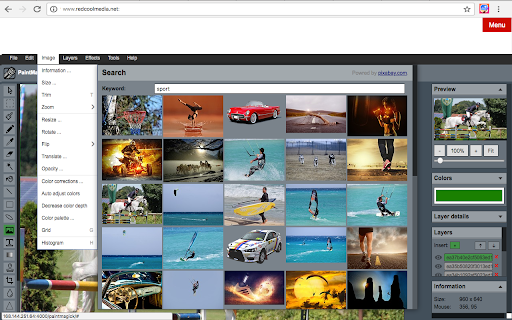
Image editor PaintMagick for photos icon

Image editor PaintMagick for photos Chrome Extension Analysis

Developer & Designer Tools

Chrome extension ID: gefjgcijamcglmolelmpeegnflbjalfa

This tool is a web-based image editor that allows users to edit, manipulate, and apply effects to images directly within the browser. It supports local file uploads, clipboard pasting, and includes basic editing utilities like layers and color correction.

Developer:RedcoolMedia
Version:1.3.5
Size:474KiB
Last updated:

Overview

Installs

2K+

Rating

2.6

14 reviews

Languages

1 locales

Includes English

Market analysis

Review-backed positioning, friction, and market signals for this Chrome extension.

Backed by review samples

Macro category

Developer & Designer Tools

Pricing friction

Low review signal

Complaint intensity

High review signal

Listing & review signals
Observed signals from store listing text and review samples.

Listing positioning

PaintMagick positions itself as a comprehensive, browser-based image editing tool. It claims to offer advanced features such as layer management, filters, effects, and standard image manipulation tools like resizing and rotation.

Inferred product pattern

Free, ad-supported legacy web utility with recurring stability issues.

Review-backed pain points

Users report critical functional issues, including constant page reloads that destroy work-in-progress and persistent, intrusive ad-block warnings that interfere with the interface.

Observed feature gaps

Evidence suggests missing core functionality for specific editing tasks (e.g., mosaic) and a broken options menu.

Tags
Image EditorPhoto EditorBrowser-Based EditorGraphic Design
Target users

- Casual image editors

- Browser-based workflow users

Primary use cases

- Quick image resizing

- Applying photo filters

- Layered image manipulation

Positive themes

- Ease of use for basic image editing tasks

Negative themes

- Aggressive ad-block detection bugs

- Automatic page refreshing causing data loss

- Lack of functional core tools

- Poor performance

Observed friction

- Performance complaints detected

- No direct payment friction reported, but interface obstructions related to ad-blocking are a significant point of user frustration.

Evidence boundary: Analysis is based on user reviews highlighting technical instability and interface bugs alongside the developer's stated features. Review sample size is small, focusing primarily on critical failures rather than broad usage patterns.
Complaint summaries
Review-backed complaint signals grouped by operational area.

Support

Minimal information regarding support; complaints focus on product quality and technical stability.

Reliability

Severe reliability issues noted, specifically automatic page refreshing and technical errors preventing standard image editing.

Privacy

None reported.

Access & pricing

- Ad-supported model observed

- No account requirement observed

- Free plan or free usage claimed

Store listing facts

Listing assets

- Screenshots: 3

- Videos: 1

- Languages: 1

Trust signals

- Privacy policy

- Developer contact

- Official website

Store metadata

- Version: 1.3.5

- Size: 474KiB

- Last updated:

Listing SEO keywords

Search intent keywords
Keyword signals for evaluating how users may discover, compare, or search for this extension category.

Core discovery

online image editorbrowser photo editoredit images onlinefree photo editor extension

Comparison

PaintMagick vs Photoshopbest web image editor

Problem

PaintMagick keeps reloadingimage editor not working

Alternative

Pixlr alternativePhotopea alternative

Similar extensions

Jump to related discovery paths:

Screenshots

Image editor PaintMagick for photos screenshot

Links

Recommended Chrome extensions

Related listings from the same category, trending peers, and the same publisher portfolio.

Browse art