Screenshot Capture icon

Screenshot Capture Chrome Extension Analysis

Automation & Workflow Efficiency

Chrome extension ID: giabbpobpebjfegnpcclkocepcgockkc

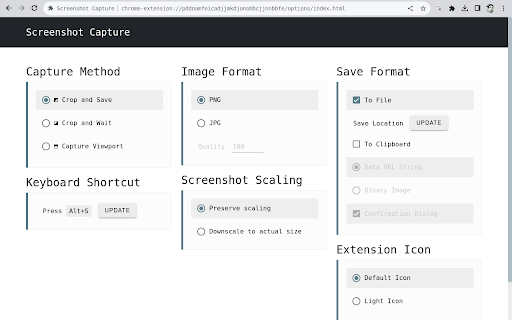
Screenshot Capture is a lightweight browser tool that allows users to capture the visible viewport, crop specific areas, and save results as image files or binary clipboard data. It is marketed as an unobtrusive, developer-friendly utility with configurable shortcuts and automatic saving capabilities.

Developer:simov.github.io
Version:3.1
Size:96.83KiB
Last updated:

Overview

Installs

100K+

Rating

4.1

150 reviews

Languages

1 locales

Includes English

Market analysis

Review-backed positioning, friction, and market signals for this Chrome extension.

Backed by review samples

Macro category

Automation & Workflow Efficiency

Pricing friction

Low review signal

Complaint intensity

Moderate review signal

Listing & review signals
Observed signals from store listing text and review samples.

Listing positioning

The extension positions itself as a secure, privacy-focused, and minimal screenshot utility that requires no special permissions. It emphasizes its open-source nature and provides basic capture-to-file or clipboard functionality without hidden data collection.

Inferred product pattern

Minimalist open-source utility focused on privacy and basic functionality.

Review-backed pain points

Users consistently report the inability to capture areas beyond the current viewport, limiting the tool to static screen snaps rather than long-page screenshots.

Observed feature gaps

The primary gap is the absence of a 'scrolling capture' or 'full page' feature, which is a common expectation for this class of tools.

Tags
Screenshot ToolScreen CaptureOpen SourceImage Utility
Target users

- Privacy-conscious users

- Developers

- General web users

Primary use cases

- Viewport capturing

- Cropping sections of a webpage

- Copying images to clipboard for quick sharing

Positive themes

- Simple and easy to use

- Minimalist interface

- Privacy-conscious without unnecessary data collection

Negative themes

- Lack of full-page scrolling capture

- Inconsistent reliability across browser updates

- Issues with UI visibility on dark themes

Observed friction

- Performance complaints detected

- None; the tool is open-source and free.

Evidence boundary: Analysis is based on public listing information and user reviews regarding functionality and reliability. Reviews capture subjective experiences and browser-specific technical failures, which may not represent all user environments.
Complaint summaries
Review-backed complaint signals grouped by operational area.

Support

Users report sporadic periods where the extension becomes unresponsive or stops working after Chrome updates.

Reliability

Some users report the extension occasionally becoming unresponsive or failing to function following browser updates.

Privacy

None; reviews actually highlight the lack of intrusive data collection as a positive.

Access & pricing

- Free usage observed

- No account requirement observed

- Free plan or free usage claimed

Store listing facts

Listing assets

- Screenshots: 1

- Videos: 1

- Languages: 1

Trust signals

- Developer contact

- Official website

- Support link

Store metadata

- Version: 3.1

- Size: 96.83KiB

- Last updated:

Listing SEO keywords

Search intent keywords
Keyword signals for evaluating how users may discover, compare, or search for this extension category.

Core discovery

chrome screenshot toolviewport capturesimple screen clipperopen source screenshot extension

Comparison

screenshot capture vs full page screenshotbest light browser screenshot tool

Problem

extension stopped workingcannot scroll capture

Alternative

full page screen capture alternativeslightweight browser screenshot

Similar extensions

Jump to related discovery paths:

Screenshots

Screenshot Capture screenshot

Links

Recommended Chrome extensions

Related listings from the same category, trending peers, and the same publisher portfolio.

Browse tools