ExportMyMap — Export Google Maps Saved Places icon

ExportMyMap Chrome Extension Analysis

Web Scraping & Data Extraction

Store listing title: ExportMyMap — Export Google Maps Saved Places

Chrome extension ID: gjefjjckmmpafmhokidaiojbeikcjlko

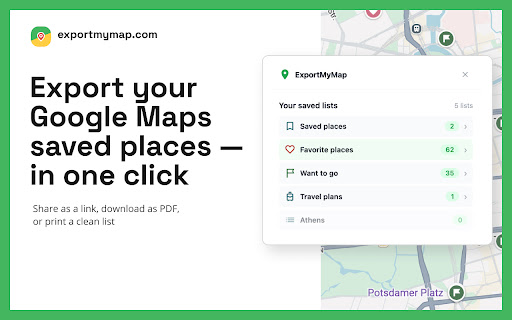
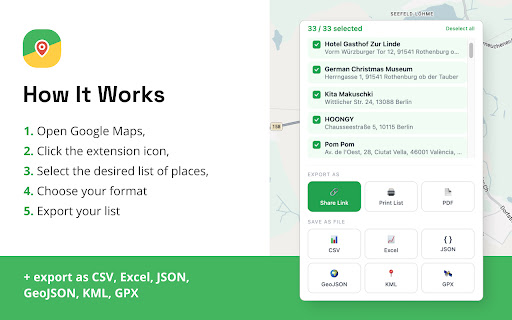
This extension allows users to extract their saved Google Maps locations and convert them into files such as spreadsheets, PDFs, or map-compatible formats. It functions by reading data directly from the user's Google Maps interface and provides local file generation with optional server-side processing for specific features like share links.

Developer:PinBoardSaver
Version:1.7.2
Size:1.22MiB
Last updated:

Overview

Installs

9K+

Rating

★ 4.5

8 reviews

Languages

10 locales

Includes Deutsch, English, español, français...

Market analysis

Review-backed positioning, friction, and market signals for this Chrome extension.

Backed by review samples

Macro category

Web Scraping & Data Extraction

Pricing friction

Low review signal

Complaint intensity

Low review signal

Listing & review signals
Observed signals from store listing text and review samples.

Listing positioning

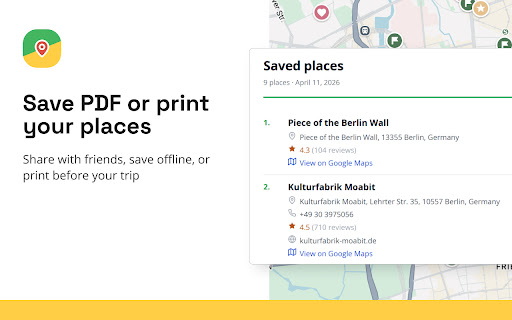
ExportMyMap positions itself as a utility for converting Google Maps saved places into portable and shareable formats. It emphasizes user control by allowing selection of specific items for export into data-heavy formats like CSV, JSON, KML, and GPX, alongside print-friendly outputs.

Inferred product pattern

Utility for extracting structured data from consumer web interfaces.

Review-backed pain points

Review-backed data is not available for negative pain points.

Observed feature gaps

No specific feature gaps identified from the limited sample size.

Tags
Google MapsData ExportTravel PlannerKMLCSV
Target users

- Travel Planners

- Logistics Professionals

- Data Enthusiasts

- Field Researchers

Primary use cases

- Converting Google Maps lists to CSV/XLSX

- Creating printable maps of saved locations

- Generating GPX/KML files for GPS devices

- Sharing curated map collections via links

Positive themes

- Ease of use

- Format versatility

Negative themes

- None identified

Observed friction

- The extension uses a freemium model limiting exports to 10 items for free users; no specific pricing complaints found.

Evidence boundary: Evidence is derived from the official Chrome Web Store listing and a high-rating user review confirming tool functionality. Review sample size is very small (1 review), limiting the depth of user sentiment and bug reporting analysis.
Complaint summaries
Review-backed complaint signals grouped by operational area.

Support

No support or account-related complaints observed.

Reliability

No performance or reliability complaints observed.

Privacy

No privacy complaints observed; the listing discloses server-side processing for PDF generation and share links.

Access & pricing

- Free entry with paid features

- Account required for core usage

- Limited free usage observed

Store listing facts

Listing assets

- Screenshots: 3

- Videos: 1

- Languages: 10

Trust signals

- Privacy policy

- Developer contact

- Official website

Store metadata

- Version: 1.7.2

- Size: 1.22MiB

- Last updated:

Listing SEO keywords

Search intent keywords
Keyword signals for evaluating how users may discover, compare, or search for this extension category.

Core discovery

export google maps saved placesgoogle maps to csvconvert saved locations to kmlgoogle maps list exporter

Comparison

google maps data extraction toolmaps bookmark export

Problem

how to export google maps favoritesdownload google maps places

Alternative

google maps backup tool

Similar extensions

Jump to related discovery paths:

Screenshots

ExportMyMap — Export Google Maps Saved Places screenshot

Links

Recommended Chrome extensions

Related listings from the same category, trending peers, and the same publisher portfolio.

Browse travel