Save to Google Drive icon

Save to Google Drive Chrome Extension Analysis

Automation & Workflow Efficiency

Chrome extension ID: gmbmikajjgmnabiglmofipeabaddhgne

An official Google extension that allows users to save web pages, images, and media directly to their Google Drive account. It supports multiple formats including PDF, HTML, and Google Docs, with configurable destination folders.

Version:3.0.9
Size:479KiB
Last updated:

Overview

Installs

4.0M+

Rating

3.9

4,972 reviews

Languages

53 locales

Includes Deutsch, English, English (United Kingdom), Filipino...

Market analysis

Review-backed positioning, friction, and market signals for this Chrome extension.

Backed by review samples

Macro category

Automation & Workflow Efficiency

Pricing friction

Low review signal

Complaint intensity

High review signal

Listing & review signals
Observed signals from store listing text and review samples.

Listing positioning

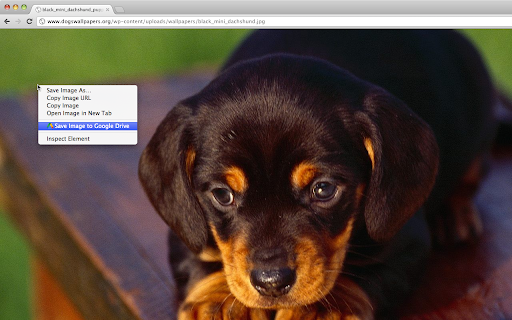
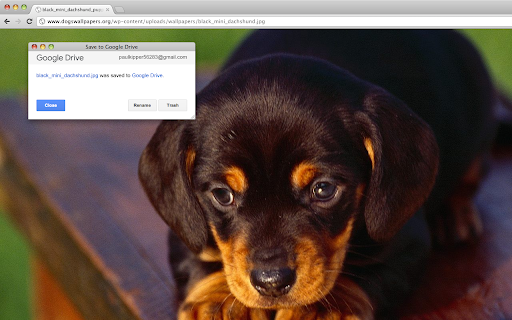
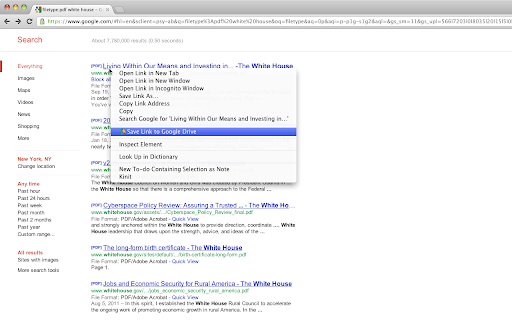
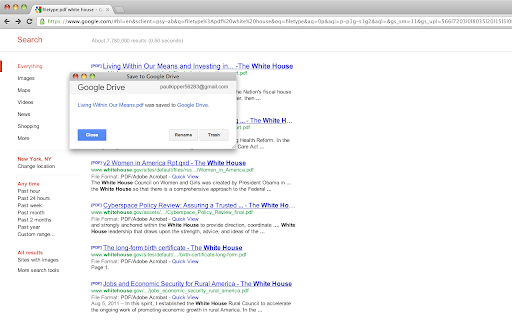
The product is positioned as a direct utility for saving web content and screen captures directly to Google Drive. It emphasizes convenience through browser actions and context menus to streamline archiving processes.

Inferred product pattern

First-party ecosystem utility designed to increase stickiness and usage of Google Drive.

Review-backed pain points

Users report that the extension frequently ignores format settings and defaults to saving as PNG. There are also reports of the extension getting stuck on 'Downloading' or throwing 'Authorization Error 400'.

Observed feature gaps

Lack of stable configuration memory for file formats and unreliable multi-account authentication.

Tags
Cloud StorageGoogle DriveWeb ClipperScreenshot ToolProductivity
Target users

- Google Drive users

- Students

- Researchers

- Web content curators

Primary use cases

- Archiving web pages as PDFs

- Saving web images to cloud storage

- Capturing screenshots of websites

- Converting web content to Google Docs

Positive themes

No positive theme data.

Negative themes

- Setting persistence issues

- Authorization and login failures

- Slow performance

- Capture failures

Observed friction

- Performance complaints detected

- No pricing friction observed; the tool is provided as a free utility.

Evidence boundary: Data extracted from the official store listing and 11 helpful low-rating review samples. No high-rating review samples were provided, meaning positive themes are not review-backed.
Complaint summaries
Review-backed complaint signals grouped by operational area.

Support

Users express frustration over unresolved bugs and a perceived lack of recent updates to fix core functionality.

Reliability

Significant reports of technical breakage, including failed image captures, invalid request errors, and failure to save files as HTML.

Privacy

No privacy-specific complaints identified in the provided samples.

Access & pricing

- Free usage observed

- Account required for core usage

- Free plan or free usage claimed

Store listing facts

Listing assets

- Screenshots: 4

- Videos: 0

- Languages: 53

Trust signals

- Privacy policy

- Developer contact

- Official website

- Support link

Store metadata

- Version: 3.0.9

- Size: 479KiB

- Last updated:

Listing SEO keywords

Search intent keywords
Keyword signals for evaluating how users may discover, compare, or search for this extension category.

Core discovery

Save to Google DriveChrome extension Google Drivesave web page to drive

Comparison

Save to Google Drive vs manual uploadbest Google Drive web clipper

Problem

how to save website to google drivescreenshot to google driveconvert webpage to google doc

Alternative

Google Drive alternativesweb clipping tools for drive

Similar extensions

Jump to related discovery paths:

Screenshots

Save to Google Drive screenshot

Links

Recommended Chrome extensions

Related listings from the same category, trending peers, and the same publisher portfolio.

Browse workflow