QR Code Reader for Google Chrome™ icon

QR Code Reader for Google Chrome™ Chrome Extension Analysis

Automation & Workflow Efficiency

Chrome extension ID: gmloihcgbhbonllenincdakeijmikcne

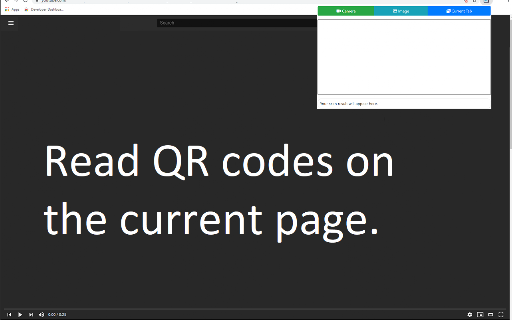
A Chrome extension that allows users to extract URLs or text from QR codes via three methods: scanning the current webpage, uploading an image file, or using a web camera. It is designed for desktop users who need quick QR decoding.

Version:3.0.0
Size:318KiB
Last updated:

Overview

Installs

300K+

Rating

3.9

754 reviews

Languages

40 locales

Includes Deutsch, English, Filipino, Indonesia...

Market analysis

Review-backed positioning, friction, and market signals for this Chrome extension.

Backed by review samples

Macro category

Automation & Workflow Efficiency

Pricing friction

Low review signal

Complaint intensity

Moderate review signal

Listing & review signals
Observed signals from store listing text and review samples.

Listing positioning

The product positions itself as a free, simple utility for reading QR codes directly within Chrome. It emphasizes convenience by eliminating the need for a mobile phone and claims to function without an internet connection.

Inferred product pattern

Single-purpose utility providing a bridge between physical/image-based QR codes and the desktop browser.

Review-backed pain points

Users report that the extension frequently fails to return a result when scanning the current tab or uploading an image, and some find the webcam activation process broken.

Observed feature gaps

The listing explicitly notes it can only read the first QR code on a page; reviews suggest a lack of troubleshooting guidance for failed scans.

Tags
QR Code ReaderQR ScannerProductivity ToolWeb Utility
Target users

- Chrome browser users

- Desktop users scanning QR codes

- Users seeking to avoid using mobile devices for QR scanning

Primary use cases

- Reading QR codes found on websites

- Decoding QR codes from saved image files

- Using a laptop webcam to scan physical QR codes

Positive themes

No positive theme data.

Negative themes

- Failure to decode QR codes from tabs or files

- Webcam connectivity and permission issues

- Non-intuitive user interface

- General product instability

Observed friction

- Performance complaints detected

- No pricing friction observed as the tool is marketed as free.

Evidence boundary: Extracted from store listing metadata and a sample of 13 user reviews. The provided review samples consist exclusively of low-rating feedback, which may not reflect the broader sentiment of the total user base.
Complaint summaries
Review-backed complaint signals grouped by operational area.

Support

Users noted a lack of troubleshooting suggestions when the tool failed to operate.

Reliability

Multiple reports of the tool simply not working, failing to identify QR codes, or stopping functionality over time.

Privacy

No specific privacy complaints found in the provided samples.

Access & pricing

- Free usage observed

- No account requirement observed

- Free plan or free usage claimed

Store listing facts

Listing assets

- Screenshots: 2

- Videos: 0

- Languages: 40

Trust signals

- Privacy policy

- Developer contact

- Official website

Store metadata

- Version: 3.0.0

- Size: 318KiB

- Last updated:

Listing SEO keywords

Search intent keywords
Keyword signals for evaluating how users may discover, compare, or search for this extension category.

Core discovery

chrome qr code readerscan qr code onlinewebcam qr scanner chromeread qr code from image

Comparison

best chrome qr readerqr scanner vs mobile app

Problem

how to scan qr code on chromeread qr code from webpageqr code reader not working

Alternative

qr code reader alternativefree qr scanner for chrome

Similar extensions

Jump to related discovery paths:

Screenshots

QR Code Reader for Google Chrome™ screenshot

Links

Recommended Chrome extensions

Related listings from the same category, trending peers, and the same publisher portfolio.

Browse workflow