PDF Editor for Chrome:Edit, Fill, Sign, Print icon

PDF Editor for Chrome Chrome Extension Analysis

Automation & Workflow Efficiency

Store listing title: PDF Editor for Chrome:Edit, Fill, Sign, Print

Chrome extension ID: gphandlahdpffmccakmbngmbjnjiiahp

This extension provides an interface to access the pdfFiller cloud-based document editor from within the Chrome browser. Users can open, fill, sign, and convert PDF documents through the service, which requires an account and a paid subscription to access core export and saving features.

Developer:PDFfiller, Inc.
Version:0.5.6
Size:1.91MiB
Last updated:

Overview

Installs

200K+

Rating

2.3

799 reviews

Languages

1 locales

Includes English

Market analysis

Review-backed positioning, friction, and market signals for this Chrome extension.

Backed by review samples

Macro category

Automation & Workflow Efficiency

Pricing friction

High review signal

Complaint intensity

High review signal

Listing & review signals
Observed signals from store listing text and review samples.

Listing positioning

The store listing positions the extension as a comprehensive, feature-rich PDF editor that allows users to instantly edit, annotate, sign, and share documents directly from their browser. It emphasizes convenience by eliminating the need to download or install separate software, targeting users looking to streamline their document management workflow.

Inferred product pattern

A high-friction SaaS conversion funnel disguised as a free utility extension.

Review-backed pain points

The most significant pain point is the lack of upfront disclosure regarding payment; users report spending significant time editing documents only to be blocked from saving, printing, or downloading unless they commit to a paid subscription.

Observed feature gaps

Users note a lack of local storage options, with all files forced into the vendor's cloud, and mention a clunky, non-intuitive user interface for basic editing tasks.

Tags
PDF EditorDocument ManagementE-SignForm Filling
Target users

- Real estate professionals

- Remote workers

- Administrative assistants

- General document users

Primary use cases

- Editing static PDF forms

- Digitally signing documents

- Converting PDF formats

- Filling out interactive forms

Positive themes

- Effective for complex forms and real estate documents

- Saves time compared to printing/scanning

- Responsive customer support

Negative themes

- Hidden paywall/subscription requirement

- Aggressive data collection (credit card) for 'free' trials

- Loss of work due to non-disclosure of costs until after editing completion

Observed friction

- Payment required for meaningful usage

- Free-tier complaints detected

- Account blocking complaints detected

- Refund complaints detected

- Extremely high friction; users frequently express anger over 'deceptive' practices where the necessity of a paid subscription is revealed only after extensive work is completed.

Evidence boundary: Analysis is based on a large volume of user reviews highlighting significant discrepancies between the promised 'free' functionality and the actual subscription-gated user experience. The review sentiment is heavily skewed by frustration over pricing transparency, which may overshadow technical feedback on the actual editor's performance.
Complaint summaries
Review-backed complaint signals grouped by operational area.

Support

Mixed; while some users report responsive support regarding refunds, many are frustrated by the initial barrier to entry.

Reliability

General performance is cited as functional, though the UI is described as clumsy or difficult for quick edits.

Privacy

No direct security/privacy breaches noted, but users express discomfort with the mandatory requirement to create an account and provide credit card details just to test functionality.

Access & pricing

- Subscription model observed

- Account required for core usage

- Trial or limited free usage before paid plan

Store listing facts

Listing assets

- Screenshots: 4

- Videos: 0

- Languages: 1

Trust signals

- Privacy policy

- Developer contact

- Official website

- Support link

Store metadata

- Version: 0.5.6

- Size: 1.91MiB

- Last updated:

Listing SEO keywords

Search intent keywords
Keyword signals for evaluating how users may discover, compare, or search for this extension category.

Core discovery

PDF editor for Chromeedit PDF onlinefill PDF formselectronic signature toolPDF converter

Comparison

free pdf editorpdf filler alternative

Problem

cannot save PDFPDF editor requires paymentis pdffiller free

Alternative

best pdf editor chrome extension

Similar extensions

Jump to related discovery paths:

Screenshots

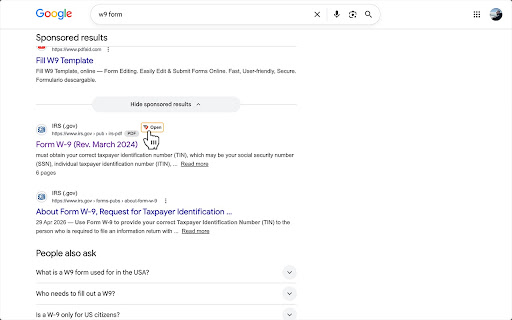
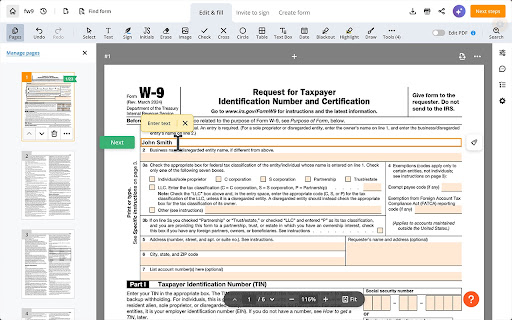
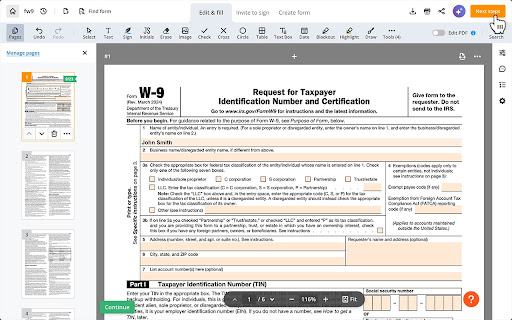
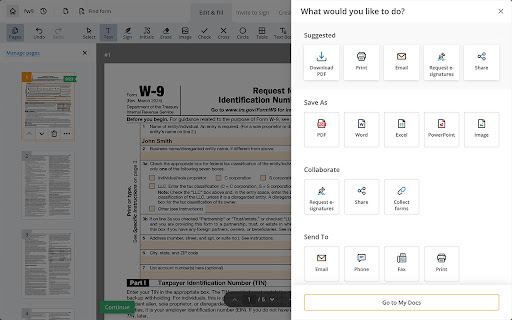
PDF Editor for Chrome:Edit, Fill, Sign, Print screenshot

Links

Recommended Chrome extensions

Related listings from the same category, trending peers, and the same publisher portfolio.

Browse workflow