

IE Tab Chrome Extension Analysis
Automation & Workflow EfficiencyChrome extension ID: hehijbfgiekmjfkfjpbkbammjbdenadd
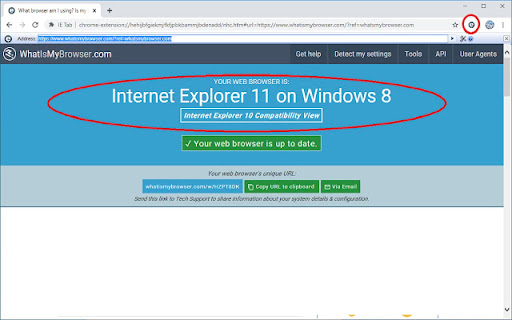
IE Tab is a Chrome extension that emulates Internet Explorer, allowing users to view and interact with web pages that require older IE rendering engines or specific plugins. It supports features like ActiveX, Java, and Silverlight, and enables editing of SharePoint documents directly within Chrome.
Overview
Installs
4.0M+
Rating
★ 4.3
19,005 reviews
Languages
1 locales
Includes English (United States)
Market analysis
Review-backed positioning, friction, and market signals for this Chrome extension.
Macro category
Automation & Workflow Efficiency
Pricing friction
Moderate review signal
Complaint intensity
High review signal
Listing positioning
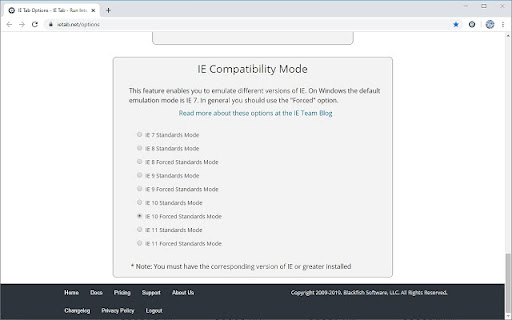
IE Tab positions itself as a solution for accessing legacy web content and functionalities within Chrome. It emphasizes its ability to emulate different versions of Internet Explorer and support older technologies like Java, Silverlight, and ActiveX, which are no longer natively supported by modern browsers.
Inferred product pattern
A Chrome extension that emulates Internet Explorer, requiring a separate helper application to function. It offers features for accessing legacy web content but faces criticism for performance, reliability, pricing, and platform limitations.
Review-backed pain points
Users experience significant frustration when the extension fails to load content, get stuck on login pages, or does not support required functionalities like Java and WMV plugins. There are also complaints about unexpected link modifications and the product's performance being slow. The need for a separate helper executable and platform limitations (Mac/Linux) are also cited as pain points.
Observed feature gaps
Reviews suggest a lack of expected features such as automatically resolving URLs through a local network, and a potentially hidden limited trial period. Users also highlight that the Chrome Web Store does not allow for platform specificity in listings, leading to issues for Mac/Linux users despite the description indicating 'WINDOWS ONLY'.
- Enterprise users with legacy web application dependencies
- Users needing to access older corporate intranets or SharePoint sites
- Individuals who need to run web applications that rely on Internet Explorer-specific technologies
- Accessing and using legacy web applications within Chrome
- Editing SharePoint documents that require IE
- Running web applications that depend on ActiveX controls or Silverlight
No positive theme data.
- The extension not working as expected for specific use cases (e.g., training videos, login pages)
- Unexpected changes to links and potential ad injection
- Performance issues, described as 'terrible slow'
- Discovery of a limited free trial period after installation
- Perceived high cost and significant price increases over time
- Requirement for a separate executable (ietabhelper.exe) for functionality
- Lack of support for Mac/Linux operating systems
- Functional limitations imposed by IT departments, such as preventing 'open in new tab'
- Inconsistency in operation requiring frequent re-enabling
- Concerns about the product being a 'monopoly on a crap product'
- Free-tier complaints detected
- Performance complaints detected
- Users express dissatisfaction with the pricing, noting a limited free trial and significant price increases. Some reviews suggest the product is perceived as expensive, especially when alternatives like Microsoft Edge's 'IE mode' are available for free.
Support
One helpful review explicitly states, 'The bad thing is I am hamstrung with this program due to me needing it to access websites for my clients. When it doesn't work and causes delays in deliverables to my customer which in turn cost my company money.' This indicates a lack of confidence in the product's reliability and the consequences of its failure.
Reliability
Multiple users report inconsistent performance, the extension not working as expected, and the need to constantly re-enable it. Some users are 'hamstrung' by the program due to its necessity for client work, indicating significant reliability issues that impact their business.
Privacy
One user mentioned that the extension 'has been changing some of my links to advertisers without my permission even when it is not in use'. While the developer's privacy policy is linked, this user experience suggests potential privacy concerns related to ad tracking or link redirection.
- Free entry with paid features
- No clear access signal
- Limited free usage observed
Store listing facts
- Screenshots: 3
- Videos: 0
- Languages: 1
- Privacy policy
- Developer contact
- Official website
- Support link
- Version: 19.3.5.1
- Size: 928KiB
- Last updated:
Listing SEO keywords
Core discovery
Comparison
Problem
Alternative
Similar extensions
Jump to related discovery paths:
Screenshots
Links
Website: blackfishsoftware.com
Privacy policy: http://www.ietab.net/privacy-policy
Support links: https://www.ietab.net/support




