

Auto BCC for Gmail™ Chrome Extension Analysis
Automation & Workflow EfficiencyChrome extension ID: hfjgikgjcgdhlklibkcobckkhklaeodd
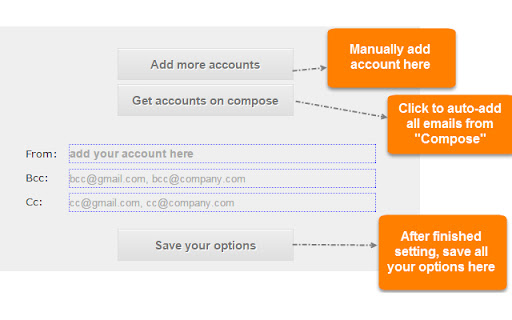
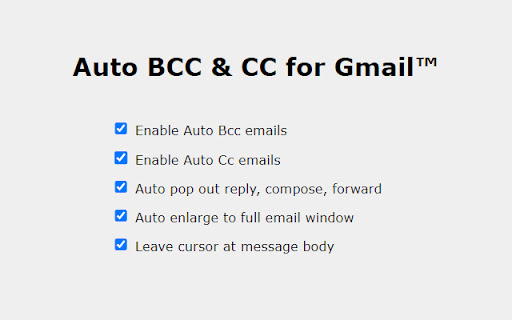
Auto BCC for Gmail™ is a browser utility that automates the addition of CC and BCC email addresses during the composition process in Gmail. It features rules-based targeting for different email accounts, automated compose pop-out expansion, and configuration import/export tools to maintain settings across multiple workstations.
Overview
Installs
40K+
Rating
★ 3.5
468 reviews
Languages
8 locales
Includes Deutsch, English, español, français...
Market analysis
Review-backed positioning, friction, and market signals for this Chrome extension.
Macro category
Automation & Workflow Efficiency
Pricing friction
High review signal
Complaint intensity
High review signal
Listing positioning
The store listing positions Auto BCC for Gmail™ as a seamless workflow productivity extension designed to automatically add BCC and CC recipients to outgoing emails. It highlights deep integration with the Gmail UI, allowing users to configure distinct rules per active sender address. To support professional pipelines, it explicitly promotes integration capabilities with major CRMs like Salesforce and Zoho CRM.
Inferred product pattern
Automated email routing utility leveraging browser UI hooks, transitioning from ad-supported monetization to paid annual license validation.
Review-backed pain points
The most severe historical complaints focus on the extension acting as adware, injecting unsolicited popups and redirects across general web browsing. More recently, users face software locks due to 'invalid license' errors on paid tiers, leaving them unable to access the functionality they paid for.
Observed feature gaps
Reviews indicate a major gap in offline or localized licensing validation, causing paid configurations to break unexpectedly. Users also criticize the lack of a graceful, limited free tier option inside the extension, forcing them to manually construct Gmail filters to achieve similar results.
- Sales professionals logging outreach to CRM platforms
- Account managers maintaining shared communication archives
- Freelancers coordinating projects across multiple professional email aliases
- Automatically logging outbound Gmail communications to CRM platforms like Salesforce or Zoho CRM
- Ensuring internal compliance by copying all outgoing client emails to an archive inbox
- Managing independent automated BCC routing rules for secondary email aliases
- Historical ease of use for automating repetitive email logging rules
- Convenient integration directly within the native Gmail interface
- Historical injection of aggressive adware, page-wide popups, and intrusive redirects outside of Gmail
- Abrupt transitions from a free product to a paid licensing model
- License validation failures blocking premium users
- Unresponsive developer support to licensing inquiries
- Payment required for meaningful usage
- Free-tier complaints detected
- Performance complaints detected
- Privacy complaints detected
- Users express high levels of friction regarding the transition to a $4.99/year premium license model, especially when existing premium licenses fail prematurely and lock active users out.
Support
Paying users report a total lack of response from support ([email protected]) after reaching out to resolve licensing validation errors.
Reliability
Historically plagued by complaints of severe browser behavior changes, including adware injections and traffic redirection to suspicious sites. Modern complaints cite sudden license invalidation errors that disable the extension's core features.
Privacy
Strong user concern over privacy, with historical reviews highlighting suspicious outgoing traffic to external domains and real-time blocking of unauthorized data transmission by local anti-malware software.
- Subscription model observed
- Login needed for core features
- Trial or limited free usage before paid plan
Store listing facts
- Screenshots: 3
- Videos: 0
- Languages: 8
- Privacy policy
- Developer contact
- Official website
- Support link
- Version: 2026.4.9.0
- Size: 99.03KiB
- Last updated:
Listing SEO keywords
Core discovery
Comparison
Problem
Alternative
Similar extensions
Jump to related discovery paths:
Screenshots
Links
Website: autobcc.com
Privacy policy: https://autobcc.com/privacy-policy/
Support links: https://autobcc.com/contact-us/





