Window Resizer icon

Window Resizer Chrome Extension Analysis

Automation & Workflow Efficiency

Chrome extension ID: hgjfanlllikpfpaadggdbchdpcbiaeei

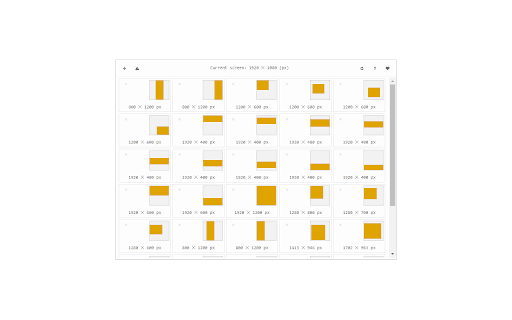
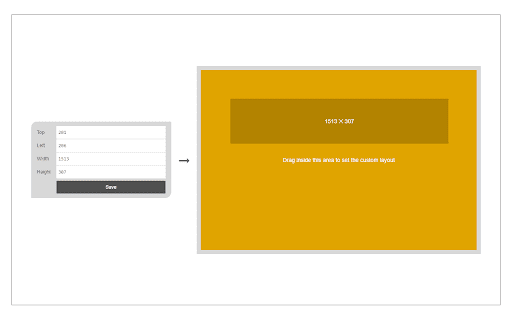
Window Resizer allows users to set and toggle between specific browser window dimensions and positions. It features a custom layout designer, drag-and-drop ordering for presets, and a dark mode interface for improved accessibility.

Developer:Lynn
Version:0.1.9
Size:51.82KiB
Last updated:

Overview

Installs

10K+

Rating

3.7

11 reviews

Languages

1 locales

Includes English

Market analysis

Review-backed positioning, friction, and market signals for this Chrome extension.

Backed by review samples

Macro category

Automation & Workflow Efficiency

Pricing friction

Low review signal

Complaint intensity

Moderate review signal

Listing & review signals
Observed signals from store listing text and review samples.

Listing positioning

The store listing positions Window Resizer as a utility for precise browser window control and layout management. It emphasizes ease of use through a toolbar popup interface that supports both predefined and custom layout configurations.

Inferred product pattern

Single-function browser productivity utility

Review-backed pain points

Users report technical issues with custom settings not persisting and inaccurate scaling on high-resolution displays.

Observed feature gaps

Lack of reliable persistence for custom user settings and potential compatibility issues with multi-monitor setups.

Tags
Window ManagementWeb DesignProductivityDesktop Utility
Target users

- Web Designers

- Developers

- Power Users

Primary use cases

- Testing responsive web designs

- Organizing browser workspaces

- Standardizing window dimensions for screenshots

Positive themes

- Helpful for responsive design testing

- Productive UI simplification

- Appreciated custom breakpoint configuration

Negative themes

- Failure to save custom layouts

- Incorrect monitor resolution detection

- Unwanted window displacement across multiple monitors

- Poor UI aesthetics

Observed friction

- Performance complaints detected

- No payment required; the product is free.

Evidence boundary: Data derived from public store description and user reviews highlighting both functional utility for design and bugs in configuration persistence. Review sample size is small, and feedback may not represent the entire user base.
Complaint summaries
Review-backed complaint signals grouped by operational area.

Support

No direct support complaints, though users express frustration with unresolved functional bugs.

Reliability

Users report reliability issues including failed saving of custom configurations and inaccurate resolution detection on 4K monitors.

Privacy

No privacy complaints found.

Access & pricing

- Free usage observed

- No account requirement observed

- Free plan or free usage claimed

Store listing facts

Listing assets

- Screenshots: 2

- Videos: 0

- Languages: 1

Trust signals

- Developer contact

- Official website

Store metadata

- Version: 0.1.9

- Size: 51.82KiB

- Last updated:

Listing SEO keywords

Search intent keywords
Keyword signals for evaluating how users may discover, compare, or search for this extension category.

Core discovery

chrome window resizerbrowser window managerresponsive design testing toolresize browser window extension

Comparison

window resizer alternativechrome layout manager comparison

Problem

browser window not resizingcustom layout not saving

Alternative

browser resizer pluginsweb development tools for chrome

Similar extensions

Jump to related discovery paths:

Screenshots

Window Resizer screenshot

Links

Recommended Chrome extensions

Related listings from the same category, trending peers, and the same publisher portfolio.

Browse tools