Qiitafy for GAS icon

Qiitafy for GAS Chrome Extension Analysis

Developer & Designer Tools

Chrome extension ID: hhdpbagbhlahiinjkjkffiknhgakoogj

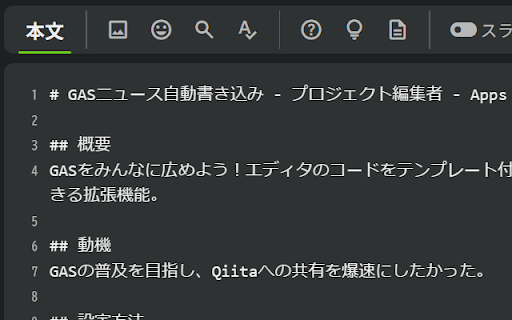
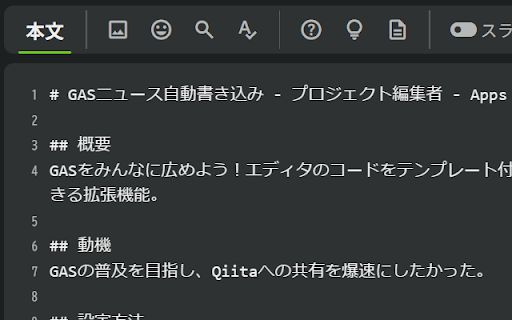
Qiitafy for GAS is a productivity tool for developers that converts Google Apps Script code blocks into markdown format optimized for the Japanese blogging platform Qiita. It formats the script with proper syntax highlighting to make sharing code in technical posts quick and clean.

Developer:kazukichi
Version:1.0
Size:2.21MiB
Last updated:

Overview

Installs

5

Rating

★ —

0 reviews

Languages

1 locales

Includes 日本語

Market analysis

Review-backed positioning, friction, and market signals for this Chrome extension.

No review samples found

Macro category

Developer & Designer Tools

Pricing friction

Low review signal

Complaint intensity

Low review signal

Listing & review signals
Observed signals from store listing text and review samples.

Listing positioning

Qiitafy for GAS positions itself as a single-click utility designed to convert Google Apps Script (GAS) code into optimized Markdown templates for Qiita. The developer promotes its ability to automate syntax highlighting and markup conversions. It claims to significantly reduce the effort required for writing and sharing technical articles containing GAS code.

Inferred product pattern

A niche, single-purpose formatting utility that integrates a specific development environment (GAS) with a specific developer-blogging network (Qiita).

Review-backed pain points

Review-backed data is not available as there are currently no reviews for this extension.

Observed feature gaps

No direct review-backed feature gaps are available. However, based on the listing, the extension's narrow focus limits its utility exclusively to Google Apps Script and the Qiita blogging platform, lacking support for generic Markdown platforms or other scripting environments.

Tags
Google Apps ScriptMarkdown ConverterQiita IntegrationDeveloper Utilities
Target users

- Google Apps Script developers

- Japanese technical bloggers

- Qiita content creators

Primary use cases

- Converting Google Apps Script code blocks to Markdown

- Publishing formatted GAS code templates directly on Qiita

Positive themes

No positive theme data.

Negative themes

No negative theme data.

Observed friction

- No pricing complaints or friction points are available due to a lack of review data.

Evidence boundary: The analysis is derived entirely from the developer's Japanese store listing details, including metadata, product descriptions, and functional positioning, as no user reviews are available. There are no user reviews, ratings, or install counts available, preventing any validation of performance, actual user sentiment, or hidden limitations in real-world scenarios.
Complaint summaries
Review-backed complaint signals grouped by operational area.

Support

No support or refund complaints are available as no user feedback exists.

Reliability

No reliability or performance complaints have been reported.

Privacy

No privacy or security concerns have been raised by users.

Access & pricing

- Free usage observed

- No account requirement observed

- Free plan or free usage claimed

Store listing facts

Listing assets

- Screenshots: 2

- Videos: 0

- Languages: 1

Trust signals

- Privacy policy

- Developer contact

- Official website

Store metadata

- Version: 1.0

- Size: 2.21MiB

- Last updated:

Listing SEO keywords

Search intent keywords
Keyword signals for evaluating how users may discover, compare, or search for this extension category.

Core discovery

GAS to Markdown converterQiita Markdown code formatterGoogle Apps Script to QiitaGAS code syntax highlighter

Comparison

Qiitafy alternativesGAS copy paste vs Qiitafy

Problem

how to format GAS code for QiitaGoogle Apps Script markdown formatting

Alternative

GAS markdown export extension

Similar extensions

Jump to related discovery paths:

Screenshots

Qiitafy for GAS screenshot

Links

Recommended Chrome extensions

Related listings from the same category, trending peers, and the same publisher portfolio.

Browse developer