Content Server Browser Web Extension icon

Content Server Browser Web Extension Chrome Extension Analysis

Automation & Workflow Efficiency

Chrome extension ID: hlphpjodcfdblfmbbdjodbfmlonmidfh

A specialized enterprise browser extension designed to integrate with OpenText Content Server. It allows users to perform complex document management tasks and access desktop-specific functionalities while browsing.

Version:3.0.0.0
Size:32.99KiB
Last updated:

Overview

Installs

2.0M+

Rating

2.8

41 reviews

Languages

1 locales

Includes English (United States)

Market analysis

Review-backed positioning, friction, and market signals for this Chrome extension.

Backed by review samples

Macro category

Automation & Workflow Efficiency

Pricing friction

Low review signal

Complaint intensity

High review signal

Listing & review signals
Observed signals from store listing text and review samples.

Listing positioning

The extension is positioned as a bridge to extend the functionality of the OpenText Content Server web interface. It aims to provide users with access to desktop-level component features directly within the Chrome browser.

Inferred product pattern

Enterprise-grade integration tool that relies on complex local-to-web handshakes between browser extensions and desktop client software.

Review-backed pain points

Users experience frequent COM exceptions, errors regarding missing 'Office Editor Launcher' components, and the need to constantly toggle the extension to make it work.

Observed feature gaps

The extension appears heavily dependent on local desktop installations (like Office Editor Launcher) which frequently fail to communicate or are not detected correctly.

Tags
Enterprise ContentDocument ManagementWorkflow IntegrationOpenText
Target users

- Enterprise employees

- OpenText Content Server users

- Document management professionals

Primary use cases

- Managing Content Server documents via Chrome

- Accessing desktop component features in a web interface

- Streamlining enterprise content workflows

Positive themes

No positive theme data.

Negative themes

- Severe technical instability

- Broken dependencies with desktop software

- Failure to launch or execute core functions

Observed friction

- Performance complaints detected

- Privacy complaints detected

- No pricing information or friction observed in the provided data.

Evidence boundary: Analysis based on store listing text and low-rating user reviews detailing technical errors and installation issues. The review sample is heavily skewed toward low ratings, which may not reflect the experience of the total 2 million users.
Complaint summaries
Review-backed complaint signals grouped by operational area.

Support

No specific support desk complaints, but significant user frustration regarding unaddressed technical failures.

Reliability

Extreme reliability issues reported, including the extension failing to open documents, throwing system exceptions, and requiring frequent re-enabling.

Privacy

One user reported the extension was installed without their consent.

Access & pricing

- No clear monetization signal

- No clear access signal

- No clear pricing signal

Store listing facts

Listing assets

- Screenshots: 2

- Videos: 0

- Languages: 1

Trust signals

- Developer contact

Store metadata

- Version: 3.0.0.0

- Size: 32.99KiB

- Last updated:

Listing SEO keywords

Search intent keywords
Keyword signals for evaluating how users may discover, compare, or search for this extension category.

Core discovery

Content Server Browser ExtensionOpenText Chrome ExtensionContent Server Web Interface

Comparison

OpenText Enterprise ConnectContent Server Desktop

Problem

Content Server errorOffice Editor Launcher missingECWebExtension exception

Alternative

Content Server desktop clientOpenText Office Editor

Similar extensions

Jump to related discovery paths:

Screenshots

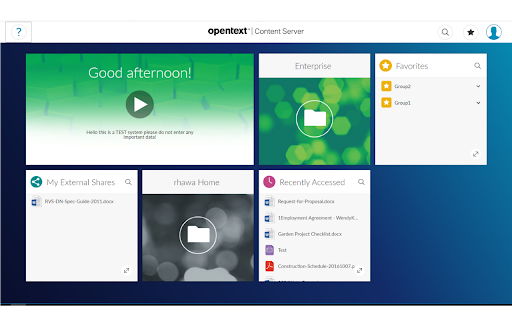
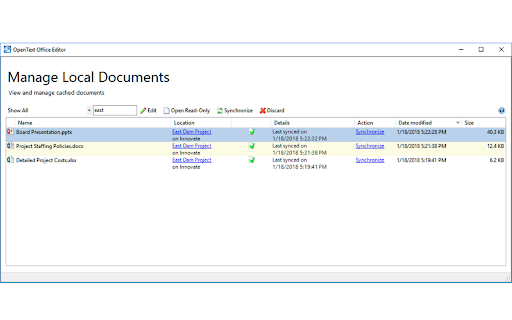
Content Server Browser Web Extension screenshot

Recommended Chrome extensions

Related listings from the same category, trending peers, and the same publisher portfolio.

Browse workflow